Hello,
I purchased a ZED Link Mono and ZED X Mini from Stereolabs last year (around April 2025) and had issues getting set up. (ZED X Mini Setup Issues).
I recently bought a ZED Link Duo as well and are now reproducibly unable to get a stream from the camera. The serial number is printed from ZED Studio, but nothing else works. Attempts at trying to start the camera stream through ZED Explorer or ZED Studio lead to the camera not being recognized properly with a “Corrupted Frames error”.
Testing with a ZEDX camera with the same jetson image/driver, capture card, and wiring (replaced only the camera) leads to the camera stream and depth view working as intended with no issues. Testing the ZED Link Mono with this setup and alternate ZEDX camera also works as intended.
The ZED X Mini has been kept in very safe, controlled conditions since we received it. It has remained in its original packaging 90% of the time, and was only removed for testing on clean surfaces with a low risk of ESD or other electrical issues. Furthermore, when tested, it was secured to ensure no risk of drops or physical impact.
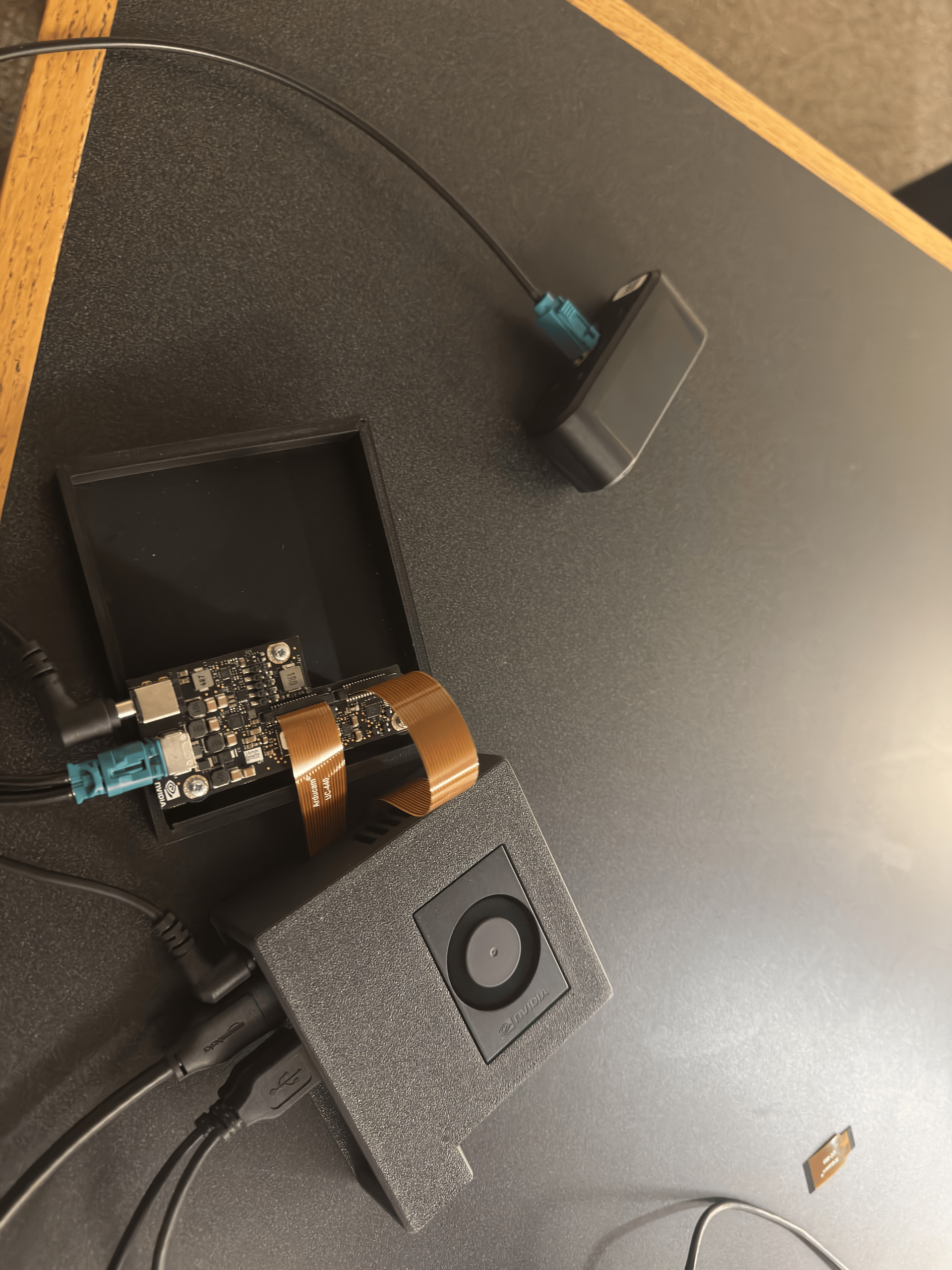
Hardware Setup:
- Camera: ZED X Mini
- Capture Card: ZED Duo Link GMSL2 capture card (Mono also tested)
- Cable: Stereolabs GMSL2 cable (camera → capture card) and Official CSI-2 cable (arducam cables from documentation were used for duo) (capture card → Jetson Orin Nano)
- Power:
- The Jetson is powered by the power adapter that came with the Developer Kit
- The capture card is powered through the JST port, with 18V.
- Platform: Jetson Orin Nano Developer Kit
- Software Versions:
- Jetpack 6.2.1 / L4T 36.4.4
- ZED SDK 5.2
- ZED X Driver 1.4.1 for ZED Link Mono and ZED Link Duo (tested individually) (Jetpack 6.1 & 6.2 (L4T 36.4)) installed as per documentation. ZED X Driver 1.3.2 was also tested with no difference.
What I Have Tried:
- Flashed the Jetson with Jetpack 6.2, 6.1, and 5.1.5, and installed the ZED SDK and ZED X Driver (the appropriate versions) on each. 6.2 and 6.1 have the same issue, while 5.1.5 does not detect the camera at all.
- Reinstalled the SDK and ZED-X Driver multiple times and restarted the zed_x_daemon multiple times.
- Rebooted multiple times.
- Checked cables and seating
- I have the GMSL2 cable going from the camera to the capture card seated well, and the CSI-2 cable going from the capture card to the jetson with the black side up.
- Tried different resolutions and frame rates (cannot change resolution or frame rates as this requires an initialized camera, which does not occur with the current setup).
I greatly appreciate any guidance or troubleshooting assistance!
Attached are the dmesg logs, zed diagnostic logs, and logs from ZED Studio as the camera gets a corrupted stream. I have also attached pictures of the hardware setup and wiring (all using stereolabs official hardware).
zed_diagnostic_dmesg.log (15.2 KB)
dmesg.log (69.3 KB)
zed_studio_output.log (10.5 KB)
ZED_Diagnostic_Results.json (24.2 KB)