Hello Stereolabs Support Team,
I am experiencing a streaming issue with my ZED setup and would appreciate your assistance.
Hardware setup:
-
Jetson Orin Nano Development Kit
-
ZED Link Capture Card Duo
-
GMSL2 1–4 M-F cable
-
2x ZED X One S cameras
Behavior observed:
-
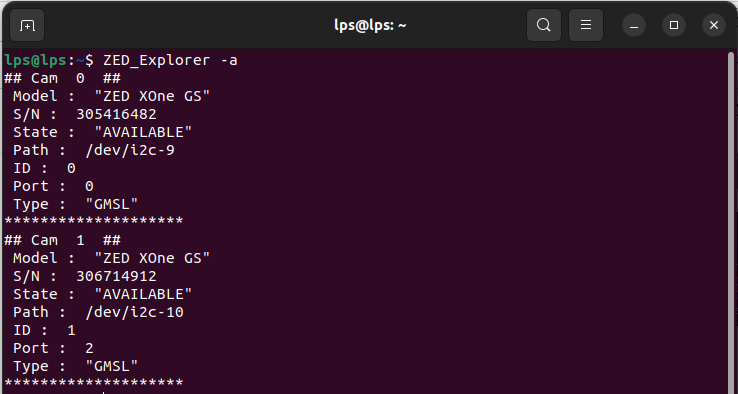
In ZED Explorer, both cameras are detected successfully.
-
I can see live frames from both cameras.
-
However, when running ZED Diagnostics, I receive the following error under the GMSL DRIVER section:
“No camera stream
Unable to establish a proper stream. Please reboot the device. If the problem persists, contact Stereolabs support.”
- Occasionally after rebooting the Jetson device, the GMSL DRIVER shows a green check mark (✓), but i still having error on the cpp tutorial.
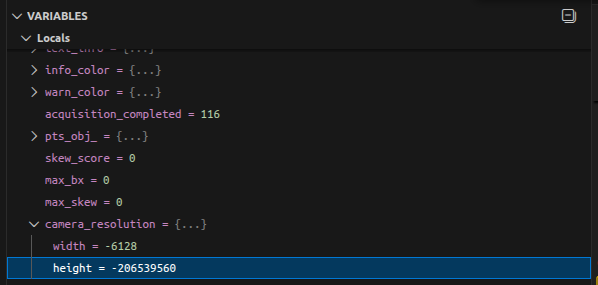
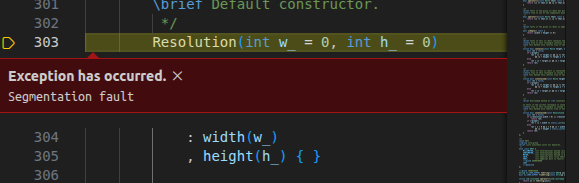
[ZED][ERROR] CAMERA STREAM FAILED TO START in sl::ERROR_CODE sl: :open(sl::InitParameters)
Troubleshooting steps already attempted:
-
Rebooted the Jetson multiple times.
-
Switched between the GMSL2 ports.
-
Tested both cameras individually.
-
Issue persists.
It is confusing because ZED Explorer is able to display frames, yet the SDK fails to start the camera stream in C++ examples.
note that i installed the GMSL2 Driver for my jetson orin JP 6.2.
I am attaching the ZED Diagnostic JSON file for your review.
Thank you very much for your support.
Best regards,
Niv
Update:
Hello again,
I would like to provide an update regarding the issue.
I have uploaded a new ZED Diagnostic JSON file. The diagnostic tool now passes all the requirements, and no errors are reported in the GMSL DRIVER section.
However, the C++ tutorial still fails with the same error:
[ZED][ERROR] CAMERA STREAM FAILED TO START in sl::ERROR_CODE sl::open(sl::InitParameters)
After reviewing the system information, I noticed a potential version mismatch:
-
My L4T version:
36.4.7 -
Installed GMSL driver version:
L4T 36.4
I suspect the issue might be related to this version difference.
Could you please confirm whether L4T 36.4.7 is fully compatible with the L4T 36.4 GMSL driver?
If not, should I downgrade or install a specific driver version?
Thank you again for your support.
Best regards,
Niv
ZED_Diagnostic_Results.json (19.8 KB)