Dear Stereolabs Team
We have since achieved a more stable startup program for the Fusion Stuart.
We wanted to restart the fusion after performing some PC maintenance today, but we ran into an issue.
We wonder whether this is a malfunctioning camera or if it’s completely random.
The log we obtained in our terminal is as follows:
Failed to open  C:\Users\autstart-wardobe\Desktop\ZED_Unity_Livelink_Fusion.json.yml
[FusionSender] Waiting for ZED camera SN 31202332 to be ready...
[2026-01-21 10:04:53 UTC][ZED][WARNING] Failed to open C:\Users\autstart-wardobe\Desktop\ZED_Unity_Livelink_Fusion.json.yml
[2026-01-21 10:04:53 UTC][ZED][INFO] Logging level INFO
[2026-01-21 10:04:55 UTC][ZED][INFO] [Init]  Depth mode: ULTRA
[2026-01-21 10:04:56 UTC][ZED][INFO] [Init]  Camera successfully opened.
[2026-01-21 10:04:56 UTC][ZED][INFO] [Init]  Camera FW version: 1523
[2026-01-21 10:04:56 UTC][ZED][INFO] [Init]  Video mode: HD720@30
[2026-01-21 10:04:56 UTC][ZED][INFO] [Init]  Serial Number: S/N 31202332
[FusionSender] camera SN 31202332 is ready.
Failed to open  C:\Users\autstart-wardobe\Desktop\ZED_Unity_Livelink_Fusion.json.yml
[FusionSender] Waiting for ZED camera SN 34413725 to be ready...
[2026-01-21 10:04:57 UTC][ZED][WARNING] Failed to open C:\Users\autstart-wardobe\Desktop\ZED_Unity_Livelink_Fusion.json.yml
[2026-01-21 10:04:57 UTC][ZED][INFO] Logging level INFO
[2026-01-21 10:04:58 UTC][ZED][INFO] [Init]  Depth mode: ULTRA
[2026-01-21 10:04:59 UTC][ZED][WARNING] [ZED] Sensors could not be initialized. Some modules (AI-based) might not work correctly.
[2026-01-21 10:04:59 UTC][ZED][INFO] [Init]  Camera successfully opened.
[2026-01-21 10:04:59 UTC][ZED][INFO] [Init]  Camera FW version: 1523
[2026-01-21 10:04:59 UTC][ZED][INFO] [Init]  Video mode: HD720@30
[2026-01-21 10:04:59 UTC][ZED][INFO] [Init]  Serial Number: S/N 34413725
Error: MOTION SENSORS REQUIRED
[2026-01-21 10:05:00 UTC][ZED][WARNING] MOTION SENSORS REQUIRED in enum sl::ERROR_CODE __cdecl sl::Camera::enableBodyTracking(struct sl::BodyTrackingParameters)
Error: INVALID FUNCTION CALL
[2026-01-21 10:05:10 UTC][ZED][INFO] Logging level INFO
[2026-01-21 10:05:10 UTC][ZED][WARNING] INVALID FUNCTION CALL in enum sl::ERROR_CODE __cdecl sl::Camera::open(struct sl::InitParameters)
Error: INVALID FUNCTION CALL
[2026-01-21 10:05:20 UTC][ZED][INFO] Logging level INFO
[2026-01-21 10:05:20 UTC][ZED][WARNING] INVALID FUNCTION CALL in enum sl::ERROR_CODE __cdecl sl::Camera::open(struct sl::InitParameters)
Error: INVALID FUNCTION CALL
[2026-01-21 10:05:30 UTC][ZED][INFO] Logging level INFO
[2026-01-21 10:05:30 UTC][ZED][WARNING] INVALID FUNCTION CALL in enum sl::ERROR_CODE __cdecl sl::Camera::open(struct sl::InitParameters)
Error: INVALID FUNCTION CALL
[2026-01-21 10:05:40 UTC][ZED][INFO] Logging level INFO
[2026-01-21 10:05:40 UTC][ZED][WARNING] INVALID FUNCTION CALL in enum sl::ERROR_CODE __cdecl sl::Camera::open(struct sl::InitParameters)
Error: INVALID FUNCTION CALL
[2026-01-21 10:05:50 UTC][ZED][INFO] Logging level INFO
[2026-01-21 10:05:50 UTC][ZED][WARNING] INVALID FUNCTION CALL in enum sl::ERROR_CODE __cdecl sl::Camera::open(struct sl::InitParameters)
After we started the ZED SDK Sensor Lab we saw that the one camera with the error is showing a very weird behavior, i made a video of it:
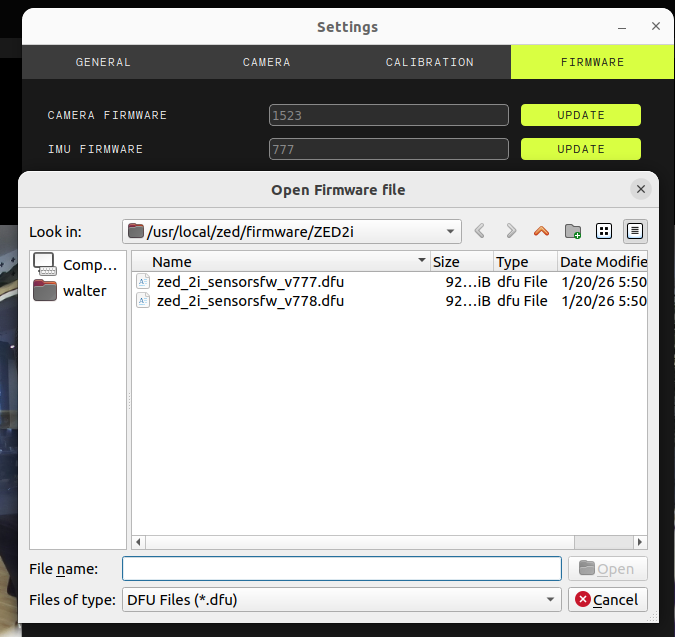
After starting the ZED Explorer also showed the Firmware version is -1 on that camera.
It took us several time to reset the USB devices until suddently it worked again.
After a while it also showed a firmware version again.
Is it damaged maybe? Any ideas?
Best Regards
Pascal