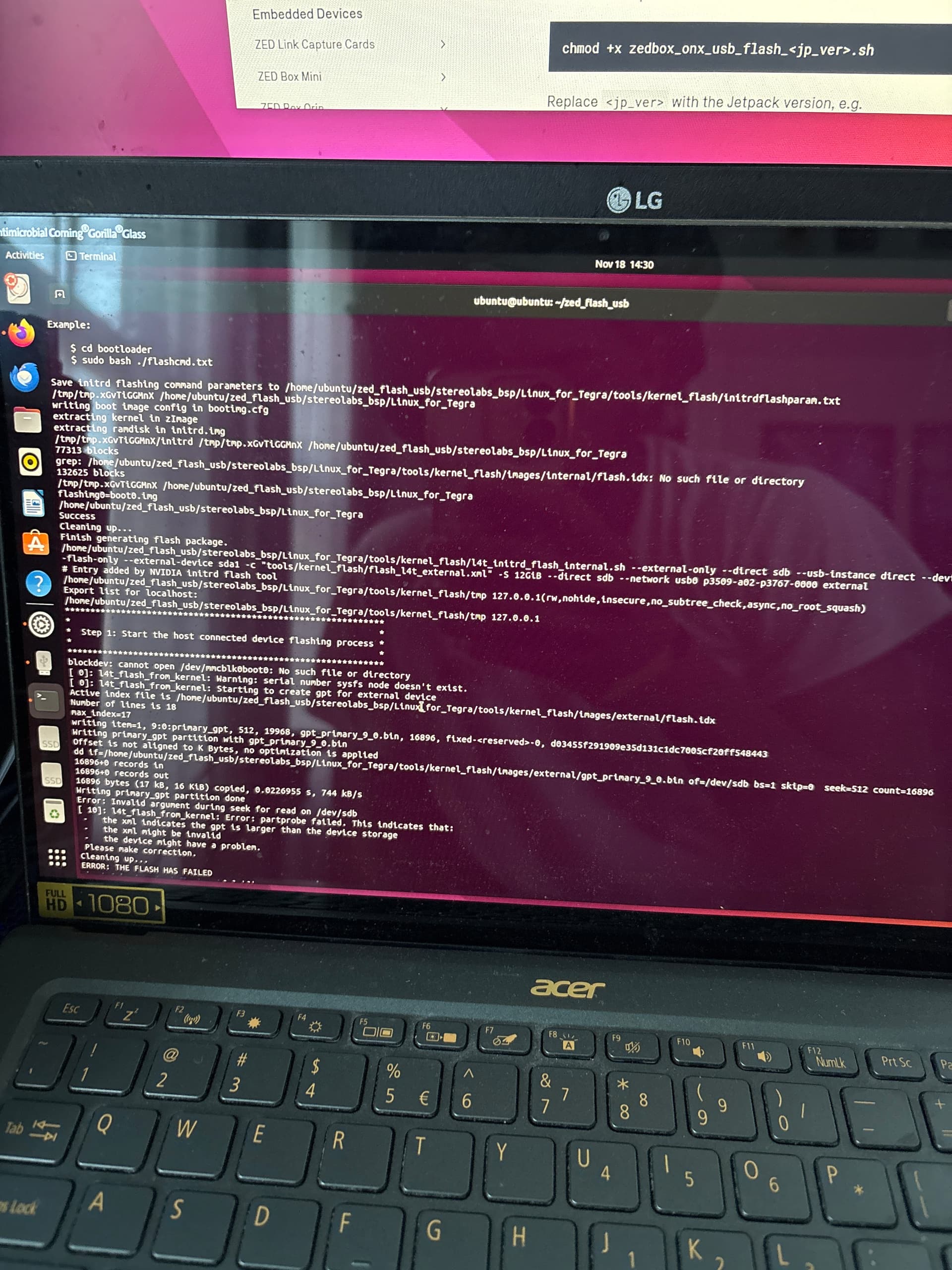
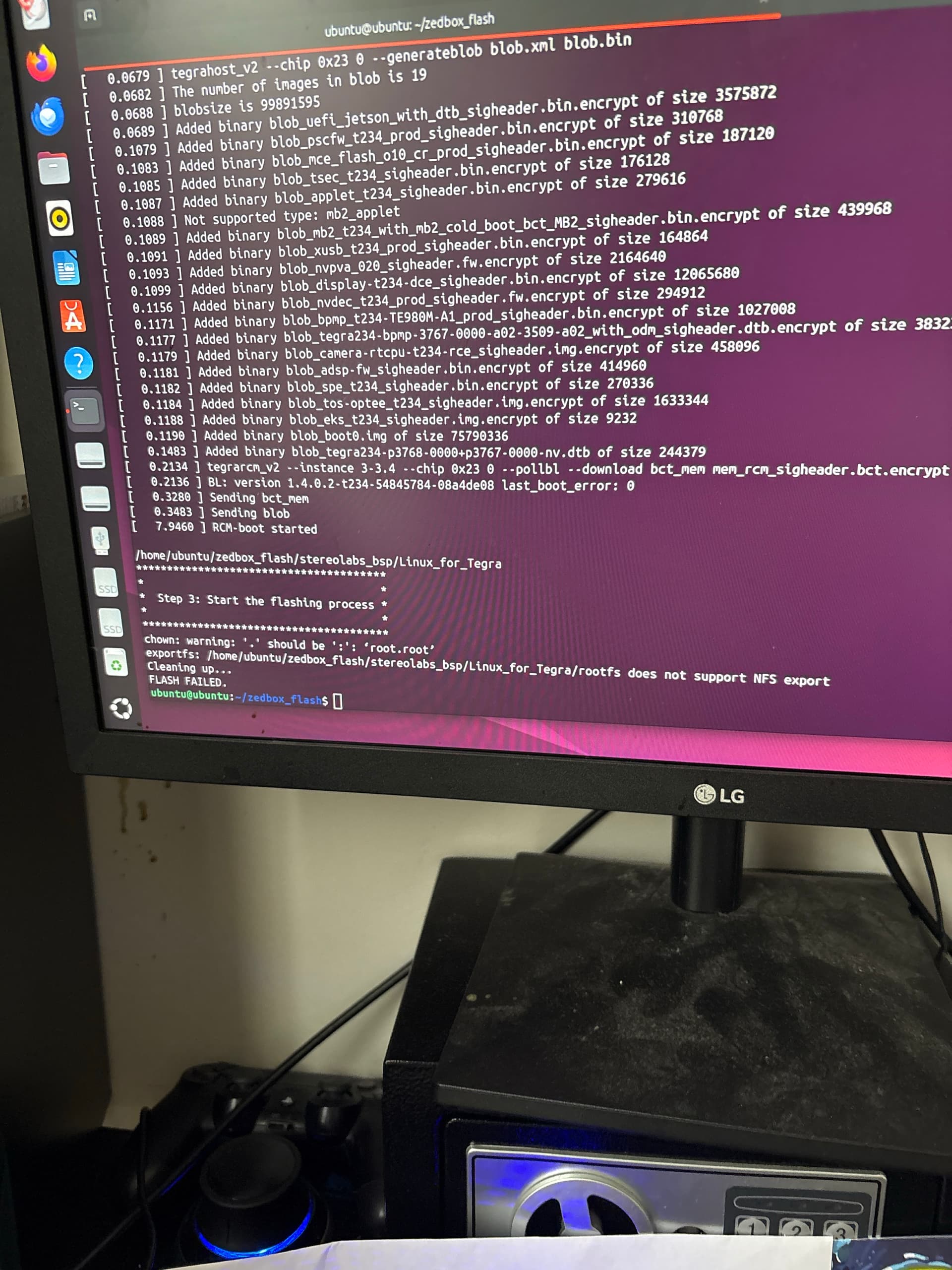
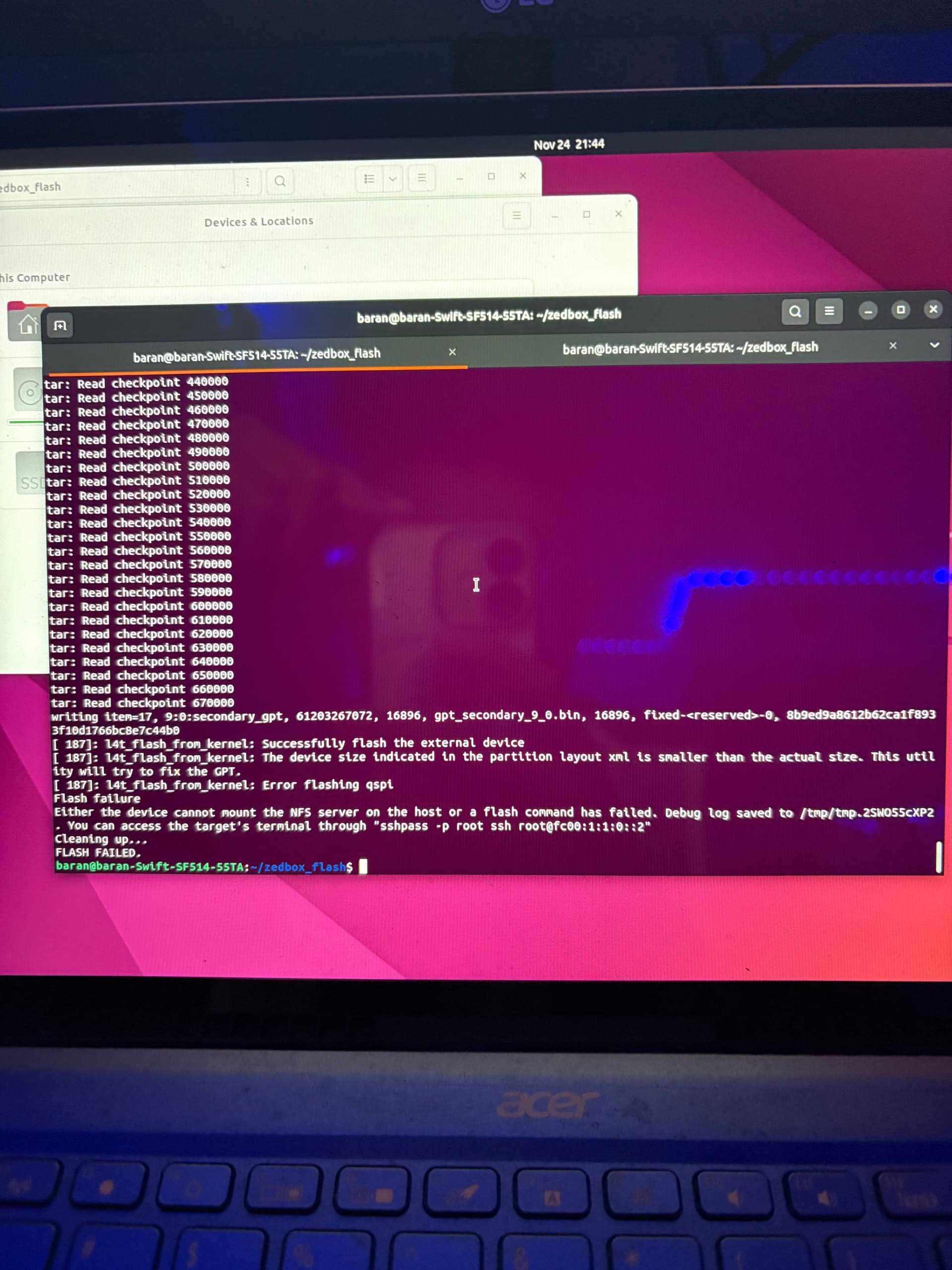
I’m having trouble flashing my ZED Box Orin and could use some help. I’m running Ubuntu 22.04 Jammy from a persistent Live USB, and I’ve tried both the direct flashing method and the Live USB flashing method from the Stereolabs guide. Flash your ZED Box Orin - Stereolabs
My BSP appears to be fully built — Linux_for_Tegra/rootfs contains the complete filesystem, and apply_binaries.sh finishes without errors. But the actual flash step keeps failing, regardless of cable, port, or recovery-mode attempts.
I’ll attach the specific error messages and logs in a follow-up comment.
Below are 2 screen captures. The first is from trying to flash a USB to follow the Live USB booting and the second is from flashing by connecting the Zedbox to my PC via the USB cable.
Thank you. I have been following both guides for the past few weeks with no success. The Zedbox does seem to go into recovery mode (I can see it when using lsusb) but keeps failing. The only issue I could see is that I am using a persistent bootable drive to run Ubuntu, as I do not have a host PC that runs Linux. Perhaps the flashing does not work well with this setup, but I have not seen any information that outright says this would be an issue (if there is I must have missed it).
I will try using a different cable and USB port. As far as the flashing, the procedure takes upwards of 3 hours starting fresh. Is there anyway to cut down this time if the bsp file already exists or does a fresh flash need to happen every time?
I went ahead and did the operation and it seemed to work. There was an error in the terminal that I unfortunately did not take a screenshot of, but the zed seems to boot fine now. I will try and get a hold of the debug log.
I found the Zedbox was not properly flashed so I went ahead to try again but got this error. I also noticed that the Zedbox went out of recovery mode at some point during the flashing (light on and not showing up on lsusb).
I ran the flash a few times and it flashed successfully. However when trying to install chrony (sudo apt install chrony) I was met with a long error message of multiple dpkg package files missing. I’m not sure if this is another issue or if it is linked to the flashing.