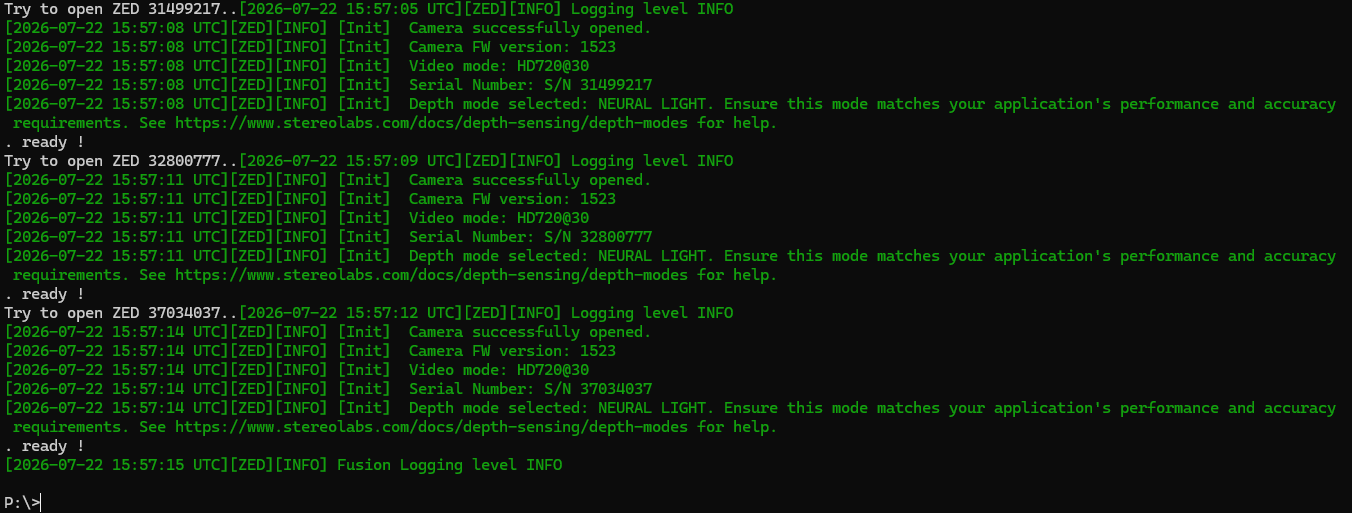
ZED360 auto loads all my cameras then in calibration stage can't find any/finds only one

Hi everyone,

This is my first time using the ZED 2i cameras. I managed to follow the entire ZED360 to Unity pipeline and it worked, but it was only doing ~15FPS which is too low for my realtime tracking purposes.

I have four cameras and am using an additional USB card.

I tried moving one camera from the card to a native port but it only got me about 1-2 FPS extra. I tried giving two of the cameras power and it didn’t change anything.

I tried unplugging one of the cameras to see if I might be able to get away with three, but when I went to recalibrate I ran into my current set of issues.

In the room set up ZED360 finds all the cameras, but in the next stage when I go to calibrate, it either says there’s only one connected, or it throws a corrupted frame error. I have been trying different combinations of cameras plugged in, and tweaking settings in the room set up. Most of the time the corrupted frame error happens straight away, but at one point when I had just two cameras and the Neural and Fast settings on it worked for about 20 seconds before throwing the error.

Any help would be much appreciated.

Update:

It’s still throwing the corrupted frame error with three cameras today when going through to the calibration step. With two cameras it finally started calibrating, then threw the error after I’d been walking around for a few minutes. On the next attempt I finished calibrating quicker so I now have two cameras working. The FPS is 20-22 and still feels way too laggy to be usable, and it’s still leaving ghost skeletons behind. I have one camera plugged into the card and the other into a native port, and one camera has extra power.

Hi @BoogieFever
Welcome to the StereoLabs community.

Please add details concerning the configuration of your PC.
CPU, GPU, RAM, VRAM, are required information to understand the capability of the system.

Hi Myzhar,

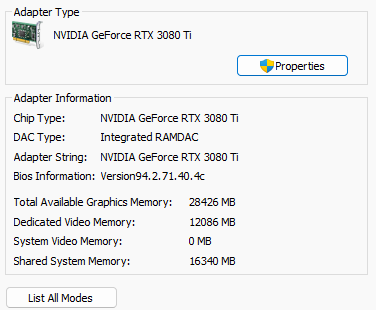
GPU NVDIA GeForce RTX 3080 Ti

CPU Intel(R) Core™ i7-8700 CPU @ 3.20GHz

Memory:

Hi @BoogieFever
Thank you for the information.

Your GPU (12 GB of VRAM) and system memory are more than adequate for this setup, so we can exclude them as bottlenecks.

“it either says there’s only one connected, or it throws a corrupted frame error”

This is a typical symptom of USB 3.0 bandwidth saturation. A ZED 2i in HD1080@30 mode generates about 250 MB/s of image data, while a single USB 3.0 host controller provides roughly 620 MB/s of usable bandwidth. When the limit is exceeded, the SDK reports corrupted frames, or cameras fail to open entirely. You can find more details here: Setting Up Multiple 3D Cameras | StereoLabs

Check your USB topology

Most add-on USB cards expose multiple ports, but they share a single internal host controller, so all the cameras connected to the card compete for the same bandwidth. Please verify how many independent host controllers your system actually has; on Windows you can use Device Manager (View > Devices by connection) or the USB Device Tree Viewer tool. The goal is a maximum of two cameras per controller, ideally one. If needed, replace the card with a PCIe expansion card providing one dedicated controller per port; this guide can also help: https://support.stereolabs.com/hc/en-us/articles/207635225-How-to-fix-USB-3-0-bandwidth-and-connection-issues

Also make sure you are using the original USB 3.0 cables, plugged into rear motherboard ports, without hubs or extensions.

Reduce the per-camera load

For body tracking fusion you do not need full resolution; setting all the cameras to HD720@30 significantly reduces the USB bandwidth and the processing load, and it is usually enough for reliable skeleton detection.

About performance

The RTX 3080 Ti is a good GPU for this task, but the i7-8700 is a 6-core CPU from 2017, and running four simultaneous grab and AI pipelines is very CPU intensive; this is most likely the reason for the low FPS you are experiencing even when the USB connection is stable. The “ghost skeletons” are instead a sign of imprecise extrinsic calibration; once the corrupted frame issue is solved, I recommend recalibrating with all the cameras stable and walking slowly through the whole overlapping area: ZED360 | StereoLabs

If a single PC cannot handle the full setup, the Fusion API also supports a Network Workflow, where each camera is handled by its own host machine streaming to a central fusion PC; this removes both the USB and the CPU bottlenecks.

Can you share a screenshot of your USB tree (Device Manager > Devices by connection, or USB Device Tree Viewer) with all four cameras connected? This will tell us exactly how the bandwidth is being shared.

Hi Myzhar,

Thank you very much for your reply.

I got some help and updating the NVIDIA driver seems to have stabilized the calibration process so that it no longer throws the corrupted frame error.

I am currently using three cameras after testing different pairings of the cameras and realizing that one of them always throws the error regardless of which of the other ones it’s paired with. I will try again, maybe after the driver update it will work now.

Currently with three cameras the FPS is 9-14.

I don’t have permissions to open device manager on this machine, and our tech admin is away at the moment. Will send through the screenshot when he’s back.

For calibration, how long would you suggest walking around the space? I have been doing about 5 minutes, and walking both vertically and horizontally.

I just checked, I already have the cameras set at HD720@30 in the Depth Viewer, is there somewhere else I need to set it too?

image

Thank you for your time and help.

Today the 3D Viewer tries to open, showing a white screen, then closes with no errors. I have tried restarting, didn’t help.