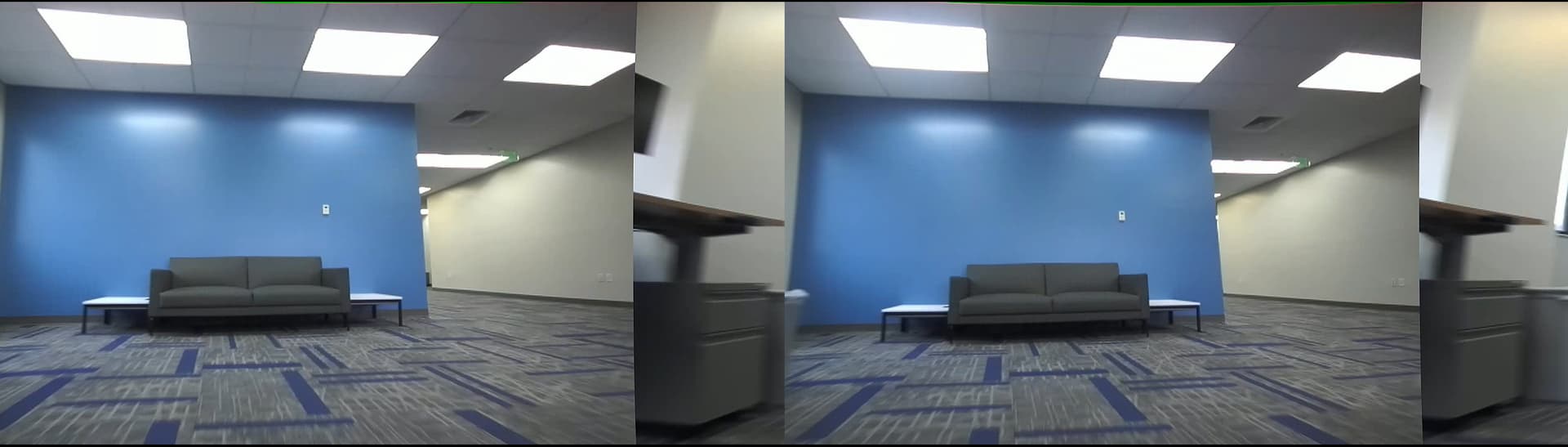
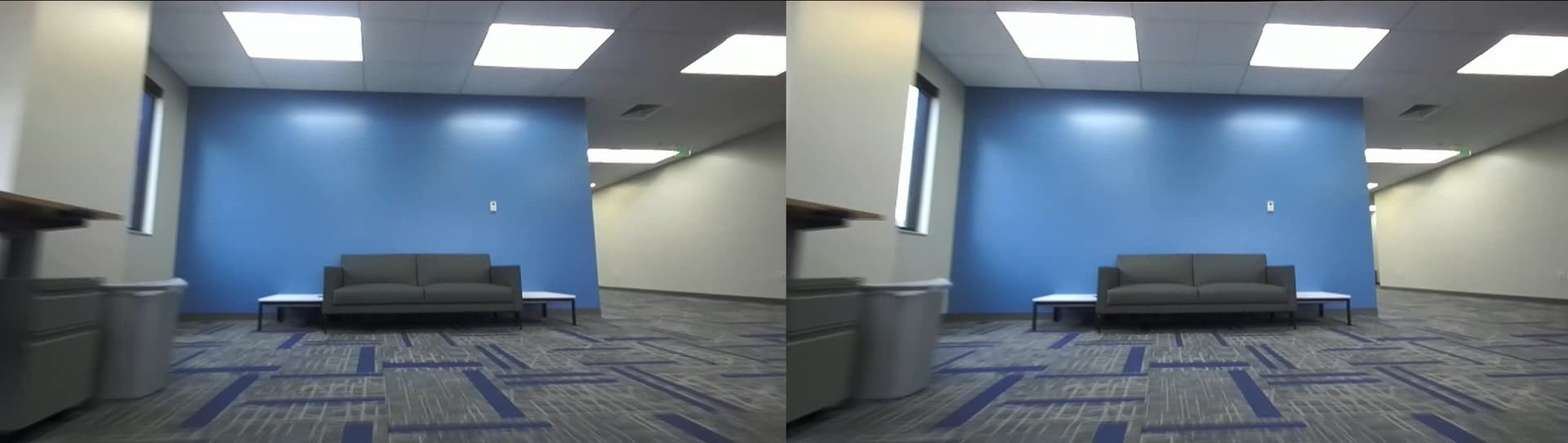
I am using the ZED2i USB Camera connected to the ZED Explorer in Windows, recording SVO2 files.
Occasionally (one or twice a minute or so), I get image where both the left and right images have a column shift. This then messes up spatial mapping or position tracking algorithms causing a jump.
What would cause this? Is there a way to fix this? Is this a read error on the image sensor, or a serialization logic error? Or an error in the SDK?
Hi @Myzhar , I am using a Microsoft Surface laptop running Windows 11. There’s not much else running on the laptop at the time.
Wouldn’t the SDK be looking at data integrity for the entire frame coming from the camera to detect USB buffer issues? I may not understand how the data is coming over the wire, but if it was a USB buffer issue on the host computer, I’d expect the column shift to happen on the entire image (left and right together), rather than individually on the left and right images.
I can agree with this observation. Can you try to disable auto gain/exposure and auto white balance to check if this weird behavior is caused by ISP processing?