Dear Stereolabs Support Team,
I am experiencing a critical issue with my ZED2 camera that I cannot resolve on my own.
Camera Information:
-
Model: ZED 2
-
Serial Number: 25014257
What Happened: The USB cable was accidentally disconnected while the camera was in use. After this incident, all ZED SDK applications crash immediately when trying to access the camera.
Symptoms:
-
Camera appears in Windows Device Manager as “ZED2”
-
Camera works with basic Windows Camera app (video feed visible)
-
All ZED applications (ZED Explorer, ZED Diagnostic, ZED Depth Viewer) crash when the camera is connected
-
Tested on two different PCs with fresh SDK installations — same crash on both
Error When Attempting Firmware Update:
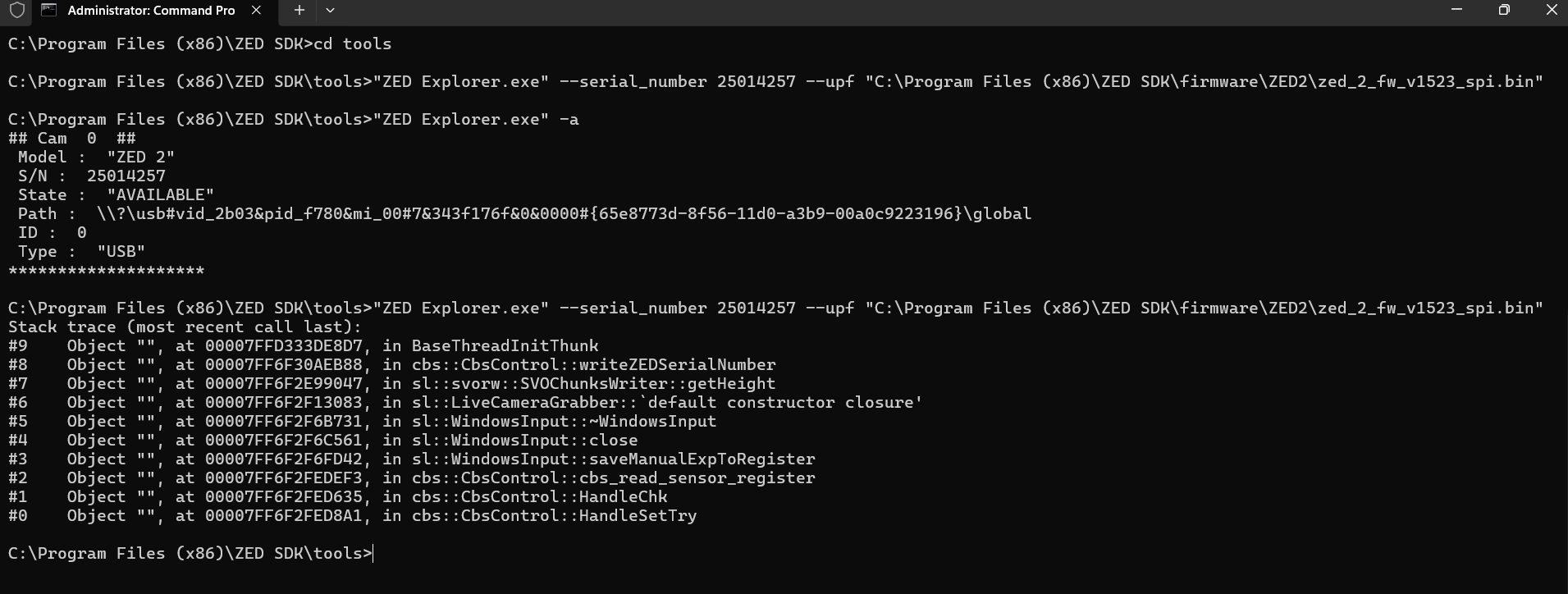
"ZED Explorer.exe" --serial_number 25014257 --upf "C:\Program Files (x86)\ZED SDK\firmware\ZED2\zed_2_fw_v1523_spi.bin" Stack trace (most recent call last): #2 cbs::CbsControl::cbs_read_sensor_register #1 cbs::CbsControl::HandleChk #0 cbs::CbsControl::HandleSetTry
when we call cam.open(init) we also get Camera Open Internal Error: 1811
Could you please advise if there is a recovery tool or procedure to fix this?
Thank you for your assistance.
Best regard
Mickyas Tamiru Asfaw