My ZED X feed works for about 1–2 minutes perfectly and then all of a sudden all the frames become corrupted (either fully green or full of noise) and nothing will work anymore. After that the ZED Tools won’t even detect the camera anymore. Sometimes Ubuntu also pops an error dialog. I’m hoping to get guidance on what to check next.
Setup
Camera: ZED X
Host: Jetson Orin NX
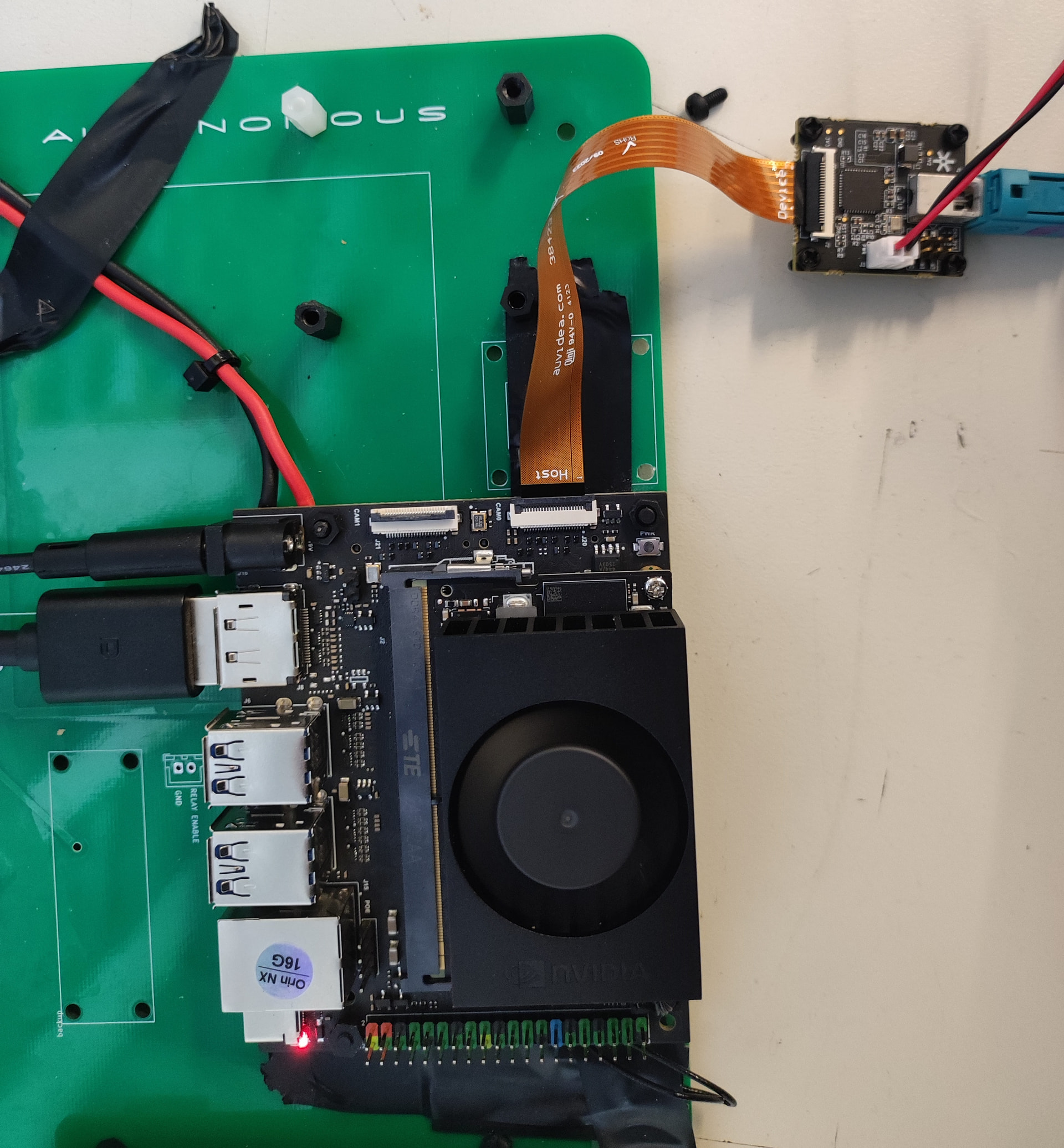
Connection: ZED X → ZED capture card → Orin NX (using the orange ribbon cable shipped with the capture card)
What I’m seeing
Normal video for 1–2 minutes, then frames turn green or noisy/corrupted.
Issue is consistent after each restart.
Ubuntu occasionally shows an error popup when after starting the jetson.
What I’ve checked
Reseated the orange ribbon cable multiple times.
Verified ribbon orientation matches the capture card documentation.
Tried restarting camera and host; corruption returns after ~1–2 minutes.
Moving it away from power supply to avoid noise
Running the Diagnostic tools, Running ZED_Explorer, ZED_Depth_Viewer and ZED ROS Node
Logs and report
I’ve collected logs from nvargus, zed_x_daemon, zed_diagnostic and ubuntu in order to help the investigation.
Something I also noticed is this. I haven’t yet written any custom code. I run ZED_Explorer when I boot the jetson. The camera runs continiously for minutes okay with no frame drops or anything whatsoever. After that I close the app and open ZED_Depth_Viewer. Then immidiately the frames become corrupted as mentioned before. The same happens the other way round or with any other zed tool. The setup hasn’t moved or changed even a milimeter. When the corrupted frames messages appears for the first time thats when the nvargus-deamon error pops up from Ubuntu as well.
The flat cable in use is the one provided with the capture card and is approximately 12 cm long.
The setup shown below is temporary. The capture card is intentionally placed as far as possible from the Jetson to minimize any potential EMI-related bottlenecks, at least until the camera operates reliably.
I’ve noticed an important and repeatablebehavior:
After booting the Jetson, I start the ZED node, ZED Explorer, or another ZED application. For around 20 minutes, everything works as expected. However, once I stop the application using CTRL+C and then restart it (or launch a different ZED application), corrupted frames begin to appear. In some cases, though way less frequently, this issue also occurs immediately after boot, even before any application has been started.
Based on this behavior, my suspicion is that the issue is related either to the nvargus driver or the ZED X driver. It feels similar to what happens when a camera is unplugged and replugged: as if the drivers are not being reset or reinitialized correctly and are therefore unable to handle incoming frames properly afterward. This may also be related to the frequency-related issues mentioned by another user in a similar thread.
This carrier board is not officially supported by our capture card. They have not been internally tested, so we cannot exclude the possibility that the problem that you are facing is caused by some kind of unexpected feature of the carrier board.
When you hit Ctrl+C please be sure that the close API function is called, otherwise the camera can result in “pending” status.