Hi everyone,
I’m experiencing a sudden issue with my ZED X setup and I’m hoping someone can help clarify what might be happening.
Until mid-July everything was working perfectly. Today I reconnected my Jetson system and ran my usual ROI calibration script (Instorelab_ROI_Calibration.sh), but now the camera refuses to start.
I have not changed any configuration or installed new software since then.
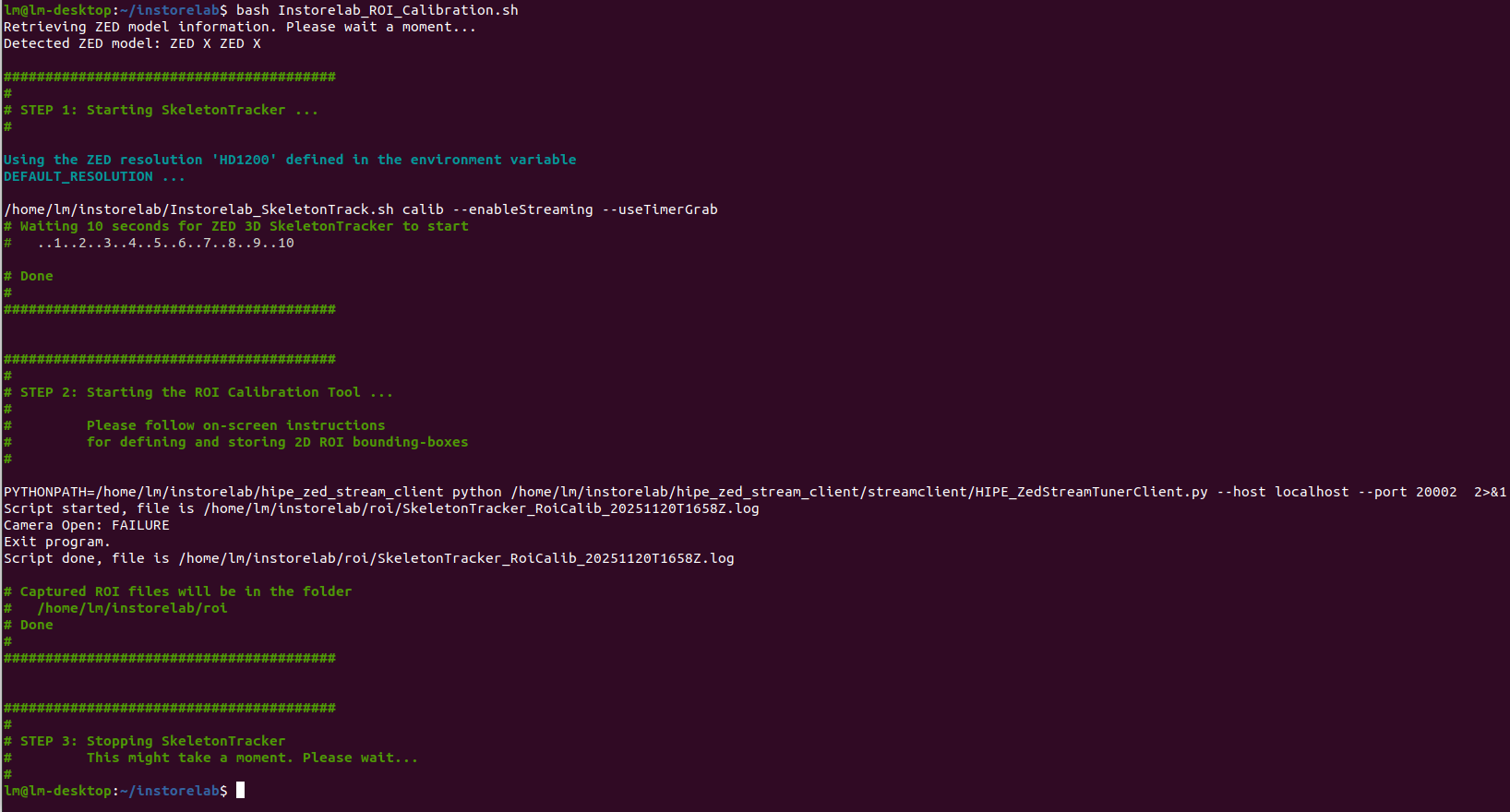
Below is the output I get in the terminal (also attached in the screenshot):
Detected ZED model: ZED X ZED X

# STEP 1: Starting SkeletonTracker …
Using the ZED resolution 'HD1200' defined in the environment variable DEFAULT_RESOLUTION …

# STEP 2: Starting the ROI Calibration Tool …
PYTHONPATH=/home/lm/instorelab/hipe_zed_stream_client python …
Camera Open: FAILURE
Exit program.
So the ROI Calibration script immediately fails because the camera stream cannot be opened.
What I have already tested:
-
Both ZED X cameras show up correctly in
ZED_Explorer --all(status: AVAILABLE). -
The same script worked many times before (including in July).
-
No updates or changes were manually installed by me.
-
Python and ZED SDK packages seem correctly installed.
-
Running from the internal SSD, not the external disk.
-
Permissions are correct and the script is executable.
My question:
Does anyone know what could cause Camera Open: FAILURE even though the ZED X devices are detected and appear as AVAILABLE?
Could this be related to:
-
Argus / Jetson multimedia service failing?
-
A driver crash?
-
Some corrupted ZED SDK configuration?
-
A missing dependency for GMSL camera streaming?
-
A known issue with ZED X on Jetson after recent system restarts?
Any help, suggestions, or debugging steps would be highly appreciated.
Thanks a lot!