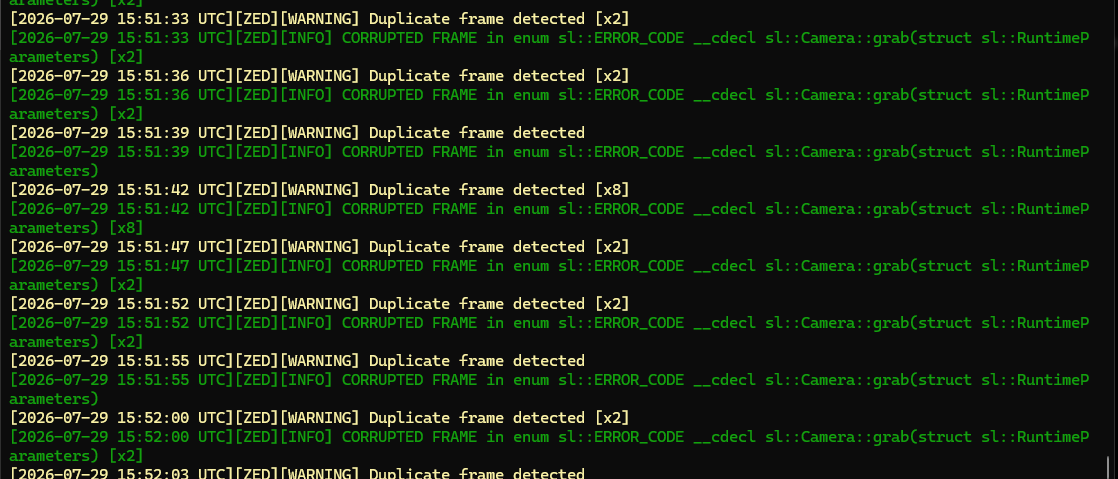
Using the ZED fusion app with 2xZED2i cams, we recently started noticing the following error appear every 3-5 seconds while running the application.
It seems like this might coincide with us losing detection periodically, but I wanted to confirm whether this is anything to be concerned about. Seems like the log file getting large enough after running for a day straight might be something to be concerned about, at the very least.
Side Note: Is there any way to get the cameras running at greater than 30fps? I have the config set to run them at 60fps at 720p, but I don’t think I’ve ever seen them run more than half of that in testing. From what I could tell from the docs, 60 is the highest setting that’s registered in Fusion config. I’m running these on a Blackwell 5000 and haven’t seen Fusion utilize more than 25-30% of the GPU.
Thanks!
Hi,
Nothing is crashing. CORRUPTED_FRAME is a warning-level code, not an error, and it’s likely why your detection drops out: if your loop does if (grab() != SUCCESS) continue;, it skips retrieveObjects on those frames. Use if (zed.grab(rt) <= sl::ERROR_CODE::SUCCESS) instead, as in our Fusion sample.
The 60fps cap is a USB bandwidth limit, not GPU. A ZED 2i at 720p60 needs ~221 MB/s per camera, ~442 MB/s for two, against ~400 MB/s practical per USB 3.0 controller. Our validated two-camera configs are 2x 1080p15 or 2x 720p30 — the 25-30 fps you’re seeing matches that ceiling. The SDK only checks bandwidth on GMSL cameras, so an over-budget USB setup opens fine and silently degrades. Fix: one camera per USB host controller, ideally a PCIe card, not a hub. Your 25-30% GPU usage is expected, not spare capacity.
Log growth (single-digit MB/day) isn’t a concern. The [xN] suffix is a suppressed-repeat counter throttled to one line per 3s, so real event count is the sum of [xN] values. sdk_verbose_log_file isn’t auto-rotated, so rotate it yourself.
On the duplicate frames, I don’t want to guess since a saturated bus usually tears frames rather than repeating them byte-for-byte. Could you send: each camera alone at 720p60 for a couple minutes (most useful test), your ZED SDK version + firmware (via ZED Diagnostic), and your USB topology (Device Tree Viewer / Device Manager → Devices by connection) so we can see which controller each camera is on.
Best regards, Tristan