I’m testing a new ZED mini and while i can get most of the SDK tools to work, the Diagnostic tool passes all of the tests up to the camera test, on which the circular progress bar seem to go up to 80% or so while the percentage stays at 10% and then the program just exits. The other tools work, but sometimes hang after a while as well.
I’m on Win 11 Pro 25H2, with SDK 5.2 and CUDA 13.1. Tried several USB3 ports and cables, all result in the same crash. Removed CUDA and ZED SDK and reinstalled to no avail.
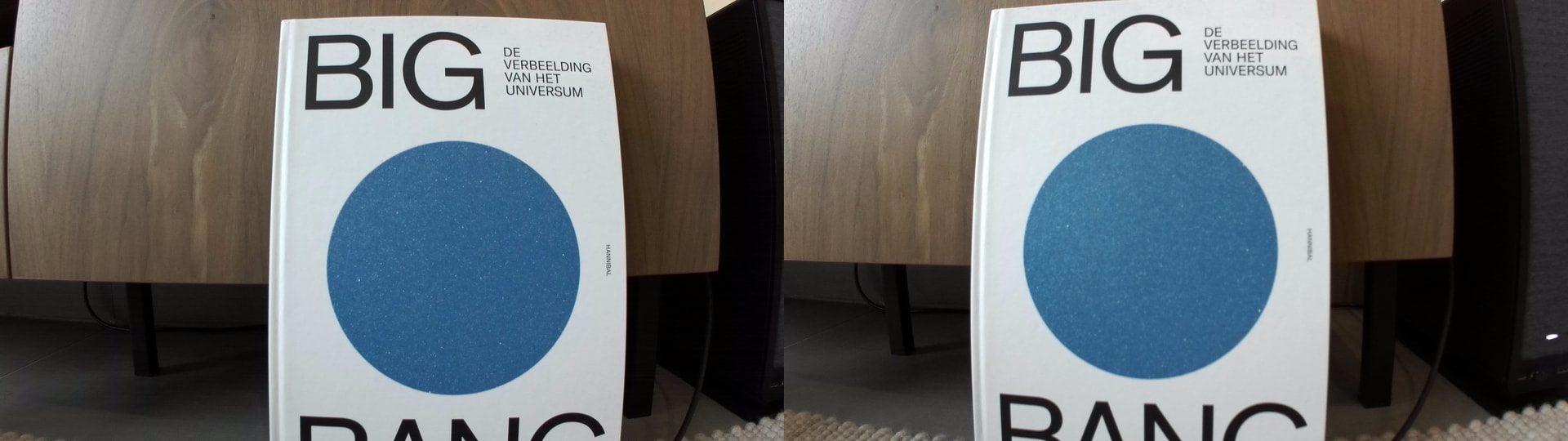
Second question: the right camera seems to produce a blurrier image than the left one, on objects more than 1 m away this isn’t so noticeable but on closer up object (50 cm) they are not as sharp in the right image. Attached an example of a book cover at +/- 40-50 cm (notice for example the vertical text to the right of the blue circle). Is this expected? My main interest is 50-100 cm distance
The diagnostic tool crashes silently without any error message. I have now provided a screen recording of it in action (link below).
When recording the SVO it didn’t work with the default h264 GPU encoding, i had to change it to jpeg.
I’m experiencing the same issue, for me, the calibration tool crashes too. Other tool seem to be working fine.
I’m also on Windows 11, SDK 5.2 and CUDA 13.1.