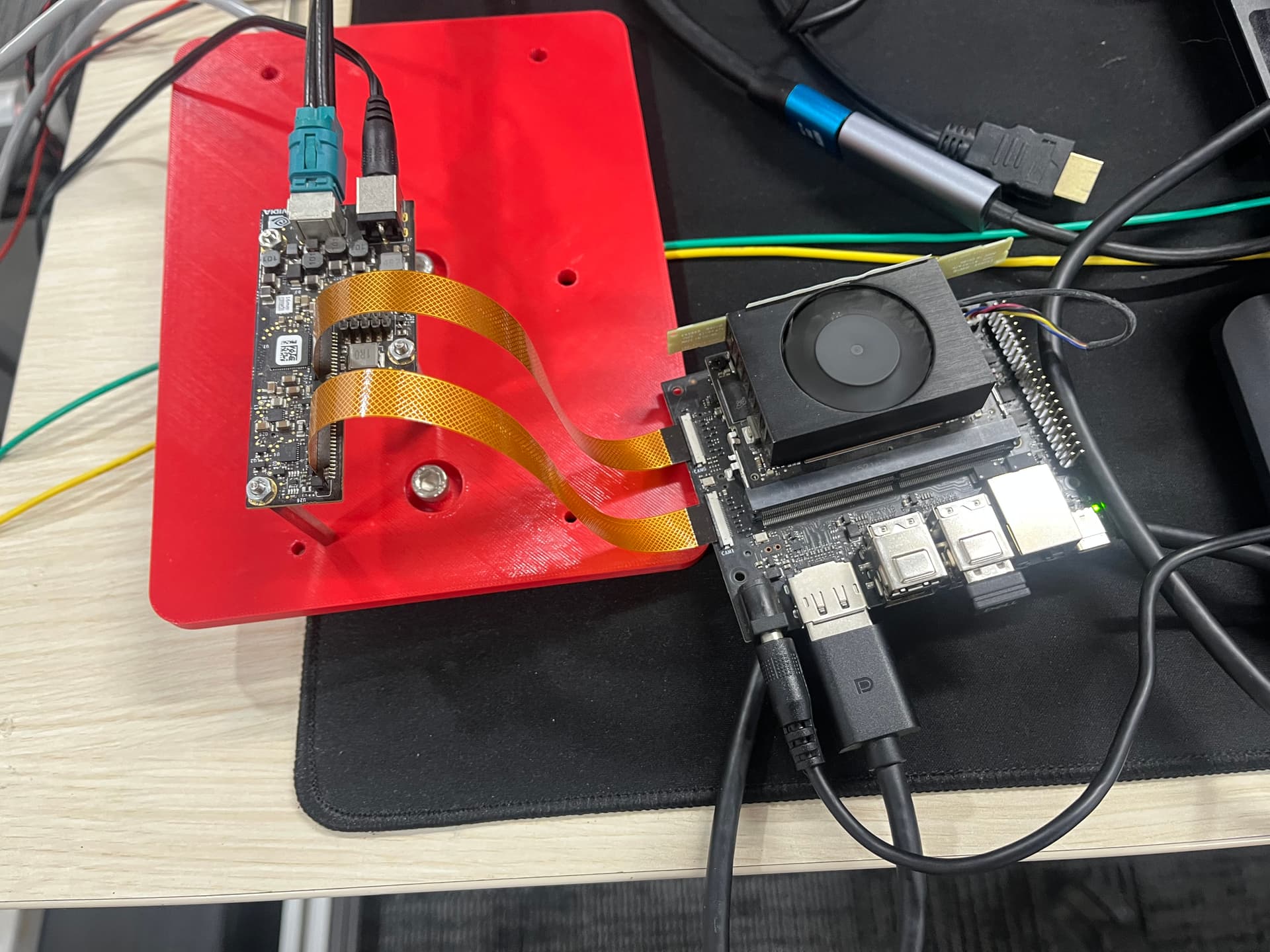
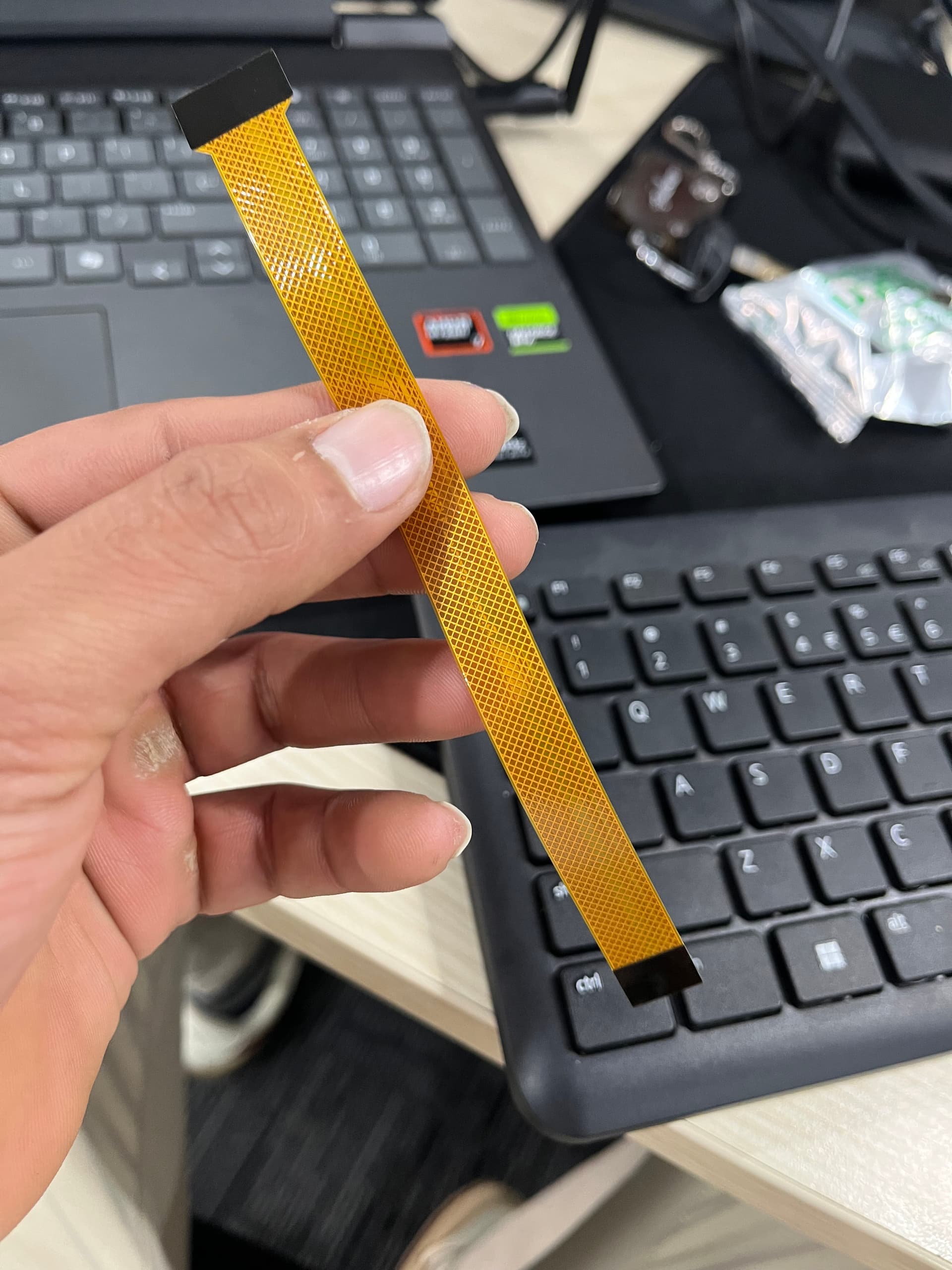
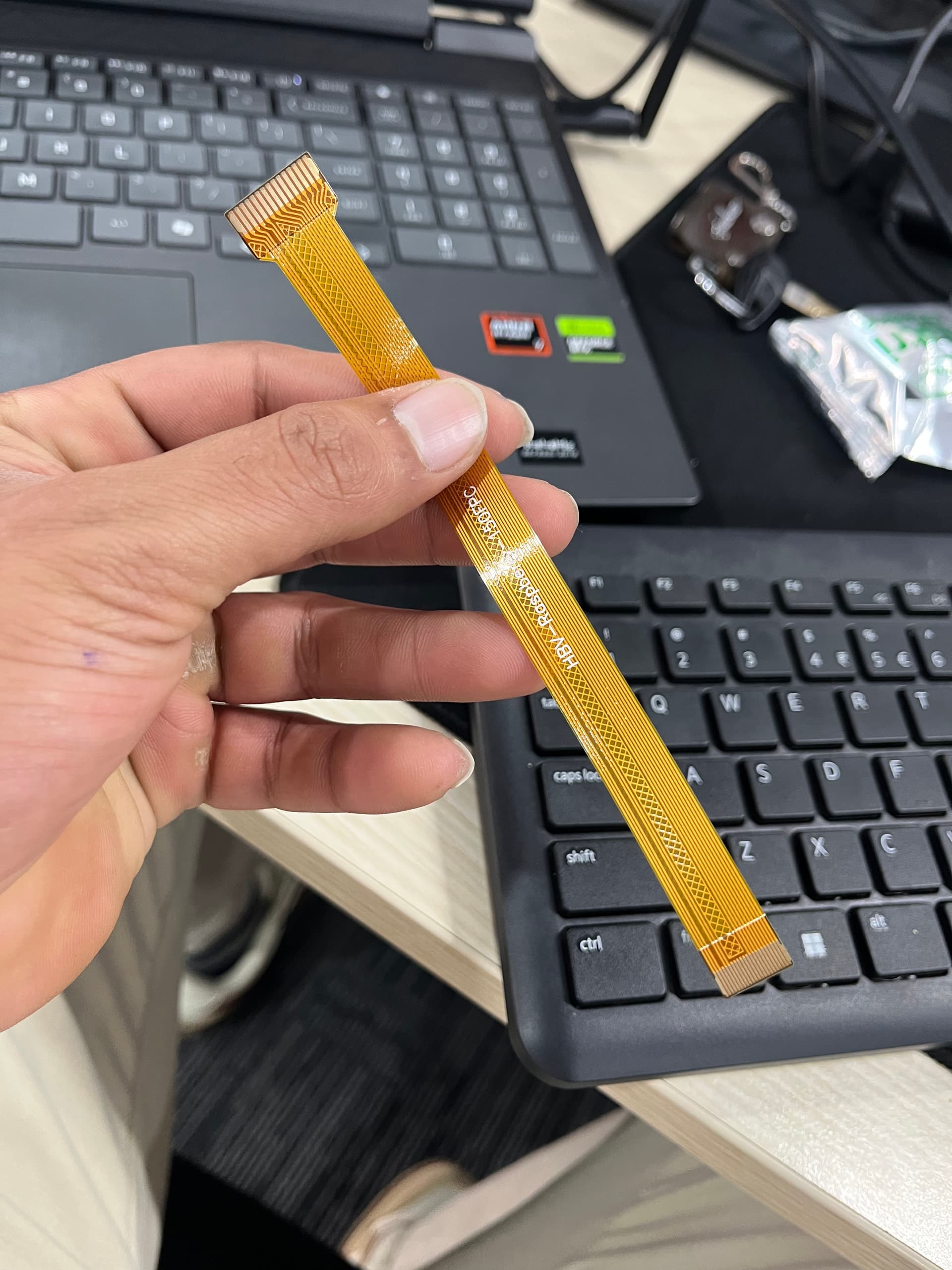
i am using zedx camera and everything was working fine and one day when i run the zed camera it says camera not detected and capture card not plugged in …. my dmesg logs are below … please help …
Created: Mon Dec 22 2025

###########################################
############ ZED SDK VERSION #############
###########################################

ZED SDK Version (Diag): 5.1.1
ZED SDK Version (RT): 5.1.1

###########################################
############ Linux Uname #############
###########################################

Linux harvested 5.15.148-tegra #1 SMP PREEMPT Mon Jun 16 08:24:48 PDT 2025 aarch64 aarch64 aarch64 GNU/Linux

###########################################
############ DMESG \[ZEDX\] LOG #############
###########################################

###########################################
############ DMESG \[MAX9x\] LOG #############
###########################################

\[   13.564842\] sl_max96712: module verification failed: signature and/or required key missing - tainting kernel

###########################################
############ DMESG \[PCA\] LOG #############
###########################################

\[    3.785228\] pca954x 2-0070: probe failed

###########################################
############ DMESG \[DTS\] LOG #############
###########################################

###########################################
############ DTB list original  ###########
###########################################

/boot/dtb/kernel_tegra234-p3768-0000+p3767-0001-nv.dtb

###########################################
############ DTB list SLabs     ###########
###########################################

board.py
extlinux.py
fio.py
Headers
Jetson
Linux
**pycache**
Utils
zlconfig

###########################################
############ EXTlinux file      ###########
###########################################

TIMEOUT 30
DEFAULT Stereolabs

MENU TITLE L4T boot options

LABEL primary
MENU LABEL primary kernel
LINUX /boot/Image
INITRD /boot/initrd
APPEND ${cbootargs} root=PARTUUID=ba110521-9f2b-4b3c-89b2-77ed8f04e6e1 rw rootwait rootfstype=ext4 mminit_loglevel=4 console=ttyTCU0,115200 firmware_class.path=/etc/firmware fbcon=map:0 video=efifb:off console=tty0

# When testing a custom kernel, it is recommended that you create a backup of

# the original kernel and add a new entry to this file so that the device can

# fallback to the original kernel. To do this:

#

# 1, Make a backup of the original kernel

# sudo cp /boot/Image /boot/Image.backup

#

# 2, Copy your custom kernel into /boot/Image

#

# 3, Uncomment below menu setting lines for the original kernel

#

# 4, Reboot

# LABEL backup

# MENU LABEL backup kernel

# LINUX /boot/Image.backup

# INITRD /boot/initrd

# APPEND ${cbootargs}

LABEL Stereolabs
MENU LABEL Stereolabs kernel
LINUX /boot/Image
FDT /boot/dtb/kernel_tegra234-p3768-0000+p3767-0001-nv.dtb
INITRD /boot/initrd
APPEND ${cbootargs} root=PARTUUID=ba110521-9f2b-4b3c-89b2-77ed8f04e6e1 rw rootwait rootfstype=ext4 mminit_loglevel=4 console=ttyTCU0,115200 firmware_class.path=/etc/firmware fbcon=map:0 video=efifb:off console=tty0
OVERLAYS /boot/tegra234-p3768-camera-zedlink-duo-sl-overlay.dtbo

###########################################
############ Jetpack      ###########
###########################################

# R36 (release), REVISION: 4.7, GCID: 42132812, BOARD: generic, EABI: aarch64, DATE: Thu Sep 18 22:54:44 UTC 2025

# KERNEL_VARIANT: oot

TARGET_USERSPACE_LIB_DIR=nvidia
TARGET_USERSPACE_LIB_DIR_PATH=usr/lib/aarch64-linux-gnu/nvidia

###########################################
############ Dpkg list      ###########
###########################################

ii  stereolabs-zedlink-duo                             1.3.1-LI-MAX96712-all-L4T36.4.0             arm64        NVIDIA Kernel DTB Modified Package by Stereolabs

####################################
############ Driver list ###########
####################################

/usr/lib/modules/5.15.148-tegra/kernel/drivers/stereolabs/max96712/sl_max96712.ko==> exists
/usr/lib/modules/5.15.148-tegra/kernel/drivers/stereolabs/zedx/sl_zedx.ko==> exists
/usr/lib/modules/5.15.148-tegra/kernel/drivers/stereolabs/zedone4k/sl_zedxone_uhd.ko==> exists
/usr/lib/modules/5.15.148-tegra/kernel/drivers/stereolabs/zedxpro/sl_zedxpro.ko==> exists
/usr/lib/modules/5.15.148-tegra/kernel/drivers/stereolabs/max9295/sl_max9295.ko==> exists

################################################
############ ZEDX Daemon Status LS #############
################################################

● zed_x_daemon.service - ZED-X Daemon service
Loaded: loaded (/etc/systemd/system/zed_x_daemon.service; enabled; vendor preset: enabled)
Active: active (running) since Mon 2025-12-22 14:23:06 IST; 1min 57s ago
Main PID: 5051 (ZEDX_Daemon)
Tasks: 5 (limit: 8808)
Memory: 940.0K
CPU: 216ms
CGroup: /system.slice/zed_x_daemon.service
└─5051 /usr/sbin/ZEDX_Daemon

Dec 22 14:23:06 harvested systemd\[1\]: Started ZED-X Daemon service.
Dec 22 14:23:06 harvested ZEDX_Daemon\[5051\]: \[ “Mon Dec 22 14:23:06 2025” \]\[ZED-X Daemon\] Using TCP port (Read/Write):  20206  and  20207
Dec 22 14:23:06 harvested ZEDX_Daemon\[5051\]: \[ “Mon Dec 22 14:23:06 2025” \]\[ZED-X Daemon\]  \*\* Created Sub Endpoint  “tcp://127.0.0.1:20206”
Dec 22 14:23:06 harvested ZEDX_Daemon\[5051\]: \[ “Mon Dec 22 14:23:06 2025” \]\[ZED-X Daemon\]  \*\* Created Pub Endpoint  “tcp://127.0.0.1:20207”

################################################
############ ZEDX Driver State     #############
################################################

Note : If the following drivers has a id-state <0, reboot is required

sl_zedxone_uhd         36864  0
sl_zedx                28672  0
sl_zedxpro             20480  0
sl_max9295             16384  3 sl_zedxpro,sl_zedxone_uhd,sl_zedx
sl_max96712            24576  4 sl_zedxpro,sl_zedxone_uhd,sl_max9295,sl_zedx
tegra_camera          217088  7 sl_zedxpro,nvhost_isp5,nvhost_nvcsi_t194,sl_zedxone_uhd,nv_hawk_owl,nvhost_vi5,sl_zedx
videodev              249856  7 v4l2_async,sl_zedxpro,videobuf2_v4l2,tegra_camera,sl_zedxone_uhd,videobuf2_common,sl_zedx

################################################
############ I2C Trace  \[-l\]       #############
################################################

i2c-0	i2c       	3160000.i2c                     	I2C adapter
i2c-1	i2c       	c240000.i2c                     	I2C adapter
i2c-2	i2c       	3180000.i2c                     	I2C adapter
i2c-4	i2c       	Tegra BPMP I2C adapter          	I2C adapter
i2c-5	i2c       	31b0000.i2c                     	I2C adapter
i2c-7	i2c       	c250000.i2c                     	I2C adapter
i2c-9	i2c       	NVIDIA SOC i2c adapter 0        	I2C adapter

################################################
############ I2C Trace /dev/i2C-0 #############
################################################


 0  1  2  3  4  5  6  7  8  9  a  b  c  d  e  f


00:                         – – – – – – – –
10: – – – – – – – – – – – – – – – –
20: – – – – – – – – – – – – – – – –
30: – – – – – – – – – – – – – – – –
40: – – – – – – – – – – – – – – – –
50: UU – – – – – – UU – – – – – – – –
60: – – – – – – – – – – – – – – – –
70: – – – – – – – –

################################################
############ I2C Trace /dev/i2C-1 #############
################################################


 0  1  2  3  4  5  6  7  8  9  a  b  c  d  e  f


00:                         – – – – – – – –
10: – – – – – – – – – – – – – – – –
20: – – – – – UU – – – – – – – – – –
30: – – – – – – – – – – – – – – – –
40: UU – – – – – – – – – – – – – – –
50: – – – – – – – – – – – – – – – –
60: – – – – – – – – – – – – – – – –
70: – – – – – – – –

################################################
############ I2C Trace /dev/i2C-2 #############
################################################


 0  1  2  3  4  5  6  7  8  9  a  b  c  d  e  f


00:                         – – – – – – – –
10: – – – – – – – – – – – – – – – –
20: – – – – – – – – – – – – – – – –
30: – – – – – – – – – – – – – – – –
40: – – – – – – – – – – – – – – – –
50: – – – – – – – – – – – – – – – –
60: – – – – – – – – – – – – – – – –
70: – – – – – – – –

> > No bus available at index 3
> > No bus available at index 6
> > ################################################
> > ############ I2C Trace /dev/i2C-7 #############
> > ################################################


 0  1  2  3  4  5  6  7  8  9  a  b  c  d  e  f


00:                         – – – – – – – –
10: – – – – – – – – – – – – – – – –
20: – – – – – – – – – – – – – – – –
30: – – – – – – – – – – – – – – – –
40: – – – – – – – – – – – – – – – –
50: – – – – – – – – – – – – – – – –
60: – – – – – – – – – – – – – – – –
70: – – – – – – – –

> > No bus available at index 8
> > ################################################
> > ############ I2C Trace /dev/i2C-9 #############
> > ################################################

Error: Bus doesn’t support detection commands

> > No bus available at index 10
> > No bus available at index 11
> > No bus available at index 12
> > No bus available at index 13
> > No bus available at index 14
> > No bus available at index 15
> > No bus available at index 16
> > No bus available at index 30
> > No bus available at index 31
> > No bus available at index 32
> > No bus available at index 33
> > No bus available at index 34
> > No bus available at index 35
> > No bus available at index 36
> > No bus available at index 37
> > No bus available at index 38
> > No bus available at index 39
> > No bus available at index 40
> >