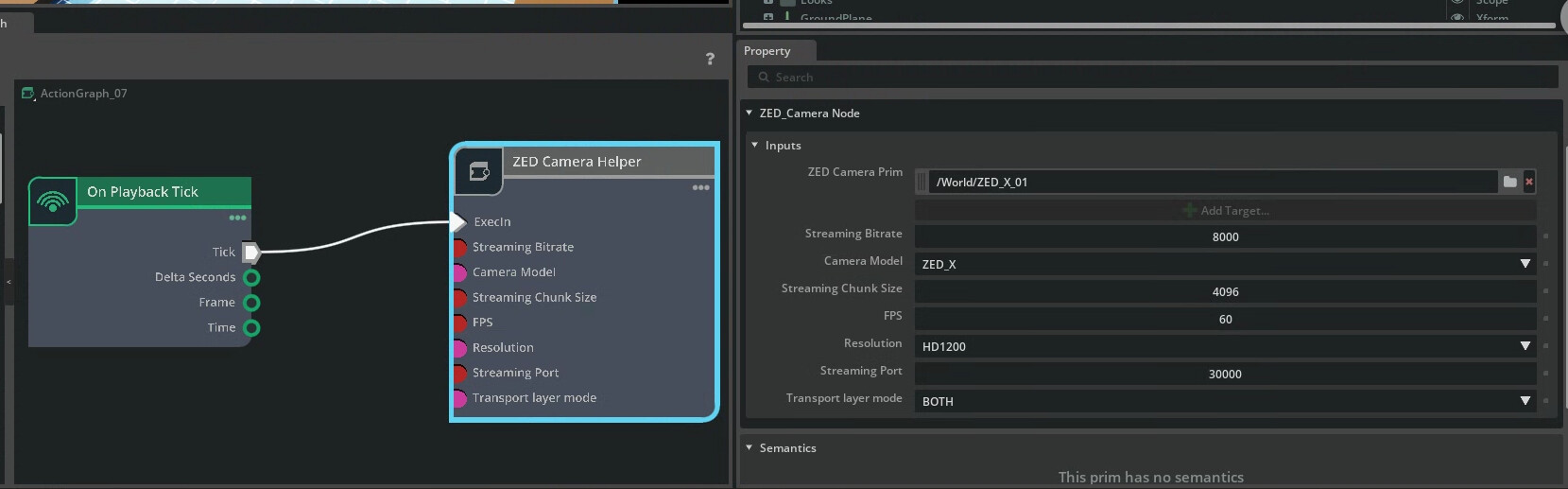
I am trying to view ZED Camera output from a camera in IsaacSIM, but the output is not showing in DepthViewer or in Explorer. I was able to successfully install zed SDK and the zed extension in IsaacSIM, as well as create an action graph linked to the ZED camera. I am using a Ubuntu 22.04 with IsaacSim 5.1.
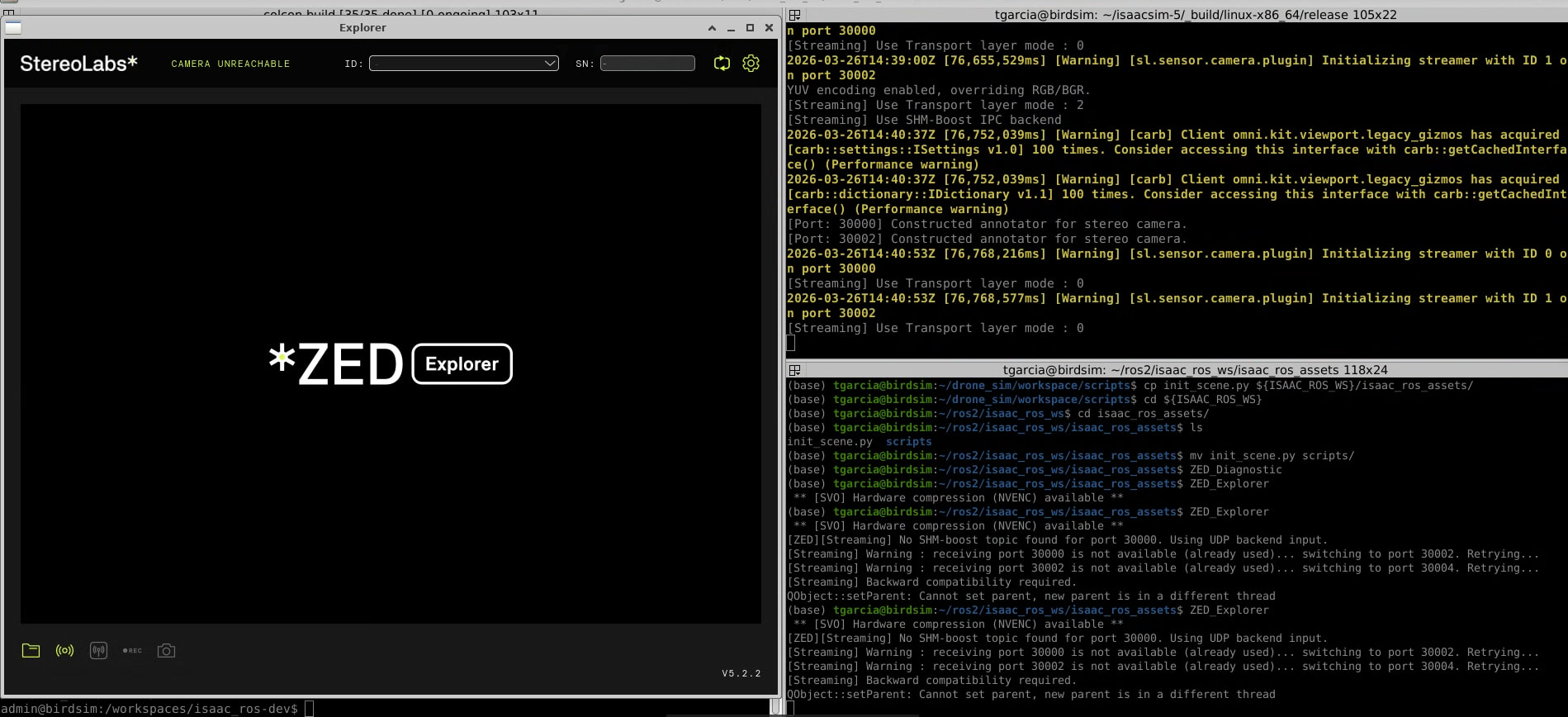
When I open ZED_Depth_Viewer or ZED_Explorer, I use streaming input with IP address 127.0.0.1 and Port 30000, but it doesn’t open. Below shows output from terminal running IsaacSIM as well as where I tried to open the ZED viewers. What am I missing here?
I reinstalled isaamSIM 5 by building from source, and I made a bit of progress but now the camera closes immediately after opening and says the port is busy (See video). I have not been able to keep it open in ZED_Depth_Viewer or ZED_Explorer. I have tried different ports but I get the same error regardless. How can I get it to stay open? Terminal output is also shown from when I run ZED_Explorer
** [SV0] Hardware compression (NVENC) available **
[ZED][Streaming] Switching to SHM-boost backend input
[Streaming] Warning : receiving port 30002 is not available (already used)... switching to port 30004. Retrying...
[Streaming] Backward compatibility required.
QObject::setParent: Cannot set parent, new parent is in a different thread.
In the IsaacSIM window, I see the following output:
[Port: 30002] Constructed annotator for stereo camera.
2026-03-23T15:15:44Z [3,984,218ms] [Warning] [sl.sensor.camera.plugin] Initializing streamer with ID 0 on port 30002
YUV encoding enabled, overriding RGB/BGR.
[Streaming] Use Transport layer mode : 2
[Streaming] Use SHM-Boost IPC backend
This is the output when I try ZED_Depth_Viewer:
[2026-03-23 11:17:39 UTC][ZED][INFO] Logging level INFO
[ZED][Streaming] Switching to SHM-boost backend input
[Streaming] Warning : receiving port 30002 is not available (already used)... switching to port 30004. Retrying...
[Streaming] Backward compatibility required.
[2026-03-23 11:17:39 UTC][ZED][INFO] [Init]  Serial Number: S/N 45626933
[2026-03-23 11:17:39 UTC][ZED][WARNING] Simulated ZED camera used ZED X
[2026-03-23 11:17:39 UTC][ZED][WARNING] [Init]  Invalid calibration file format. On Linux, run export LC_ALL="C" and restart your application.
[2026-03-23 11:17:39 UTC][ZED][WARNING] Self Calibration Disabled.
[2026-03-23 11:17:39 UTC][ZED][INFO] [Init]  Depth mode selected: NEURAL. Ensure this mode matches your application's performance and accuracy requirements. See https://www.stereolabs.com/docs/depth-sensing/depth-modes for help
No, I am still unable to view the camera output in ZED Explorer or ZED Depth Viewer. It shows up briefly sometimes in ZED Explorer but then immediately crashes.
Can you try not using IPC ? It can be changed in the Action graph by setting the “transport layer mode” to 'NETWORK". It would help me understand where the issue comes from.
It still does not work when I have it turned off. (I have two cameras in this setup, one on port 30000 and one on 30002.) It seems like it attempts to use both of them but then says they are busy. See screenshot.
I am now having the same issue when I try to run using ROS
\[component_container_isolated-3\] \[2026-04-29 14:13:56 UTC\]\[ZED\]\[INFO\] Logging level INFO
\[component_container_isolated-3\] \[ZED\]\[Streaming\] Switching to SHM-boost backend input
\[component_container_isolated-3\] \[Streaming\] Warning : receiving port 30000 is not available (already used)… switching to port 30002. Retrying…
\[component_container_isolated-3\] \[Streaming\] Error: Stream Opening returned TIMEOUT (350)
\[rviz2-1\] \[INFO\] \[1777486454.175225377\] \[rviz2\]: Stereo is NOT SUPPORTED
\[ERROR\] \[rviz2-1\]: process has died \[pid 869, exit code -11, cmd ‘/opt/ros/humble/lib/rviz2/rviz2 -d /workspaces/isaac_ros-dev/install/zed_display_rviz2/share/zed_display_rviz2/rviz2/zed_stereo.rviz --ros-args -r \__node:=zedx_rviz2 -r \__ns:=/zed --params-file /tmp/launch_params_ckppcwgg’\].