Dear support tem,
We are currently attempting to calibrate four ZED cameras using the ZED360 SDK. However, we are experiencing difficulty obtaining a correct calibration result.
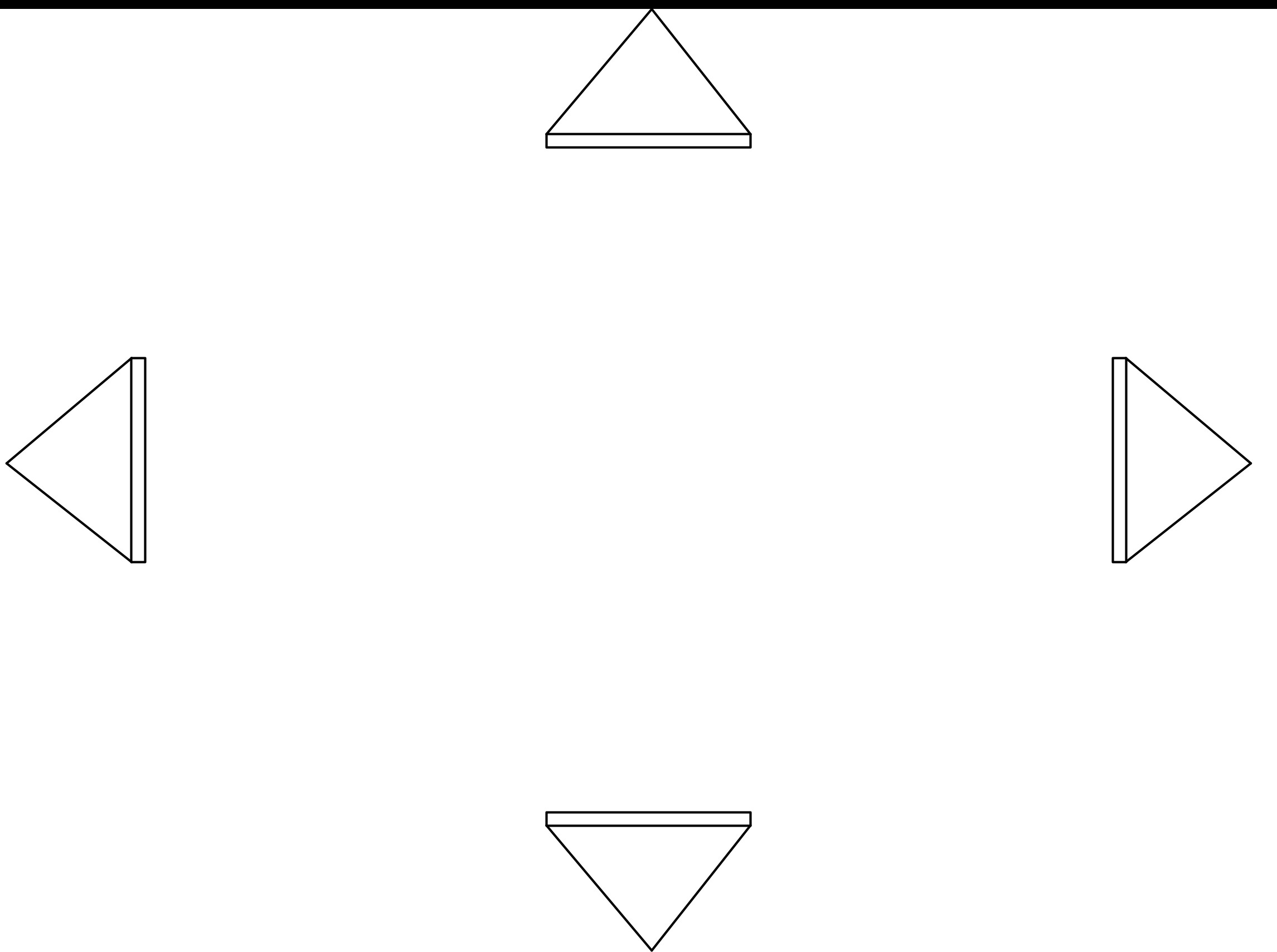
Our setup places the four cameras back-to-back, as shown in the configuration below.
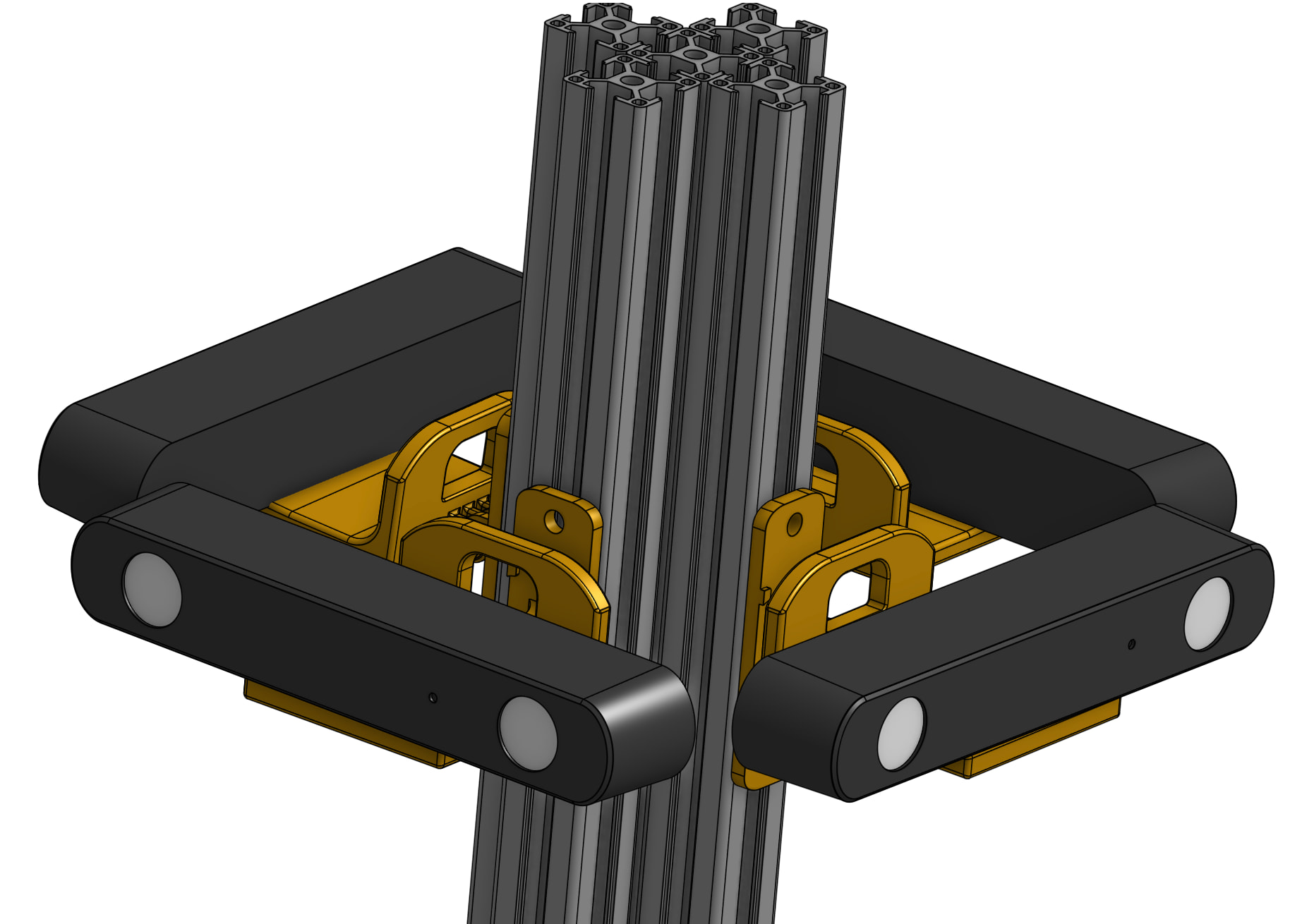
After running the ZED360 calibration, the resulting configuration consistently shows the cameras facing each other instead of facing outward as in the physical setup.
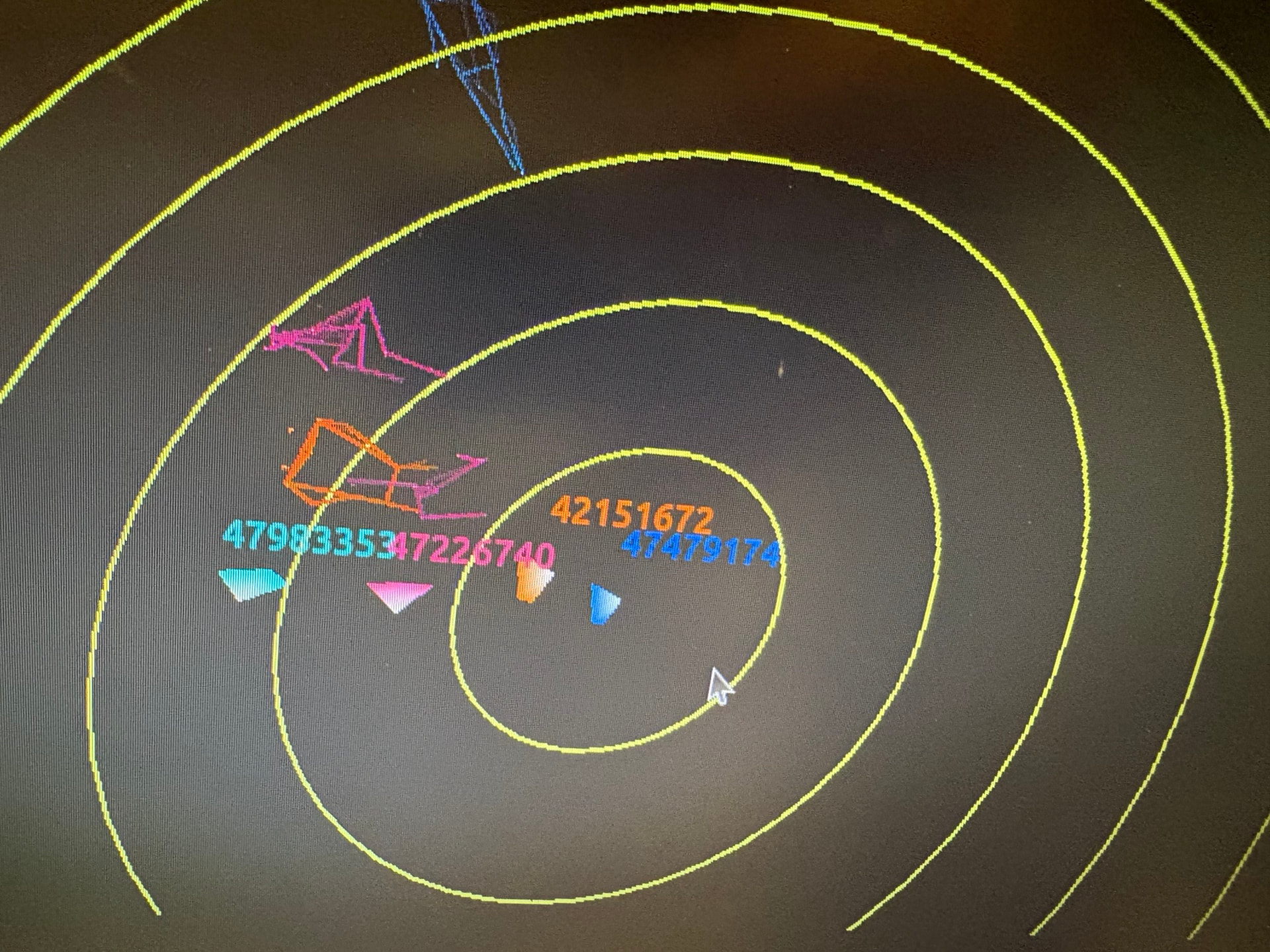
During the calibration process, we tried several variations, including having one or multiple people walk in the room and changing the walking speed from slow to fast to generate sufficient motion in the scene. Despite these attempts, the calibration result remains unchanged.
Could you advise whether this type of back-to-back configuration is feasible for ZED360 calibration? Additionally, any suggestions on how we might modify the calibration pipeline or adjust the ZED360 settings to obtain a correct result would be greatly appreciated.