I was doing tests with a Unity project that uses the camera. After some usual tests the camera stopped booting up when the test started. Have you experienced something similar? I didn’t turn off the computer or anything; after that i reinstaled the SDK and drivers but not event ZED explorer or ZEDfu could use the ZED cam. Restarted computer and all. Im trying on a different computer to see if something works; also reinstales USB drivers but didn’t help. I read it could be something about the voltaje of the USB interface; I tried changing it and using different USB C cables; but nothing helped.
There’s guidelines saying that a usb-port has to be 3.0 or greater → this can be determined by the allowed bandwidth I think. Aside from that I’m also experiencing issues 
I confirmed i tried on a USB 3 :0 but no luck
Ahhh that sucks I’m sorry - I’m trying to look into this issue as well; I’ve tried using the 5.1.2 sdk version with CUDA 13.1 which at least lets me use zed explorer but beyond that none of the other tools really work. Would you be open to hop in a call to figure it out together
Hi @AntonioShujo
Welcome to the StereoLabs community.
Please use the ZED Diagnostic tool to generate a diagnostic report file and share the content here.
I cannot currently upload files…
{
“AI Models”: {
“info”: \[
“MULTI CLASS DETECTION is not optimized”,
“MULTI CLASS MEDIUM DETECTION is not optimized”,
“MULTI CLASS ACCURATE DETECTION is not optimized”,
“HUMAN BODY FAST DETECTION is not optimized”,
“HUMAN BODY MEDIUM DETECTION is not optimized”,
“HUMAN BODY ACCURATE DETECTION is not optimized”,
“HUMAN BODY 38 FAST DETECTION is not optimized”,
“HUMAN BODY 38 MEDIUM DETECTION is not optimized”,
“HUMAN BODY 38 ACCURATE DETECTION is not optimized”,
“PERSON HEAD DETECTION is not optimized”,
“PERSON HEAD ACCURATE DETECTION is not optimized”,
“REID ASSOCIATION is not optimized”,
“NEURAL LIGHT DEPTH is not optimized”,
“NEURAL DEPTH is not optimized”,
“NEURAL PLUS DEPTH is not optimized”
\]
},
“Camera Test”: {
“InternalDevicesCount (GMSL)”: 0,
“InternalDevicesCount (USB)”: 2,
“ZEDCount”: 0,
“ZEDs”: \[
\],
“error”: \[
“**Camera not detected**  Make sure the camera is plugged in or try another USB 3.0 port.”
\]
},
“Devices”: {
“ASMediaFound”: false,
“CorruptedFirmware”: false,
“MCUDetected”: true,
“OC_Cam_Detected”: false,
“OtherUSBDevices”: \[
\],
“USBList”: \[
{
“USBMode”: 2,
“USB_path”: “/2/2”,
“bDescriptorType”: 1,
“bDeviceProtocol”: 0,
“bLength”: 18,
“bMaxPacketSize0”: 64,
“bNumConfigurations”: 1,
“bcdDevice”: “3.9”,
“bcdUSB”: “2.0”,
“bcdUSBClass”: 0,
“bcdUSBSubClass”: 0,
“busNumber”: 2,
“device”: “ZED2i MCU”,
“iManufacturer”: 1,
“iProduct”: 2,
“iSerial”: 3,
“idProduct”: “0xf881”,
“idVendor”: “0x2b03”
},
{
“USB_path”: “/11”,
“idProduct”: “0x0610”,
“idVendor”: “0x05e3”
},
{
“USB_path”: “/5/4”,
“idProduct”: “0x0a8c”,
“idVendor”: “0x03f0”
},
{
“USB_path”: “/2”,
“idProduct”: “0x2512”,
“idVendor”: “0x0424”
},
{
“USB_path”: “/13”,
“idProduct”: “0x0051”,
“idVendor”: “0x258a”
},
{
“USB_path”: “/5/1”,
“idProduct”: “0x098c”,
“idVendor”: “0x03f0”
},
{
“USB_path”: “/5”,
“idProduct”: “0x7250”,
“idVendor”: “0x214b”
},
{
“USB_path”: “/2”,
“idProduct”: “0x08e5”,
“idVendor”: “0x046d”
},
{
“USB_path”: “/10”,
“idProduct”: “0x1939”,
“idVendor”: “0x0b05”
},
{
“USB_path”: “/1”,
“idProduct”: “0x2113”,
“idVendor”: “0x413c”
},
{
“USB_path”: “/5/1”,
“idProduct”: “0x098c”,
“idVendor”: “0x03f0”
},
{
“USB_path”: “/9”,
“idProduct”: “0x0029”,
“idVendor”: “0x8087”
},
{
“USB_path”: “/5/4”,
“idProduct”: “0x0a8c”,
“idVendor”: “0x03f0”
}
\],
“USBMode”: 3,
“ZED MCU Module Detected”: 63617,
“ZEDDetected”: null,
“captureDevices”: \[
\],
“controllers”: \[
{
“CompatibleIDs”: “USB\\USB20_HUB”,
“Description”: “Generic USB Hub”,
“DeviceName”: “”,
“Driver”: “{36fc9e60-c465-11cf-8056-444553540000}\\0006”,
“Location”: “Port\_#0011.Hub\_#0001”,
“Manufacturer”: “(Standard USB HUBs)”,
“Name”: “USB”,
“PhysicalName”: “\\Device\\USBPDO-11”
},
{
“CompatibleIDs”: “USB\\USB20_HUB”,
“Description”: “Generic USB Hub”,
“DeviceName”: “”,
“Driver”: “{36fc9e60-c465-11cf-8056-444553540000}\\0045”,
“Location”: “Port\_#0013.Hub\_#0001”,
“Manufacturer”: “(Standard USB HUBs)”,
“Name”: “USB”,
“PhysicalName”: “”
},
{
“CompatibleIDs”: “USB\\USB20_HUB”,
“Description”: “Generic USB Hub”,
“DeviceName”: “”,
“Driver”: “{36fc9e60-c465-11cf-8056-444553540000}\\0017”,
“Location”: “Port\_#0001.Hub\_#0003”,
“Manufacturer”: “(Standard USB HUBs)”,
“Name”: “USB”,
“PhysicalName”: “”
},
{
“CompatibleIDs”: “”,
“Description”: “USB Root Hub (USB 3.0)”,
“DeviceName”: “”,
“Driver”: “{36fc9e60-c465-11cf-8056-444553540000}\\0005”,
“Location”: “”,
“Manufacturer”: “(Standard USB HUBs)”,
“Name”: “USB”,
“PhysicalName”: “\\Device\\USBPDO-0”
},
{
“CompatibleIDs”: “PCI\\VEN_1022&DEV_43EE&REV_00”,
“Description”: “USB xHCI Compliant Host Controller”,
“DeviceName”: “AMD USB 3.10 eXtensible Host Controller - 1.10 (Microsoft)”,
“Driver”: “{36fc9e60-c465-11cf-8056-444553540000}\\0000”,
“Location”: “PCI bus 2, device 0, function 0”,
“Manufacturer”: “Generic USB xHCI Host Controller”,
“Name”: “PCI”,
“PhysicalName”: “\\Device\\NTPNP_PCI0019”
},
{
“CompatibleIDs”: “”,
“Description”: “USB Root Hub (USB 3.0)”,
“DeviceName”: “”,
“Driver”: “{36fc9e60-c465-11cf-8056-444553540000}\\0003”,
“Location”: “”,
“Manufacturer”: “(Standard USB HUBs)”,
“Name”: “USB”,
“PhysicalName”: “\\Device\\USBPDO-2”
},
{
“CompatibleIDs”: “”,
“Description”: “USB Root Hub (USB 3.0)”,
“DeviceName”: “”,
“Driver”: “{36fc9e60-c465-11cf-8056-444553540000}\\0042”,
“Location”: “”,
“Manufacturer”: “(Standard USB HUBs)”,
“Name”: “USB”,
“PhysicalName”: “\\Device\\USBPDO-3”
},
{
“CompatibleIDs”: “PCI\\VEN_1022&DEV_1639&REV_00”,
“Description”: “USB xHCI Compliant Host Controller”,
“DeviceName”: “AMD USB 3.10 eXtensible Host Controller - 1.10 (Microsoft)”,
“Driver”: “{36fc9e60-c465-11cf-8056-444553540000}\\0001”,
“Location”: “PCI bus 6, device 0, function 3”,
“Manufacturer”: “Generic USB xHCI Host Controller”,
“Name”: “PCI”,
“PhysicalName”: “\\Device\\NTPNP_PCI0025”
}
\],
“notTested”: \[
“Please connect a camera to test the USB connection.”
\]
},
“Graphics Card”: {
“deviceCount”: 1,
“deviceDriverVersion”: 13000,
“devices”: \[
{
“arch”: “Pascal”,
“computeCapability”: “6.1”,
“cores”: 3584,
“name”: “NVIDIA GeForce GTX 1080 Ti”,
“totalMemoryBytes”: “11811028992”,
“totalMemoryMB”: 11263.875
}
\],
“initResult”: 0,
“valid”: \[
“**Graphics card:**  NVIDIA GeForce GTX 1080 Ti”
\]
},
“Processor”: {
“OS”: “Windows 10 FallCreators”,
“avxSupported”: true,
“coreCount”: “8”,
“cpu”: "AMD Ryzen 7 5700G with Radeon Graphics         ",
“datetime”: “2026-03-17 13:00:11”,
“hyperThreading”: “1”,
“motherboard”: “TUF GAMING B550M-PLUS (WI-FI), ASUSTeK COMPUTER INC.”,
“ramCapacity”: “63.8946”,
“ramUsage”: “0”,
“ramUsed”: “9.19048”,
“threadCount”: “16”,
“valid”: \[
"**Processor:**  AMD Ryzen 7 5700G with Radeon Graphics         ",
“**Motherboard:**  TUF GAMING B550M-PLUS (WI-FI), ASUSTeK COMPUTER INC.”
\]
},
“ZED SDK”: {
“CUDA Toolkit version”: “V11.8.89 -->located in C:/Program Files/NVIDIA GPU Computing Toolkit/CUDA/v11.8/bin/nvcc.exe”,
“CUDA loading”: false,
“ZED SDK Version (Diag)”: “5.0.7”,
“ZED SDK Version (RT)”: “5.0.7”,
“ai”: {
“checkAI”: true,
“cudaVersion”: 11080,
“tensorVersion”: 100900
},
“binFiles”: \[
“nvinfer_10.dll”,
“nvinfer_builder_resource_10.dll”,
“nvinfer_dispatch_10.dll”,
“nvinfer_lean_10.dll”,
“nvinfer_plugin_10.dll”,
“nvinfer_vc_plugin_10.dll”,
“nvonnxparser_10.dll”,
“sl_ai64.dll”,
“sl_zed64.dll”,
“zlibwapi.dll”
\],
“driverVersion”: “581.57”,
“drivervDllVersion”: “32.0.15.8157”,
“resourcesFiles”: \[
“neural_depth_5.3.model”,
“neural_depth_light_5.2.model”,
“objects_accurate_3.2.model”,
“objects_medium_3.2.model”,
“objects_performance_3.2.model”,
“person_head_accurate_2.6.model”,
“person_head_performance_2.6.model”,
“person_reid_1.4.model”,
“skeleton_body18_3.2.model”,
“skeleton_body38_3.5.model”
\],
“resourcesFilesExpected”: \[
“objects_performance_3.2”
\],
“runtimeDllVersion”: 11080,
“valid”: \[
“**ZED SDK version:** 5.0.7”,
“**CUDA version:** V11.8.89”
\]
}
}
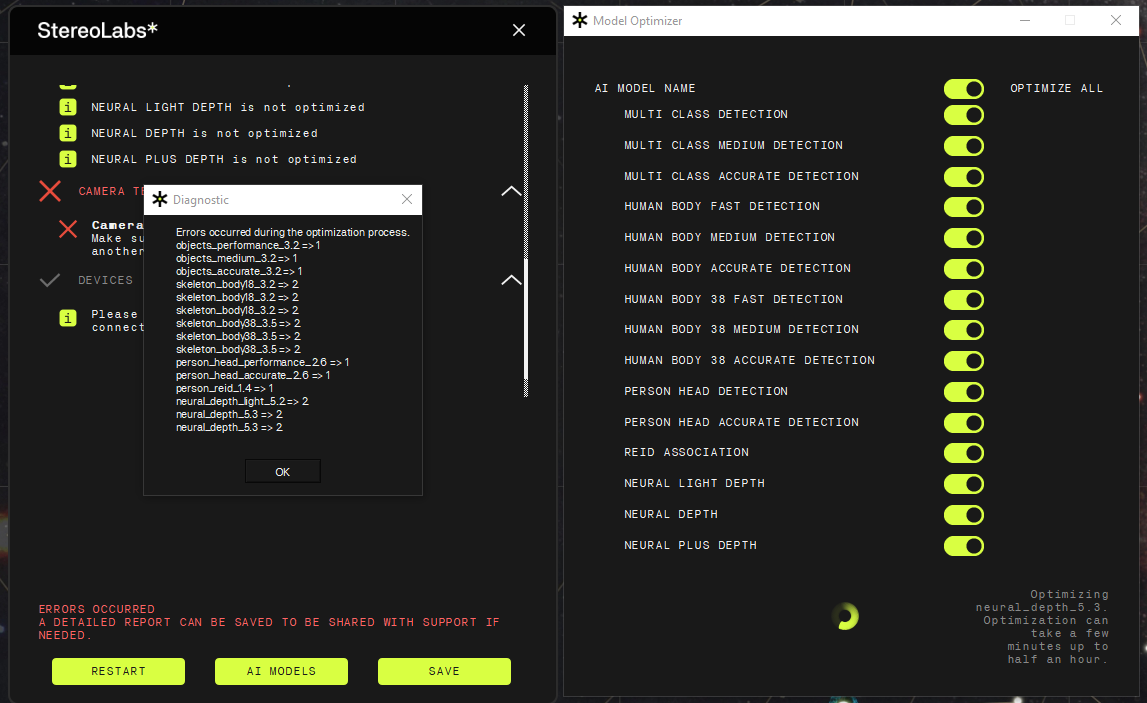
I recommend you uninstall CUDA, then download the latest ZED SDK for CUDA 12 and launch it.
It will guide you installing the correct version of CUDA.
Please also verify to have installed the latest version of the NVIDIA GPU drivers
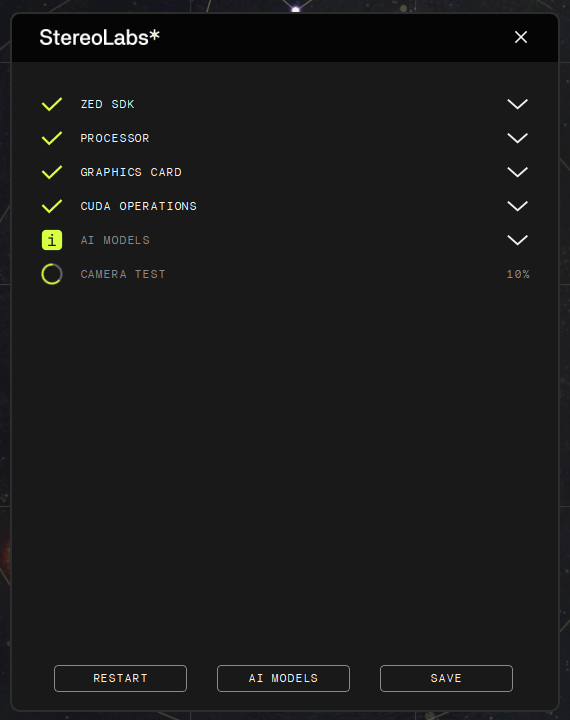
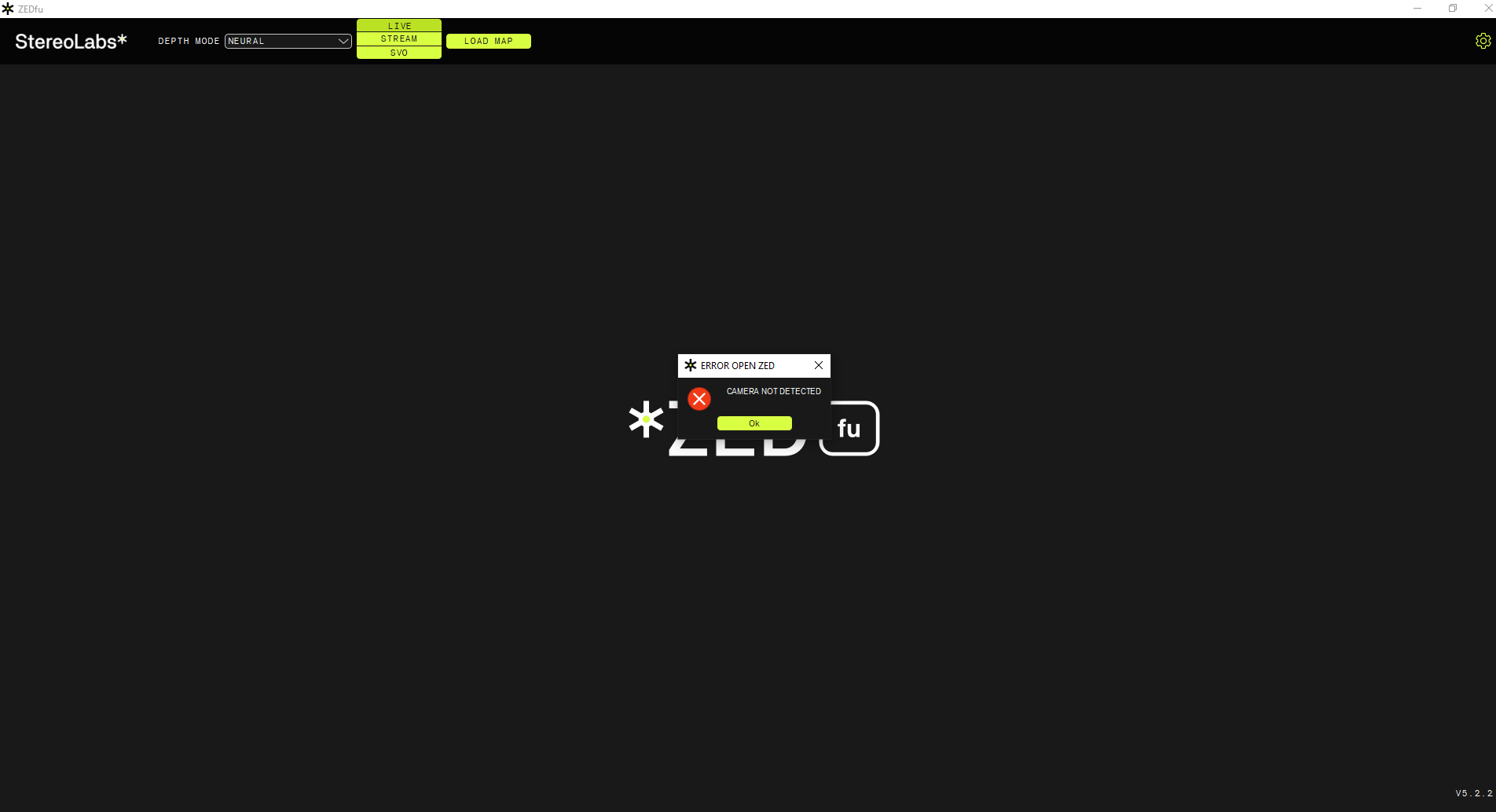
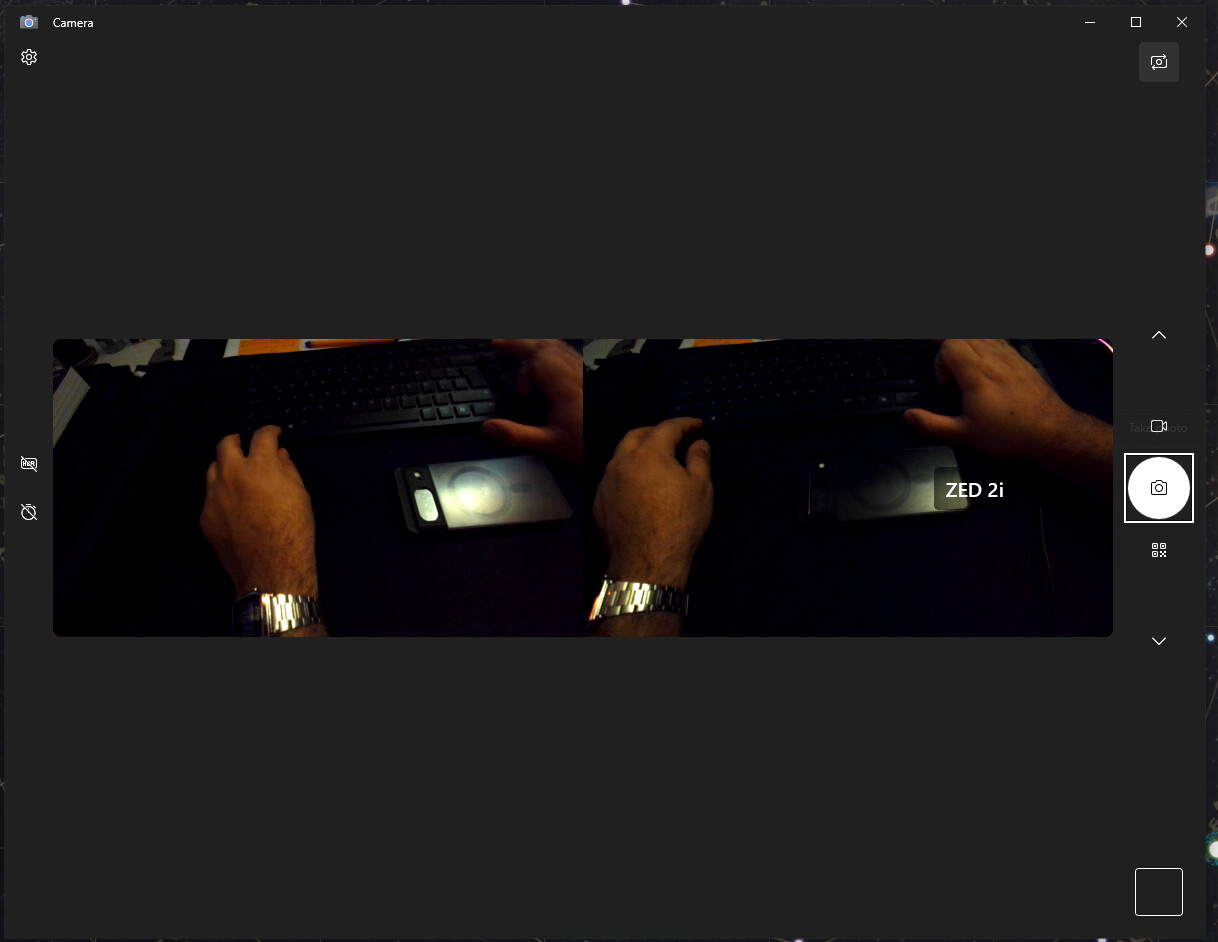
Does ZED Sensor Viewer work?
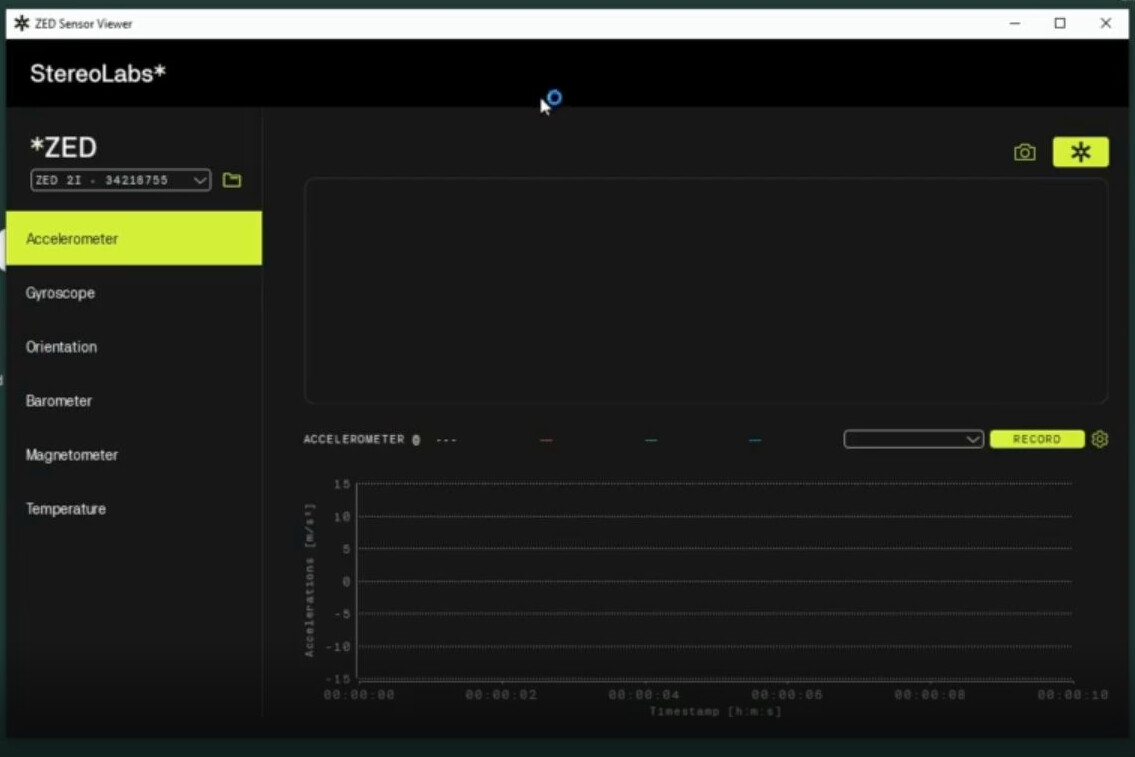
Hi @AntonioShujo
Your post contains conflicting information.
Please install the latest ZED SDK v5.2.2 for CUDA 12, connect the camera, run the ZED Diagnostic tool and send the content of the report obtained with this setup.
Sure. Here we made again this test with those specific versions, here are some screenshots: ZED cam tests 25/3/26 - Google Drive
let me know if there is any other detail we can share; thanks.
Hi @AntonioShujo
This looks like an “antivirus issue”.
On Windows 10, it happens that antivirus software can block the activities of the ZED SDK, especially if you are using Kaspersky.
Please try to disable any antivirus and try to use ZED Explorer, ZED Depth Viewer, or any other ZED SDK tools again.
Hello. We checked this possibility. The results don’t change if we deactivate the antivirus, is the one native from Windows:
There wasn’t an update, file download around the time this camera stopped working. The ZED cam was working properly as many times while testing with Unity; the PC wasn’t shut down, updated or anything when on a following test the ZED camera just wouldn’t load again.
Hi @AntonioShujo
You could try uninstalling CUDA 13 and the ZED SDK for CUDA 13.
Then download and install the latest ZED SDK v5.2.3 for CUDA 12.
It’s only tentative because I’m pretty sure this is a software issue: you have an old GPU card that may not be fully supported by the new CUDA 13.
@Myzhar Hello; in some of the past replies including the last one we mentioned that we have tried on multiple versions of CUDA on different computers and the results are similar; on the json file located on the drive folder we share it is specified the version is CUDA 12 and the latest version of the SDK compatible with it (ZED_Diagnostic_Results4.json).