Hello,
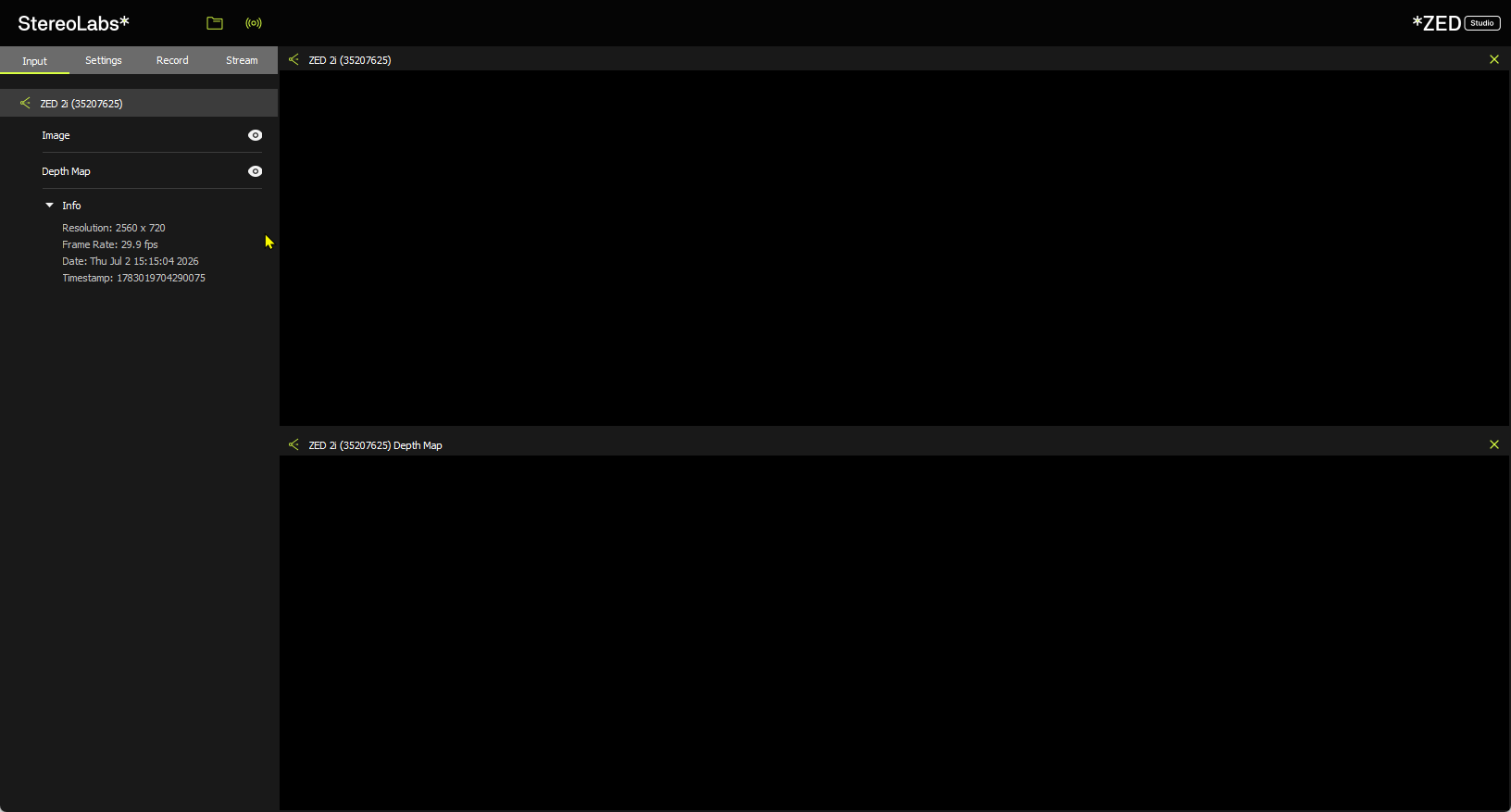
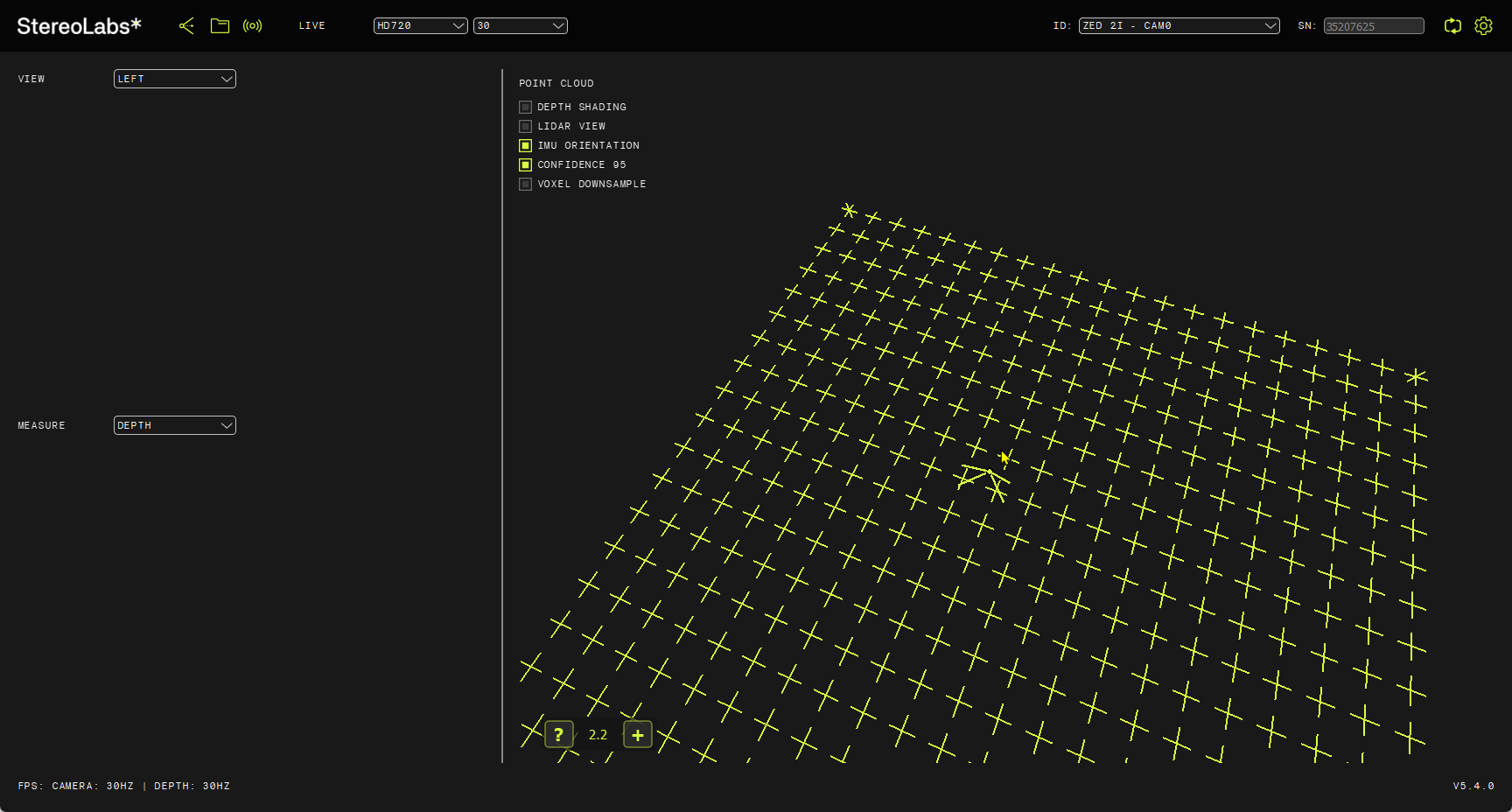
I am not able to see any points in the Zed Depth Viewer, but Zed explorer and Zed diagnostics seems to be working fine.
I am running Windows 11.
Anything I can do to resolve this problem?
{
“AI Models”: {
“info”: [
“MULTI CLASS DETECTION is not optimized”,
“MULTI CLASS MEDIUM DETECTION is not optimized”,
“MULTI CLASS ACCURATE DETECTION is not optimized”,
“HUMAN BODY FAST DETECTION is not optimized”,
“HUMAN BODY MEDIUM DETECTION is not optimized”,
“HUMAN BODY ACCURATE DETECTION is not optimized”,
“HUMAN BODY 38 FAST DETECTION is not optimized”,
“HUMAN BODY 38 MEDIUM DETECTION is not optimized”,
“HUMAN BODY 38 ACCURATE DETECTION is not optimized”,
“PERSON HEAD DETECTION is not optimized”,
“PERSON HEAD ACCURATE DETECTION is not optimized”,
“REID ASSOCIATION is not optimized”,
“NEURAL PLUS DEPTH is not optimized”
],
“valid”: [
“NEURAL LIGHT DEPTH is optimized”,
“NEURAL DEPTH is optimized”
]
},
“CUDA Operations”: {
“cudaDeviceCount”: 1,
“cudaDriverVersion”: 13030,
“cudaDriverVersionString”: “13.3”,
“cudaGetDeviceCountResult”: 0,
“cudaRuntimeLoaded”: true,
“cudaRuntimeVersion”: 12080,
“cudaRuntimeVersionString”: “12.8”,
“cudaTestVersion”: “1.0”,
“gpuTests”: [
{
“clockRateMHz”: 2010,
“computeCapability”: “8.9”,
“computeCapabilityMajor”: 8,
“computeCapabilityMinor”: 9,
“freeResult”: 0,
“freeSuccess”: true,
“gpuId”: 0,
“gpuName”: “NVIDIA GeForce RTX 4060 Laptop GPU”,
“mallocResult”: 0,
“mallocSuccess”: true,
“memcpyD2HResult”: 0,
“memcpyD2HSuccess”: true,
“memcpyH2DResult”: 0,
“memcpyH2DSuccess”: true,
“memoryBusWidthBits”: 128,
“memoryClockRateMHz”: 8001,
“memsetResult”: 0,
“memsetSuccess”: true,
“multiProcessorCount”: 24,
“pciBusId”: 1,
“pciDeviceId”: 0,
“pciDomainId”: 0,
“setDeviceResult”: 0,
“testElements”: 1048576,
“testPassed”: true,
“testSizeBytes”: 4194304,
“totalGlobalMemMB”: 8187,
“validationPassed”: true
}
],
“testSizeMB”: 1,
“valid”: [
“GPU 0 (NVIDIA GeForce RTX 4060 Laptop GPU): CUDA operations working correctly”
]
},
“Camera Test”: {
“ASMediaFound”: [
],
“CorruptedFirmware”: [
],
“InternalDevicesCount (GMSL)”: [
],
“InternalDevicesCount (USB)”: [
],
“MCUDetected”: [
],
“OC_Cam_Detected”: [
],
“OtherUSBDevices”: [
],
“Serial Number”: [
],
“USBList”: [
{
“USB_path”: “/1”,
“idProduct”: “0x2512”,
“idVendor”: “0x0424”
},
{
“USB_path”: “/3”,
“idProduct”: “0xb766”,
“idVendor”: “0x04f2”
},
{
“USBMode”: 3,
“USB_path”: “/2”,
“bDescriptorType”: 1,
“bDeviceProtocol”: 1,
“bLength”: 18,
“bMaxPacketSize0”: 9,
“bNumConfigurations”: 1,
“bcdDevice”: “1.0”,
“bcdUSB”: “3.0”,
“bcdUSBClass”: 239,
“bcdUSBSubClass”: 2,
“busNumber”: 2,
“device”: “ZED2i”,
“iManufacturer”: 1,
“iProduct”: 2,
“iSerial”: 4,
“idProduct”: “0xf880”,
“idVendor”: “0x2b03”
},
{
“USBMode”: 2,
“USB_path”: “/1/2”,
“bDescriptorType”: 1,
“bDeviceProtocol”: 0,
“bLength”: 18,
“bMaxPacketSize0”: 64,
“bNumConfigurations”: 1,
“bcdDevice”: “3.9”,
“bcdUSB”: “2.0”,
“bcdUSBClass”: 0,
“bcdUSBSubClass”: 0,
“busNumber”: 2,
“device”: “ZED2i MCU”,
“iManufacturer”: 1,
“iProduct”: 2,
“iSerial”: 3,
“idProduct”: “0xf881”,
“idVendor”: “0x2b03”
},
{
“USB_path”: “/1”,
“idProduct”: “0x574a”,
“idVendor”: “0x0461”
},
{
“USB_path”: “/4”,
“idProduct”: “0x223c”,
“idVendor”: “0x0e8d”
},
{
“USB_path”: “/4”,
“idProduct”: “0x223c”,
“idVendor”: “0x0e8d”
}
],
“USBMode”: [
],
“ZED Camera Module Detected”: [
],
“ZED MCU Module Detected”: [
],
“ZEDCount”: [
],
“ZEDDetected”: [
],
“ZEDs”: [
],
“camera”: [
],
“captureDevices”: [
],
“controllers”: [
{
“CompatibleIDs”: “PCI\VEN_1022&DEV_15B9&REV_00”,
“Description”: “USB xHCI Compliant Host Controller”,
“DeviceName”: “AMD USB 3.10 eXtensible Host Controller - 1.20 (Microsoft)”,
“Driver”: “{36fc9e60-c465-11cf-8056-444553540000}\0000”,
“Location”: “PCI bus 6, device 0, function 3”,
“Manufacturer”: “Generic USB xHCI Host Controller”,
“Name”: “PCI”,
“PhysicalName”: “\Device\NTPNP_PCI0033”
},
{
“CompatibleIDs”: “USB\USB30_HUB”,
“Description”: “Generic SuperSpeed USB Hub”,
“DeviceName”: “”,
“Driver”: “{36fc9e60-c465-11cf-8056-444553540000}\0017”,
“Location”: “Port_#0002.Hub_#0003”,
“Manufacturer”: “(Standard USB HUBs)”,
“Name”: “USB”,
“PhysicalName”: “”
},
{
“CompatibleIDs”: “USB\USB20_HUB”,
“Description”: “Generic USB Hub”,
“DeviceName”: “”,
“Driver”: “{36fc9e60-c465-11cf-8056-444553540000}\0026”,
“Location”: “Port_#0001.Hub_#0003”,
“Manufacturer”: “(Standard USB HUBs)”,
“Name”: “USB”,
“PhysicalName”: “\Device\USBPDO-4”
},
{
“CompatibleIDs”: “”,
“Description”: “USB Root Hub (USB 3.0)”,
“DeviceName”: “”,
“Driver”: “{36fc9e60-c465-11cf-8056-444553540000}\0005”,
“Location”: “”,
“Manufacturer”: “(Standard USB HUBs)”,
“Name”: “USB”,
“PhysicalName”: “\Device\USBPDO-1”
},
{
“CompatibleIDs”: “”,
“Description”: “USB Root Hub (USB 3.0)”,
“DeviceName”: “”,
“Driver”: “{36fc9e60-c465-11cf-8056-444553540000}\0006”,
“Location”: “”,
“Manufacturer”: “(Standard USB HUBs)”,
“Name”: “USB”,
“PhysicalName”: “\Device\USBPDO-2”
},
{
“CompatibleIDs”: “”,
“Description”: “USB Root Hub (USB 3.0)”,
“DeviceName”: “”,
“Driver”: “{36fc9e60-c465-11cf-8056-444553540000}\0007”,
“Location”: “”,
“Manufacturer”: “(Standard USB HUBs)”,
“Name”: “USB”,
“PhysicalName”: “\Device\USBPDO-3”
},
{
“CompatibleIDs”: “USB\USB20_HUB”,
“Description”: “Generic USB Hub”,
“DeviceName”: “”,
“Driver”: “{36fc9e60-c465-11cf-8056-444553540000}\0018”,
“Location”: “Port_#0001.Hub_#0003”,
“Manufacturer”: “(Standard USB HUBs)”,
“Name”: “USB”,
“PhysicalName”: “”
},
{
“CompatibleIDs”: “PCI\VEN_1022&DEV_15C1&REV_00”,
“Description”: “USB xHCI Compliant Host Controller”,
“DeviceName”: “AMD USB 3.10 eXtensible Host Controller - 1.20 (Microsoft)”,
“Driver”: “{36fc9e60-c465-11cf-8056-444553540000}\0003”,
“Location”: “PCI bus 8, device 0, function 4”,
“Manufacturer”: “Generic USB xHCI Host Controller”,
“Name”: “PCI”,
“PhysicalName”: “\Device\NTPNP_PCI0041”
},
{
“CompatibleIDs”: “USB\USB20_HUB”,
“Description”: “Generic USB Hub”,
“DeviceName”: “”,
“Driver”: “{36fc9e60-c465-11cf-8056-444553540000}\0008”,
“Location”: “Port_#0001.Hub_#0003”,
“Manufacturer”: “(Standard USB HUBs)”,
“Name”: “USB”,
“PhysicalName”: “”
},
{
“CompatibleIDs”: “PCI\VEN_1022&DEV_15BA&REV_00”,
“Description”: “USB xHCI Compliant Host Controller”,
“DeviceName”: “AMD USB 3.10 eXtensible Host Controller - 1.20 (Microsoft)”,
“Driver”: “{36fc9e60-c465-11cf-8056-444553540000}\0001”,
“Location”: “PCI bus 6, device 0, function 4”,
“Manufacturer”: “Generic USB xHCI Host Controller”,
“Name”: “PCI”,
“PhysicalName”: “\Device\NTPNP_PCI0034”
},
{
“CompatibleIDs”: “PCI\VEN_1022&DEV_15C0&REV_00”,
“Description”: “USB xHCI Compliant Host Controller”,
“DeviceName”: “AMD USB 3.10 eXtensible Host Controller - 1.20 (Microsoft)”,
“Driver”: “{36fc9e60-c465-11cf-8056-444553540000}\0002”,
“Location”: “PCI bus 8, device 0, function 3”,
“Manufacturer”: “Generic USB xHCI Host Controller”,
“Name”: “PCI”,
“PhysicalName”: “\Device\NTPNP_PCI0040”
},
{
“CompatibleIDs”: “”,
“Description”: “USB Root Hub (USB 3.0)”,
“DeviceName”: “”,
“Driver”: “{36fc9e60-c465-11cf-8056-444553540000}\0004”,
“Location”: “”,
“Manufacturer”: “(Standard USB HUBs)”,
“Name”: “USB”,
“PhysicalName”: “\Device\USBPDO-0”
},
{
“CompatibleIDs”: “USB\USB30_HUB”,
“Description”: “Generic SuperSpeed USB Hub”,
“DeviceName”: “”,
“Driver”: “{36fc9e60-c465-11cf-8056-444553540000}\0011”,
“Location”: “Port_#0002.Hub_#0003”,
“Manufacturer”: “(Standard USB HUBs)”,
“Name”: “USB”,
“PhysicalName”: “”
},
{
“CompatibleIDs”: “USB\USB20_HUB”,
“Description”: “Generic USB Hub”,
“DeviceName”: “”,
“Driver”: “{36fc9e60-c465-11cf-8056-444553540000}\0012”,
“Location”: “Port_#0001.Hub_#0003”,
“Manufacturer”: “(Standard USB HUBs)”,
“Name”: “USB”,
“PhysicalName”: “”
}
],
“resolutions”: [
],
“sensors”: [
],
“valid”: [
“Camera: ZED 2i”,
“USB Bandwidth: OK”,
“USB Bandwidth: OK”
]
},
“Graphics Card”: {
“deviceCount”: 1,
“deviceDriverVersion”: 13030,
“devices”: [
{
“arch”: “Ada Lovelace”,
“computeCapability”: “8.9”,
“cores”: 3072,
“name”: “NVIDIA GeForce RTX 4060 Laptop GPU”,
“totalMemoryBytes”: “8585216000”,
“totalMemoryMB”: 8187.5
}
],
“initResult”: 0,
“valid”: [
“Graphics card: NVIDIA GeForce RTX 4060 Laptop GPU”
]
},
“Processor”: {
“OS”: “Windows 10 FallCreators”,
“avxSupported”: true,
“coreCount”: “8”,
“cpu”: “AMD Ryzen 7 8845HS w/ Radeon 780M Graphics”,
“datetime”: “2026-07-01 13:45:51”,
“hyperThreading”: “1”,
“motherboard”: “8C2F, HP”,
“platform”: “Windows”,
“ramCapacity”: “61.7649”,
“ramUsage”: “0”,
“ramUsed”: “9.97875”,
“threadCount”: “16”,
“valid”: [
“Processor: AMD Ryzen 7 8845HS w/ Radeon 780M Graphics”,
“Motherboard: 8C2F, HP”
]
},
“ZED SDK”: {
“CUDA Toolkit version”: “V12.8.61 -->located in C:/Program Files/NVIDIA GPU Computing Toolkit/CUDA/v12.8/bin/nvcc.exe”,
“CUDA loading”: false,
“ZED SDK Version (Diag)”: “5.4.0”,
“ZED SDK Version (RT)”: “5.4.0”,
“ai”: {
“checkAI”: true,
“cudaVersion”: 12080,
“tensorVersion”: 100900
},
“binFiles”: [
“nvinfer_10.dll”,
“nvinfer_builder_resource_10.dll”,
“nvinfer_dispatch_10.dll”,
“nvinfer_lean_10.dll”,
“nvinfer_plugin_10.dll”,
“nvinfer_vc_plugin_10.dll”,
“nvonnxparser_10.dll”,
“sl_ai64.dll”,
“sl_zed64.dll”,
“zlibwapi.dll”
],
“driverVersion”: “610.62”,
“drivervDllVersion”: “32.0.16.1062”,
“resourcesFiles”: [
“neural_depth_5.3.model”,
“neural_depth_5.3.model_optimized-fbcbw-1-89-12080-100900-9-128-32768-48-100-512-24-0-0e53-512”,
“neural_depth_5.3.model_optimized-fbcbw-1-89-12080-100900-9-128-32768-48-100-512-24-0-0e55-512”,
“neural_depth_5.3.model_optimized-kcebw-1-89-12080-100900-9-128-32768-48-100-512-24-0-0e53-1024”,
“neural_depth_light_5.3.model”,
“neural_depth_light_5.3.model_optimized-fbcbw-1-89-12080-100900-9-128-32768-48-100-512-24-0-0e55-512”,
“w100900_timing_cache”
],
“resourcesFilesExpected”: [
“objects_performance_3.2”
],
“runtimeDllVersion”: 12080,
“valid”: [
“ZED SDK version: 5.4.0”,
“CUDA version: V12.8.61”
]
}
}