I just started checking ZED 2i that we bought last month. I noticed that when I use ZED Explorer to check the camera stream of ZED 2i, the status in the upper right is just “OPENING THE CAMERA -” and it blinks. It detects the camera in upper right to be ZED 2i - CAM 1, but not the serial number.
My guess is either of the following: wrong installation process (but I just followed the instruction for ZED SDK installation for Linux) or generic USB instead of StereoLabs USB.
Hi @ellarizza
Please open ZED Diagnostic, perform a check, then send the content of the report it generates.
You can copy and paste it if you are not allowed to send files.
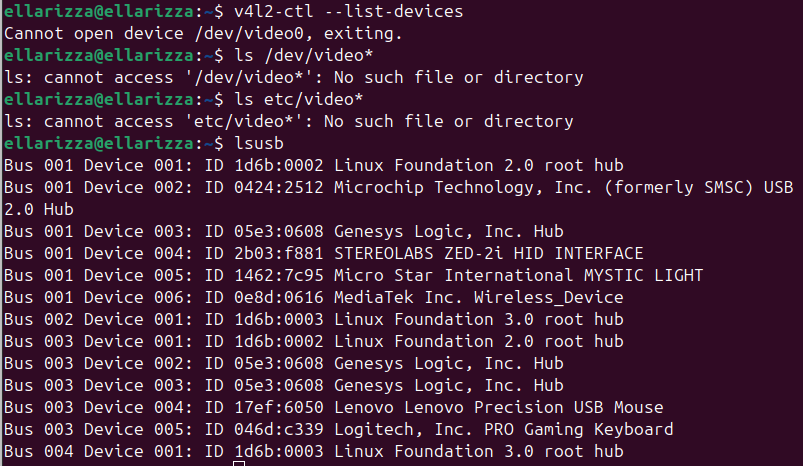
I’ve attached another report from ZED diagnostic. This time, the camera test succeeded. But when I use command lines to check for video devices, it cannot be found. I check lsusb and the USB device is recognized. No video device is also found by guvcview.
I was able to solve the issue by using the USB 3 port at the back of my CPU instead of using the front. But in my laptop, i got a low USB bandwidth issue. So it seems the issue is not with my USB 3 cable (which means it’s okay to use it even if it is just generic cable) but instead with the USB 3 ports of my devices. Is this correct understanding?