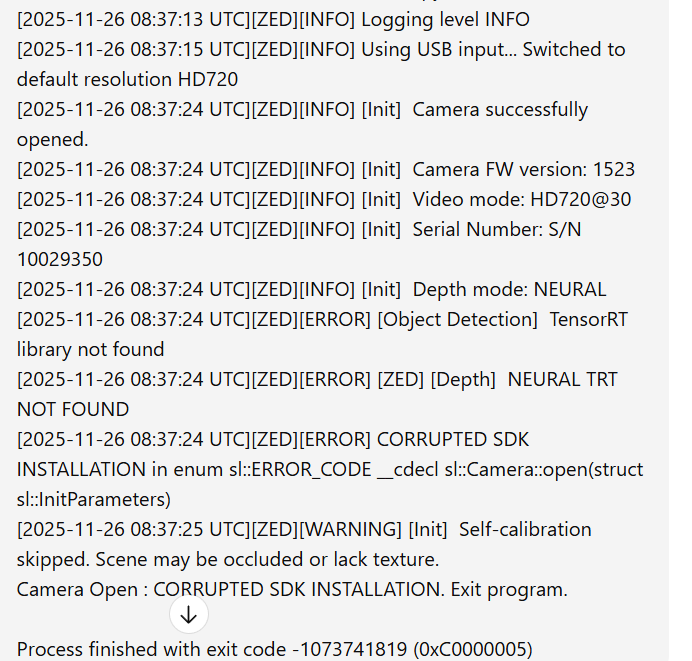
Hello guys, currently I’m dealing with this problem. I’m trying to run this code zed-sdk/camera control/python at master · stereolabs/zed-sdk · GitHub . I’ve tried to reinstall everything multiple times but still problem with neural depth. Can you provide me some installation guide? I’ve tried downloading tensorRT and adding it to path but without success.
Hi @nehovortake
Welcome to the Stereolabs community.
Please run the ZED Diagnostic tool and share the content (copy&paste) of the JSON diagnostic file that it generates.
{
"AI Models": {

    "info": \[

        "MULTI CLASS DETECTION is not optimized",

        "MULTI CLASS MEDIUM DETECTION is not optimized",

        "MULTI CLASS ACCURATE DETECTION is not optimized",

        "HUMAN BODY FAST DETECTION is not optimized",

        "HUMAN BODY MEDIUM DETECTION is not optimized",

        "HUMAN BODY ACCURATE DETECTION is not optimized",

        "HUMAN BODY 38 FAST DETECTION is not optimized",

        "HUMAN BODY 38 MEDIUM DETECTION is not optimized",

        "HUMAN BODY 38 ACCURATE DETECTION is not optimized",

        "PERSON HEAD DETECTION is not optimized",

        "PERSON HEAD ACCURATE DETECTION is not optimized",

        "REID ASSOCIATION is not optimized",

        "NEURAL LIGHT DEPTH is not optimized",

        "NEURAL DEPTH is not optimized",

        "NEURAL PLUS DEPTH is not optimized"

    \]

},

"Camera Test": {

    "ASMediaFound": \[

    \],

    "CorruptedFirmware": \[

    \],

    "InternalDevicesCount (GMSL)": \[

    \],

    "InternalDevicesCount (USB)": \[

    \],

    "MCUDetected": \[

    \],

    "OC_Cam_Detected": \[

    \],

    "OtherUSBDevices": \[

    \],

    "Serial Number": \[

    \],

    "USBList": \[

        {

            "USBMode": 3,

            "USB_path": "/17",

            "bDescriptorType": 1,

            "bDeviceProtocol": 1,

            "bLength": 18,

            "bMaxPacketSize0": 9,

            "bNumConfigurations": 1,

            "bcdDevice": "1.0",

            "bcdUSB": "3.0",

            "bcdUSBClass": 239,

            "bcdUSBSubClass": 2,

            "busNumber": 1,

            "device": "ZED mini",

            "iManufacturer": 1,

            "iProduct": 2,

            "iSerial": 0,

            "idProduct": "0xf682",

            "idVendor": "0x2b03"

        },

        {

            "USB_path": "/14",

            "idProduct": "0x4853",

            "idVendor": "0x0bda"

        },

        {

            "USBMode": 3,

            "USB_path": "/17",

            "bDescriptorType": 1,

            "bDeviceProtocol": 1,

            "bLength": 18,

            "bMaxPacketSize0": 9,

            "bNumConfigurations": 1,

            "bcdDevice": "1.0",

            "bcdUSB": "3.0",

            "bcdUSBClass": 239,

            "bcdUSBSubClass": 2,

            "busNumber": 1,

            "device": "ZED mini",

            "iManufacturer": 1,

            "iProduct": 2,

            "iSerial": 0,

            "idProduct": "0xf682",

            "idVendor": "0x2b03"

        },

        {

            "USB_path": "/6",

            "idProduct": "0x54b6",

            "idVendor": "0x13d3"

        },

        {

            "USB_path": "/6",

            "idProduct": "0x54b6",

            "idVendor": "0x13d3"

        },

        {

            "USBMode": 2,

            "USB_path": "/3",

            "bDescriptorType": 1,

            "bDeviceProtocol": 0,

            "bLength": 18,

            "bMaxPacketSize0": 64,

            "bNumConfigurations": 1,

            "bcdDevice": "2.3",

            "bcdUSB": "2.0",

            "bcdUSBClass": 0,

            "bcdUSBSubClass": 0,

            "busNumber": 1,

            "device": "ZED mini MCU",

            "iManufacturer": 1,

            "iProduct": 2,

            "iSerial": 3,

            "idProduct": "0xf681",

            "idVendor": "0x2b03"

        },

        {

            "USB_path": "/8",

            "idProduct": "0xc996",

            "idVendor": "0x048d"

        }

    \],

    "USBMode": \[

    \],

    "ZED Camera Module Detected": \[

    \],

    "ZED MCU Module Detected": \[

    \],

    "ZEDCount": \[

    \],

    "ZEDDetected": \[

    \],

    "ZEDs": \[

    \],

    "camera": \[

    \],

    "captureDevices": \[

    \],

    "controllers": \[

        {

            "CompatibleIDs": "USB\\\\USB30_HUB",

            "Description": "Generic SuperSpeed USB Hub",

            "DeviceName": "",

            "Driver": "{36fc9e60-c465-11cf-8056-444553540000}\\\\0033",

            "Location": "Port\_#0020.Hub\_#0001",

            "Manufacturer": "(Standard USB HUBs)",

            "Name": "USB",

            "PhysicalName": ""

        },

        {

            "CompatibleIDs": "",

            "Description": "USB Root Hub (USB 3.0)",

            "DeviceName": "",

            "Driver": "{36fc9e60-c465-11cf-8056-444553540000}\\\\0001",

            "Location": "",

            "Manufacturer": "(Standard USB HUBs)",

            "Name": "USB",

            "PhysicalName": "\\\\Device\\\\USBPDO-0"

        },

        {

            "CompatibleIDs": "PCI\\\\VEN_8086&DEV_7AE0&REV_11",

            "Description": "USB xHCI Compliant Host Controller",

            "DeviceName": "Intel(R) USB 3.20 eXtensible Host Controller - 1.20 (Microsoft)",

            "Driver": "{36fc9e60-c465-11cf-8056-444553540000}\\\\0000",

            "Location": "PCI bus 0, device 20, function 0",

            "Manufacturer": "Generic USB xHCI Host Controller",

            "Name": "PCI",

            "PhysicalName": "\\\\Device\\\\NTPNP_PCI0005"

        },

        {

            "CompatibleIDs": "USB\\\\USB20_HUB",

            "Description": "Generic USB Hub",

            "DeviceName": "",

            "Driver": "{36fc9e60-c465-11cf-8056-444553540000}\\\\0034",

            "Location": "Port\_#0009.Hub\_#0001",

            "Manufacturer": "(Standard USB HUBs)",

            "Name": "USB",

            "PhysicalName": ""

        }

    \],

    "resolutions": \[

    \],

    "sensors": \[

    \],

    "valid": \[

        "<b>Camera: </b>ZED Mini",

        "<b>USB Bandwidth: </b> OK",

        "<b>USB Bandwidth: </b> OK"

    \]

},

"Graphics Card": {

    "deviceCount": 1,

    "deviceDriverVersion": 13000,

    "devices": \[

        {

            "arch": "Ampere",

            "computeCapability": "8.6",

            "cores": 2560,

            "name": "NVIDIA GeForce RTX 3050 6GB Laptop GPU",

            "totalMemoryBytes": "6441926656",

            "totalMemoryMB": 6143.5

        }

    \],

    "initResult": 0,

    "valid": \[

        "<b>Graphics card: </b> NVIDIA GeForce RTX 3050 6GB Laptop GPU"

    \]

},

"Processor": {

    "OS": "Windows 10 FallCreators",

    "avxSupported": true,

    "coreCount": "8",

    "cpu": "12th Gen Intel(R) Core(TM) i5-12450HX",

    "datetime": "2025-11-26 13:46:26",

    "hyperThreading": "1",

    "motherboard": ", ",

    "ramCapacity": "23.7811",

    "ramUsage": "0",

    "ramUsed": "7.63828",

    "threadCount": "12",

    "valid": \[

        "<b>Processor: </b> 12th Gen Intel(R) Core(TM) i5-12450HX"

    \]

},

"ZED SDK": {

    "CUDA Toolkit version": "V13.0.88 -->located in C:/Program Files/NVIDIA GPU Computing Toolkit/CUDA/v13.0/bin/nvcc.exe",

    "CUDA loading": false,

    "ZED SDK Version (Diag)": "5.1.1",

    "ZED SDK Version (RT)": "5.1.1",

    "ai": {

        "checkAI": true,

        "cudaVersion": 13000,

        "tensorVersion": 101303

    },

    "binFiles": \[

        "nvinfer_10.dll",

        "nvinfer_builder_resource_10.dll",

        "nvinfer_plugin_10.dll",

        "nvonnxparser_10.dll",

        "sl_ai64.dll",

        "sl_zed64.dll",

        "zlibwapi.dll"

    \],

    "driverVersion": "581.29",

    "drivervDllVersion": "32.0.15.8129",

    "resourcesFiles": \[

        "neural_depth_5.3.model"

    \],

    "resourcesFilesExpected": \[

        "objects_performance_3.2"

    \],

    "runtimeDllVersion": 13000,

    "valid": \[

        "<b>ZED SDK version:</b> 5.1.1",

        "<b>CUDA version:</b> V13.0.88"

    \]

}
}
This can be the cause of the problem. The ZED SDK installs the required TensorRT libraries.
I recommend you manually install the ZED SDK, CUDA, any installed NVIDIA library, and the GPU driver.
Then reboot and reinstall the latest GPU driver (not CUDA).
Finally launch again the ZED SDK installer and let it install CUDA and the NVIDIA libraries.
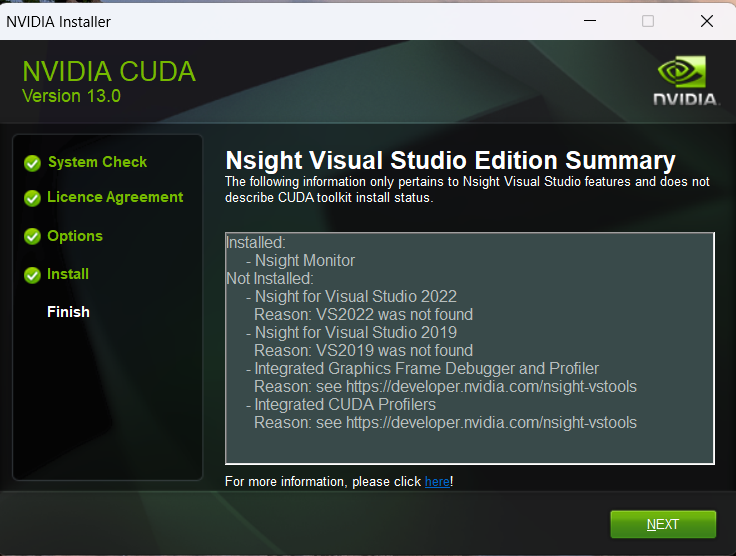
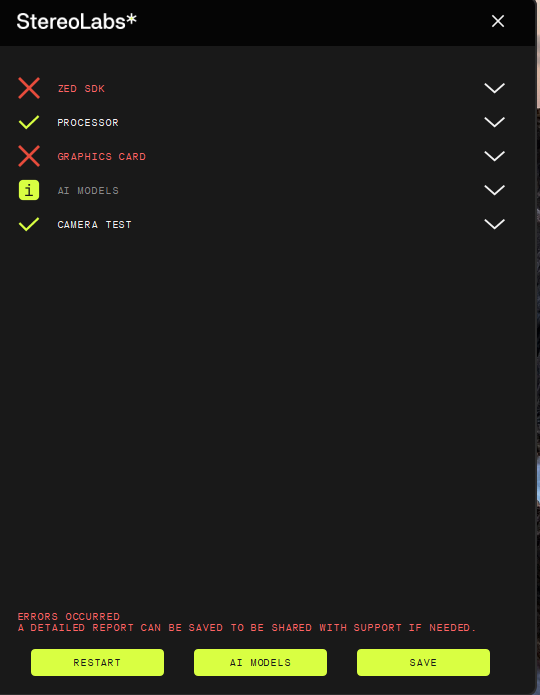
Please can you provide me detailed step by step guide as it seems like what Ive installed is still not working. Still got the same error. In this path C:\Program Files\NVIDIA GPU Computing Toolkit are both CUDA and TensorRT-10.14.1.48. Even GPU is updated to latest.
The screenshot only shows that the software is not correctly installed, not why.
Please save the report and share it.
I recommend you read the ZED Diagnostic documentation and the Get Started on Windows documentation.
Please also be sure that secure boot is not enabled in the BIOS of your laptop.
Once Ive installed CUDA it was ok. Ive tried using GPT in this case and his advice is that for zed sdk 5.x I have to use CUDA 12.x not 13.x and tensorRT 8 not 10. Is this true?
I believe the information on our Download page is more accurate than that provided by ChatGPT.
TensorRT 8 must be used with old GPU models. You have an “NVIDIA GeForce RTX 3050 6GB Laptop GPU,” which supports CUDA 13 and TensorRT 10.
Have you checked “Secure Boot” as I told you before?
Yes. Still the same problem with tensorRT.
Im clueless. Your advice didnt work, Ive tried Stereocolab assistant to navigate me trough installation process that also didnt work. And finally made sure the paths are correct and still same result.

I really need this to work as it is ment for my Diploma thesis. I have everything ready but this camera refuses to work when it comes to neural depth.
Have you tried what’s described in this thread?