Hi, I have a ZED X, with ZED SDK 5.0.5. I’m using a custom YOLO detector, and the ingest functionality of the ZED SDK to retrieve 3D bounding boxes.
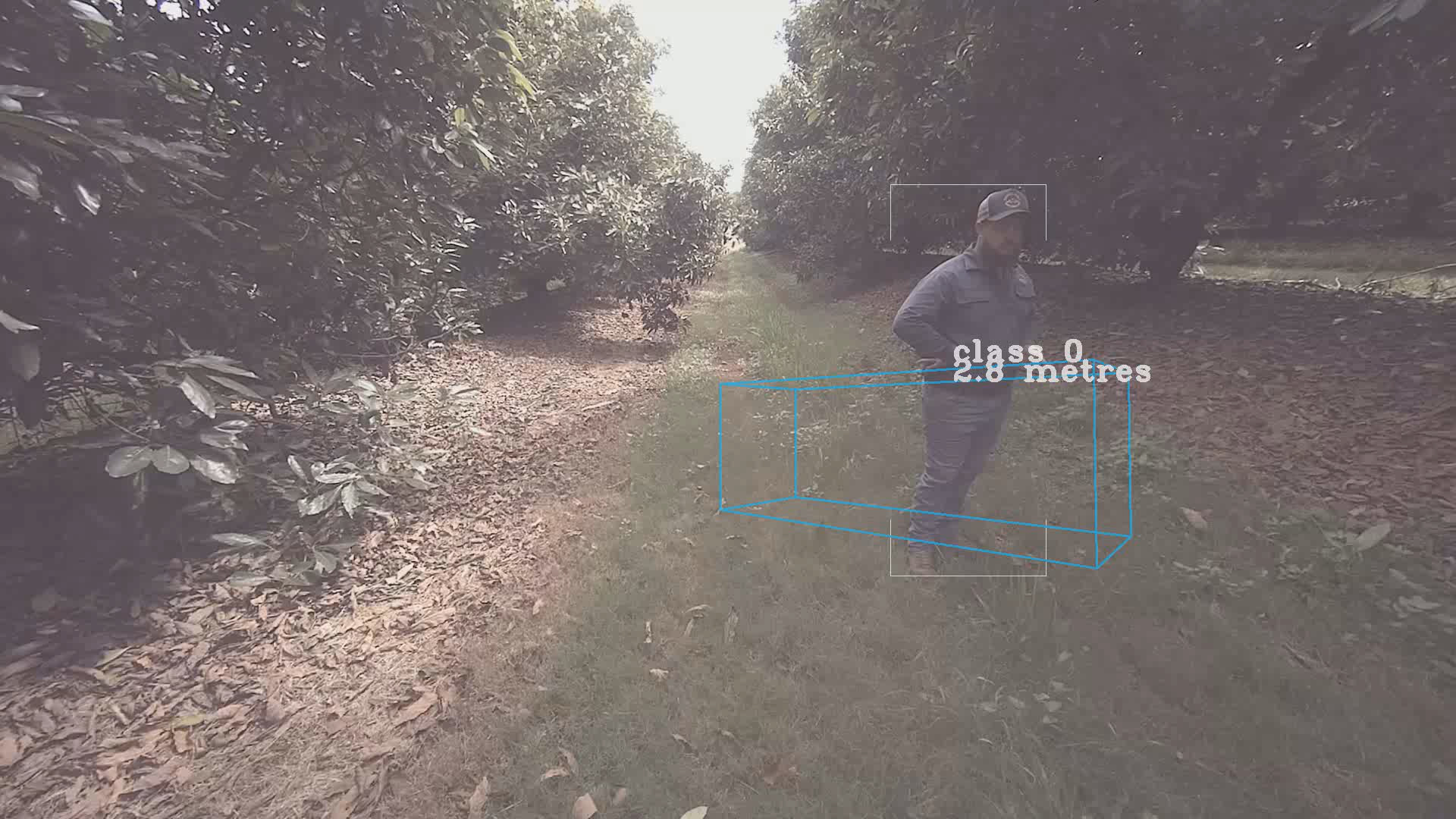
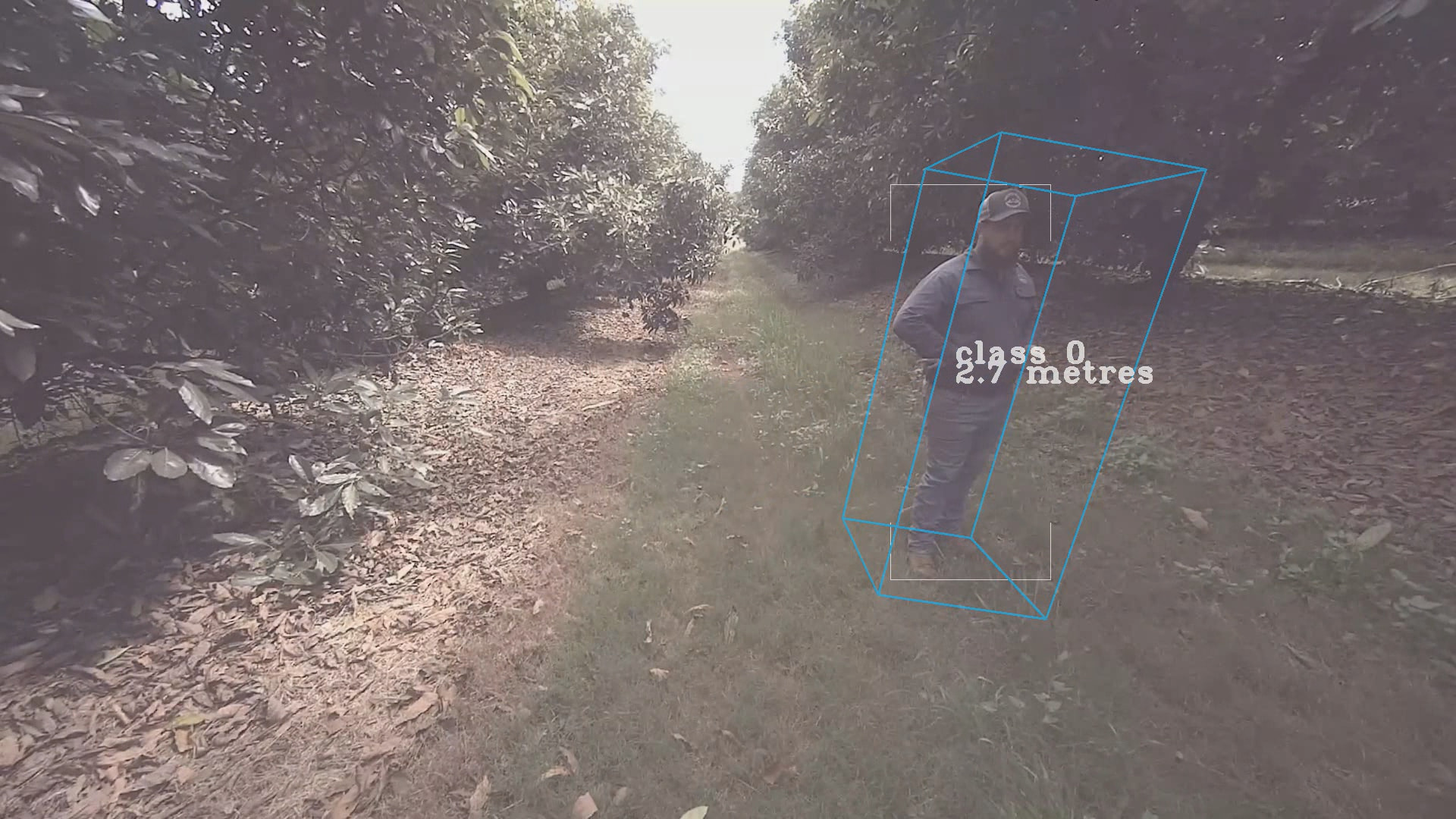
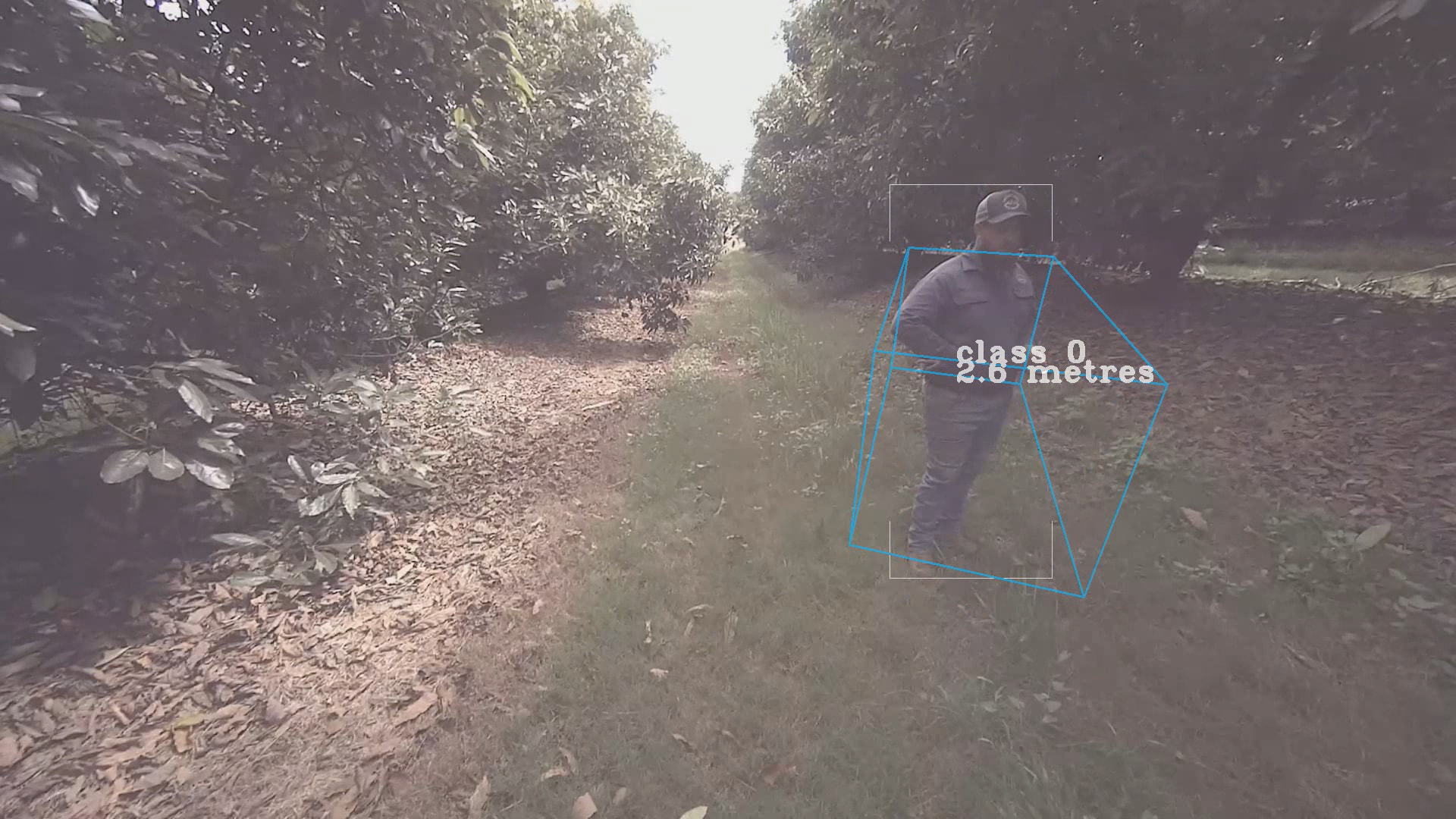
Recently, I’ve noticed that the retrieved 3D bounding boxes are very unstable. They appear to have approximately the correct shape and position, but they rotate almost randomly. even when there is no movement.
I have taken some SVO recordings, and I can reproduce the error with one of the “custom detector” samples.
Below are some images showing the effect from a short SVO capture. The blue box is the 3D bounding box projected onto the image.
Have you seen this before? Please let me know if you need more information, including the SVO file.
Thanks!
Hi @paul.morrison,
This is definitely not expected, I suspect something is happening with our tracking algorithm in this sequence.
Could you send your SVO(s) + the ZED_Diagnostic.json log file so we can investigate? You can send at support@stereolabs.com if you wish to share anything private.
Hi Paul,
Would it be possible for you to save an SVO2 file rather than SVO? We have taken a look however, an SVO2 would be helpful as it includes high frequency IMU data which would give us a better idea about the issue.
How often can you reproduce the issue?
The main causes that we can identify from the information we have, which impact the IMU data being unreliable:
- high vibrations of the machine, which impact IMU readings
- electromagnetic disturbance from the motor (is it close to the camera?)
If you are able to reproduce, SVO2 would allow us to determine what the cause is.
Best,
Matthew
Stereolabs Support
Hi Paul,
Great, please let us know if you are able to reproduce with an SVO2.
We can reproduce the issue on our side, the issue happens because of the values returned by the IMU. In the SVO file, IMU values are written at image frequency (i.e. 30Hz), and this is enough to see that their values impact the tracking algorithm.
Having the full-rate IMU would help us better understand why this is happening and to see how to solve it.
Disabling completely the IMU is possible, however 3D boxes will have an identity rotation aligned with the image, meaning that any roll from the camera would not be applied to the bounding box.
If you wish to try this feature, you can set the following variable before running your program (also available with an SVO):
export ZED_SDK_IMU_DISABLE = 1
Best,
Matthew
Stereolabs Support