Hi all 
I’ve been working on getting the ZED camera point cloud into Unity’s VFX Graph by feeding it data via Graphics.Blit() from the ZED SDK’s GPU textures (XYZ, Color, and Confidence). The textures are copied into intermediate RenderTextures and passed to the graph as exposed Texture2D properties like this:
in the ZEDPointCloudManager component provided by Stereolabs i do
    public RenderTexture XYZTextureCopy;

    vfx.SetTexture("XYZTex", pointCloudManager.XYZTextureCopy);
then I trigger the texture copy in LateUpdate() like this:
if (XYZTexture != null && XYZTextureCopy != null)
{
    Graphics.Blit(XYZTexture, XYZTextureCopy);
}
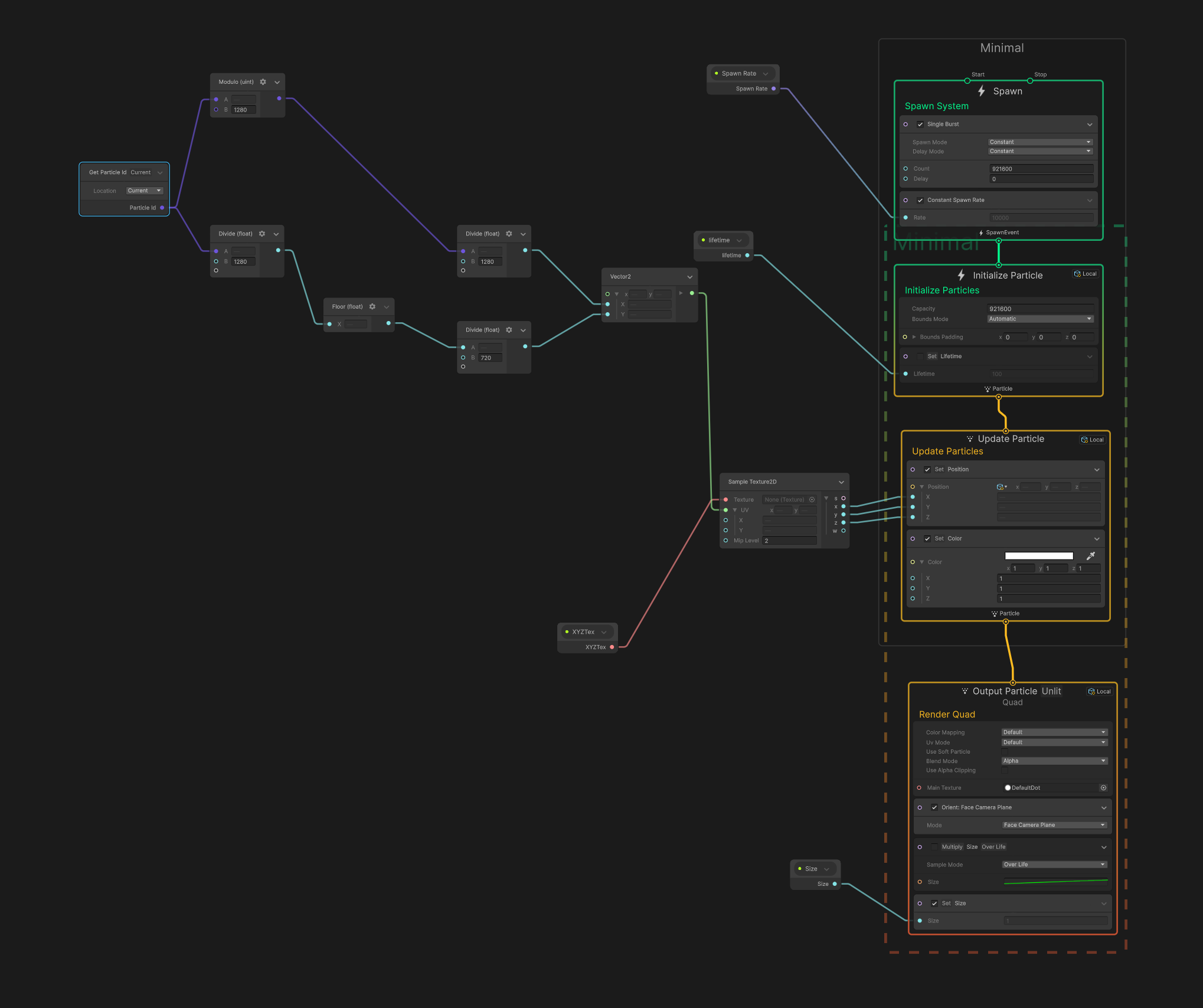
This is my VFX Graph
Output
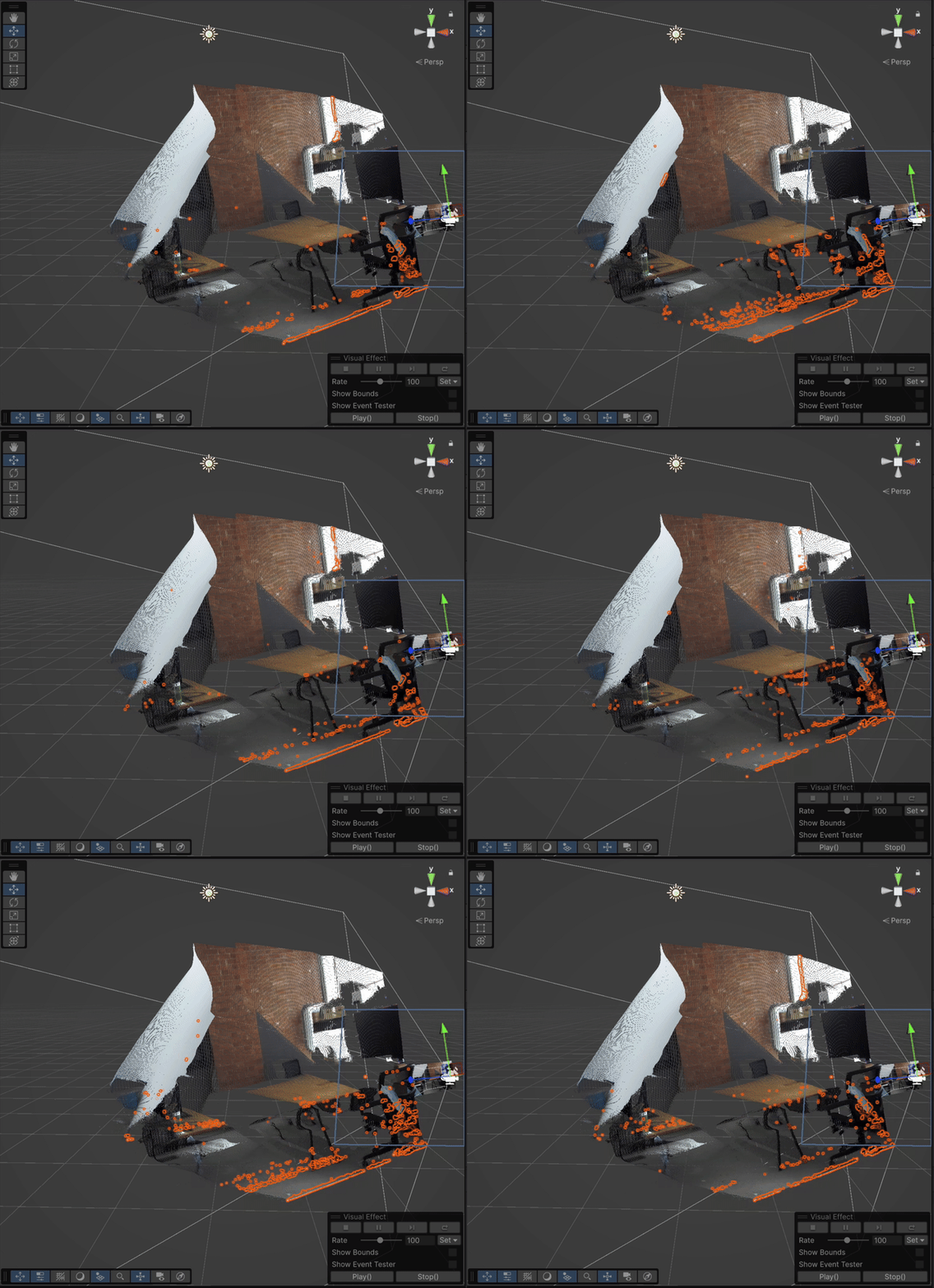
this is the original pointcloud as reference and the VFX Graph pointcloud layed on top
 Setup Details
- Unity 6000.0.44f1
- ZED SDK 5.0.3
- CUDA 12.0
 What Works
- The pipeline technically works: I see particles in the VFX Graph positioned via
ParticleID → UV → Sample XYZTex
- Color and Confidence sampling also works when wired into the graph
- I verified the XYZ values with a manual
ReadPixels() readback — data seems valid when read
 What’s Not Working
- I get severe flickering in the point cloud in VFX Graph
- Large portions of the cloud randomly disappear
- Meanwhile, the native rendering using the same texture directly with
Graphics.DrawProceduralNow() in OnRenderObject() is totally stable
 My Main Questions
-
Is it possible that Graphics.Blit() copies the texture while ZED is still writing to it?
- Could this cause the VFX Graph to sample from an incomplete or zeroed region?
-
What’s the right way to safely duplicate a ZED GPU texture for use in VFX Graph?
- Should I be double-buffering? Using
CommandBuffer? Or AsyncGPUReadback?
-
Why is DrawProceduralNow() stable, while the VFX Graph version flickers — even though both use the same texture source?
-
Is there any kind of GPU synchronization mechanism I’m missing?
If anyone has successfully brought ZED point clouds into VFX Graph without this kind of visual instability, I’d love to hear how you managed it. Could really use insight on how to safely hand off those textures across frames.
Thanks a lot in advance!
Sebastian
Hi,
I’m not super familiar with VFX graphs themselves, so I won’t be able to help you a lot on that part.
Yes, you can quickly try to use a buffer to make sure the data is not overwritten. It should be quite fast to test.
The DrawProceduralNow function is called directly (as you can deduce by its name) without adding it in the rendering queue, which may explain why it’s working fine; the data is not updated yet at the time of the call.
I would need to do more tests to be sure of what’s happening. I’m just sharing ideas out loud here.
Please let me know if you find something on our side, I’ll do the same.
Best,
Hello, I am just wondering if you managed to get this working and if so, how. Thank you
Managed to finially get this working in Unity with ZED 2i camera:
Wanted to put an image here of how it looks in the scene view, but apparently I can’t do that since my account is “too new”  - there is a link to my github repo down bellow if you wanna check it out
There is some flickering, but this can be adjusted by amount of particles and their size, to get either more detailed but laggier and more demanding pointcloud, or have fewer and bigger particles, to make the image more blurry, but reduce the flickering.
How it works?
Step 1: By changing the ZEDPointCloudManager script, to expose private properties:
- Texture2D XYZTexture
- Texture2D colorTexture
we now get access to the color and position of every individual point.
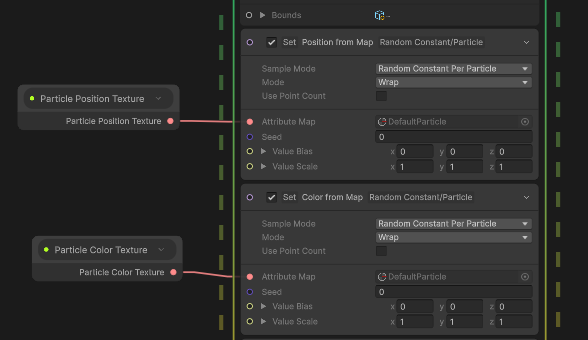
Step 2: We now need to find a way to correctly paint and position each individual particle in the VFX graph. By using blocks that set Position and Color from an Attribute Map with a Random Constant per Particle, we can do just that. Since the seed is the same for both blocks, the Random Constant will always correctly target the very same particle in color and position map alike:
Step 3: We now just need to feed both textures into the exposed property field (via a script) and set the particle rate (particles per second) and particle size. This step is very straightforward.
Extra Step: Since ZED camera uses the GRBA color scheme instead the classic RGBA, we need to also implement some way to switch the R and G channels. I’ve found that the simplest way to do so is by using a custom ComputeShader.
Not enough info?
If you still can’t manage to get it working or want to first see that this actually works as you expect it to, you can get this basic implementation at my repo
For additional questions or findings you can always reach out to me on discord: macraft