Issue with flashing the Zed Box Orin NX 16 GB

Hi guys,

I need some help figuring out an issue which surfaced after I attempted to reset the Zed box by flashing it. I followed the instructions provided in the guide to flash the zed box. However, I encountered this error at the end:

tar: Read checkpoint 580000
tar: Read checkpoint 590000
tar: Read checkpoint 600000
tar: Read checkpoint 610000
tar: Read checkpoint 620000
tar: Read checkpoint 630000
tar: Read checkpoint 640000
tar: Read checkpoint 650000
tar: Read checkpoint 660000
tar: Read checkpoint 670000
writing item=17, 9:0:secondary_gpt, 61203267072, 16896, gpt_secondary_9_0.bin, 16896, fixed-<reserved>-0, de52b5f44d8beeb179a9861a2c6ee336c4d49d96
[ 148]: l4t_flash_from_kernel: Successfully flash the external device
[ 148]: l4t_flash_from_kernel: The device size indicated in the partition layout xml is smaller than the actual size. This utility will try to fix the GPT.
[ 148]: l4t_flash_from_kernel: Error flashing qspi
Flash failure
Either the device cannot mount the NFS server on the host or a flash command has failed. Debug log saved to /tmp/tmp.peN7UVridv. You can access the target's terminal through "sshpass -p root ssh root@fc00:1:1:0::2"
Cleaning up...
FLASH FAILED.

I referred to this previous post regarding a similar error, and upon following those steps, the first step is successful, whereas the second step (the full flashing) remains unsuccessful.

What bothers me the most is how when it fails, and I proceed to see if it boots up anyways, everything boots fine, except, the ethernet port now refuses to work. I can PoE, but I can’t view any network interface on the ethernet anymore. Any solution to perhaps maybe how I can get the ethernet to work? Every failed flash attempt leaves me with a system that does not have a working ethernet.

Every help is appreciated. Thanks!

Note: WiFi works, but we really need the ethernet for our use-case.

Things I have tried:
Different USB Ports
Different USB cables (shorter ones too)
Ensured that device was in recovery mode.
If you install the ZED X Driver, also the Ethernet port driver is updated:

Thanks for your reply. I’ll give this a shot.

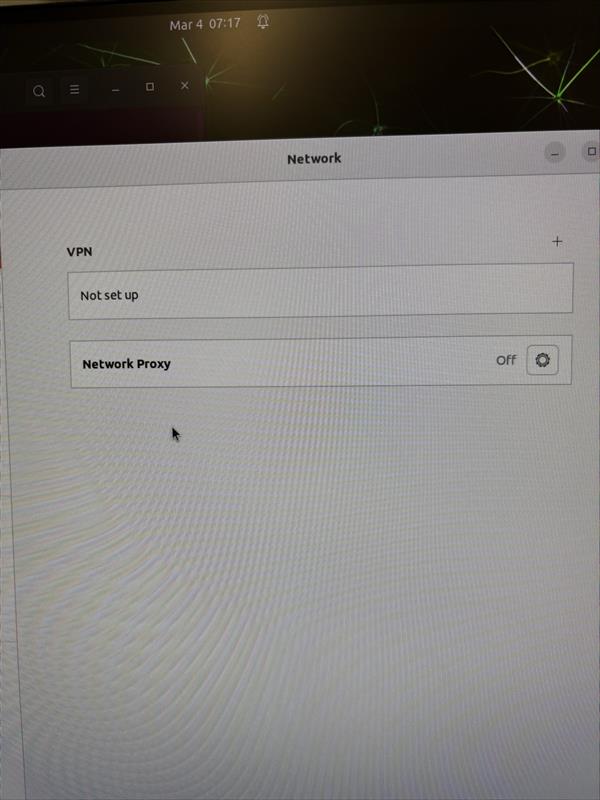
So, I installed the ZED-X Driver (1.4.0) for Jetpack 6.0 L4T R36.3, but unfortunately the ethernet port still does not work. When opening the network panel in settings, there are no network interfaces. There are lights blinking on the port.

I have an additional issue as well. I connected the ZED X Camera to the GMSL2, pin 0, and proceeded to run the ZED_Explorer command, however, this resulted in an error that /sys/class/video4linux directory or file does not exist. Did an installation step go wrong when installing the SDK or the driver perhaps?

Output of ZED_Diagnostic:

libEGL warning: DRI2: failed to authenticate
NvRmMemInitNvmap failed with No such file or directory
356: Memory Manager Not supported


****NvRmMemMgrInit failed**** error type: 196626


NvRmMemInitNvmap failed with No such file or directory
356: Memory Manager Not supported


****NvRmMemMgrInit failed**** error type: 196626


Stack trace (most recent call last) in thread 3879:
#13   Object "[0xffffffffffffffff]", at 0xffffffffffffffff, in 
#12   Object "/usr/lib/aarch64-linux-gnu/libc.so.6", at 0xffffb6359e9b, in 
#11   Object "/usr/lib/aarch64-linux-gnu/libc.so.6", at 0xffffb62f0397, in 
#10   Object "/usr/lib/aarch64-linux-gnu/libstdc++.so.6", at 0xffffb65c29cb, in 
#9    Object "ZED_Diagnostic", at 0x4599bf, in 
#8    Object "ZED_Diagnostic", at 0x46d2b7, in 
#7    Object "ZED_Diagnostic", at 0x4f099b, in 
#6    Object "/usr/local/zed/lib/libsl_ai.so", at 0xffff5e45c497, in 
#5    Object "/usr/local/zed/lib/libsl_ai.so", at 0xffff5e44e8a3, in 
#4    Object "/usr/local/zed/lib/libsl_ai.so", at 0xffff5e44cf1f, in 
#3    Object "/usr/lib/aarch64-linux-gnu/tegra/libcuda.so.1", at 0xffffb8f39b3b, in 
#2    Object "/usr/lib/aarch64-linux-gnu/tegra/libcuda.so.1", at 0xffffb90e8d9f, in 
#1    Object "/usr/lib/aarch64-linux-gnu/tegra/libcuda.so.1", at 0xffffb8f22f1f, in 
#0    Object "/usr/lib/aarch64-linux-gnu/tegra/libcuda.so.1", at 0xffffb9016af4, in 
Segmentation fault (Address not mapped to object [0x98])
Segmentation fault (core dumped)