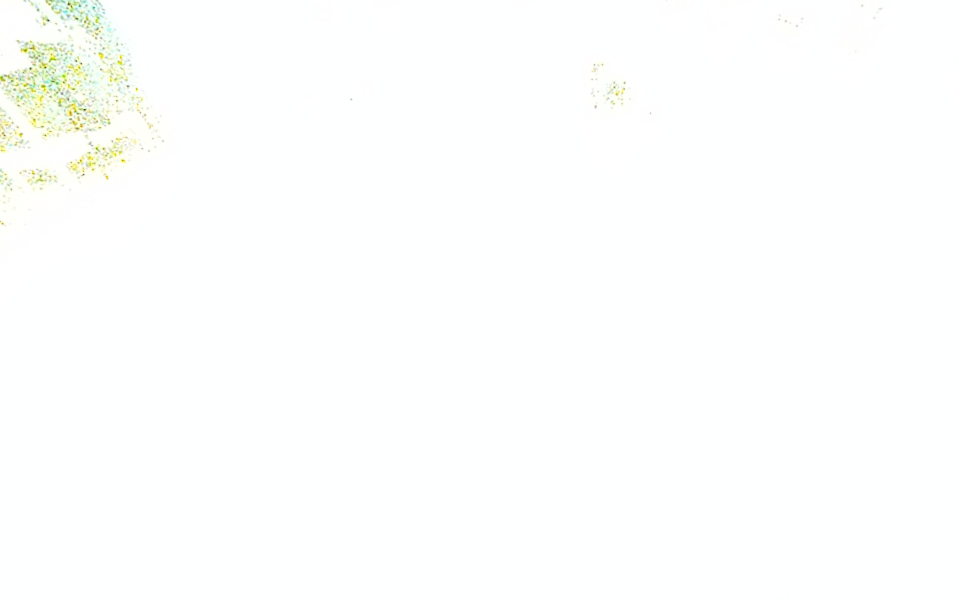
With a ZED X Mini on a Jetson AGX Orin, the left image is sometimes fully white (about 98% of the pixels saturated) right after Camera::open(). It is still white 3 s (180 frames at 60 fps) after open(), so the auto exposure does not seem to converge. The scene and the light do not change between opens.
When this happens:
open()returnsSUCCESS, so the application cannot see the problem.- With self-calibration enabled, the SDK logs
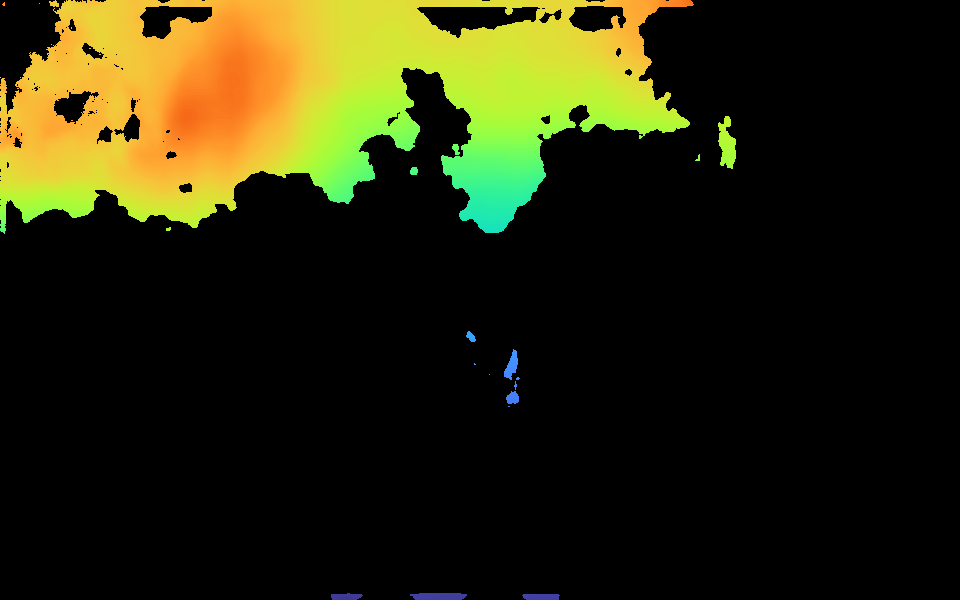
[Init] Self-calibration was skipped due to low texture or occlusion in the scene. Tracking accuracy may be affected.The scene has texture. The warning seems to come from the white image. - The depth is mostly invalid (19% valid pixels), and the remaining values are wrong. With
NEURALdepth, the table at 322 mm is measured at 426 mm (+10 cm), and the area at 438 mm is measured at 709 mm.
It happens with no matter the camera_disable_self_calib set value.
Steps to Reproduce
-
Connect a ZED X Mini to GMSL port 2 of a ZED Link Duo card on a Jetson AGX Orin.
-
Point the camera at a static scene under constant indoor light (a table with a few objects, about 0.3 to 0.6 m away).
-
In a loop, run a program that opens the camera, grabs 180 frames, saves the left image and the depth, and closes the camera:
sl::InitParameters init; init.input.setFromGMSLPort(2); init.camera_resolution = sl::RESOLUTION::SVGA; init.camera_fps = 60; init.depth_mode = sl::DEPTH_MODE::NEURAL; init.coordinate_units = sl::UNIT::METER; init.camera_disable_self_calib = disable_self_calib; // tested with true and false sl::Camera camera; if (camera.open(init) != sl::ERROR_CODE::SUCCESS) return 1; for (int frame = 0; frame < 180;) { if (camera.grab() == sl::ERROR_CODE::SUCCESS) ++frame; } sl::Mat left, depth; camera.retrieveImage(left, sl::VIEW::LEFT); camera.retrieveMeasure(depth, sl::MEASURE::DEPTH); // save left and depth, then: camera.close(); -
Repeat the open and close about 10 times, with about 2 s between runs. Check the mean brightness of the saved left images.
Expected Result
After 180 frames, the auto exposure has converged, the left image is normally exposed, and the depth of the static scene is the same at every open.
Actual Result
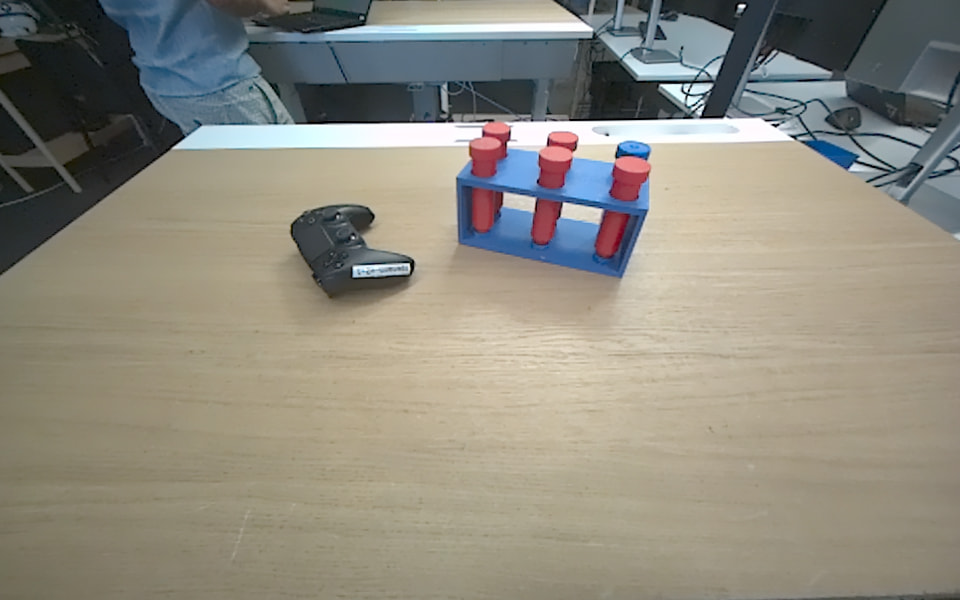
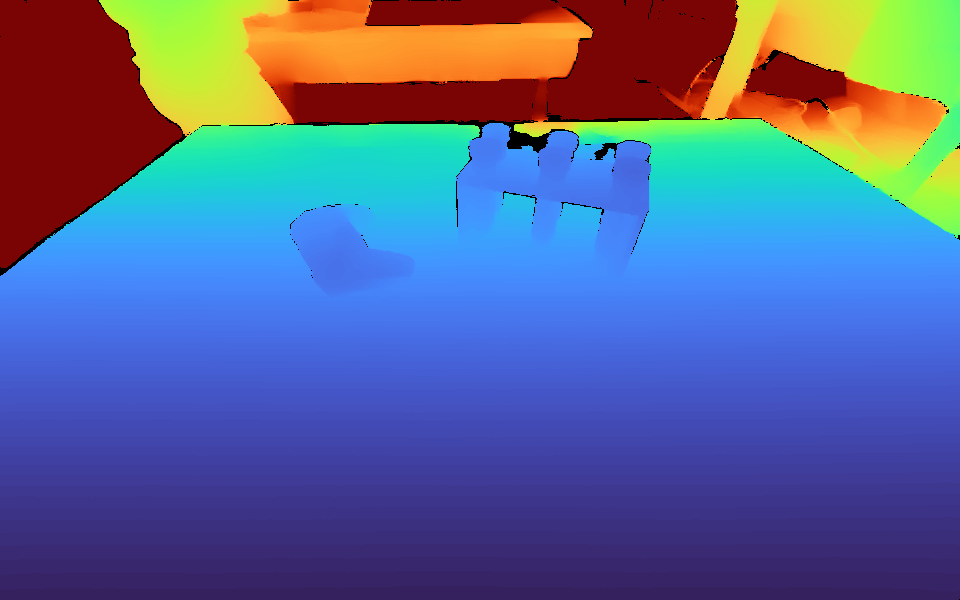
Some opens give a fully white left image and wrong depth. The other opens are normal, and in these the depth is stable within 1 mm at 322 mm.
| Scene | Self-calibration | Opens | White starts |
|---|---|---|---|
| Empty table | enabled | 4 | 0 |
| Empty table | disabled | 4 | 0 |
| Table with objects | enabled | 12 | 1 |
| Table with objects | disabled | 12 | 4 |
The last group of 8 opens with objects was after a reboot and had 1 white start.
Images (same scene, consecutive opens):
| Left image | Depth (colored, 0.2 to 1.5 m) | |
|---|---|---|
| White start | 01_white_start_left_rgb.png | 02_white_start_depth.png |
| Normal start | 03_normal_start_left_rgb.png | 04_normal_start_depth.png |
ZED Camera model
ZED X Mini
Environment
OS: Ubuntu 22.04, L4T R36.4.7 (JetPack 6.2.x)
CPU: ARM (Jetson AGX Orin)
GPU: Jetson AGX Orin
ZED SDK version: 5.4.1
ZED Link driver: stereolabs-zedlink-duo 1.4.3-LI-MAX96712-L4T36.4.0
Camera firmware: 2001
Camera: ZED X Mini, S/N 59971260, GMSL port 2
Settings: SVGA, 60 fps, DEPTH_MODE::NEURAL, default auto exposure and auto gain
Other info: application runs in a Docker container (--privileged, --runtime=nvidia), ZED_SDK_DISABLE_DOWNLOAD=1
Questions
- Is this a known issue with SDK 5.4.1 or driver 1.4.3? Do SDK 5.6.0 and driver 1.5.0 fix it? The 5.6.0 release notes mention “exposure and gain requests being undone or ignored on ZED X family of cameras”.
- Is there a supported way to detect it after
open(), other than checking the image brightness ourselves? - What is the recommended recovery: restart auto exposure with
setCameraSettings(VIDEO_SETTINGS::AEC_AGC, ...), or close and open the camera again?