Hello,
I’m a beginner with touchdesigner, while trying to do some experiments with ZED 2i I’ve encountered a few problem.
When setting up the ZED camera operator in TouchDesigner, I encountered an error message stating, “Current resolution is too high, try lower resolution.” I’m unsure how to adjust the resolution settings effectively. Has anyone else faced this issue? How did you resolve it?
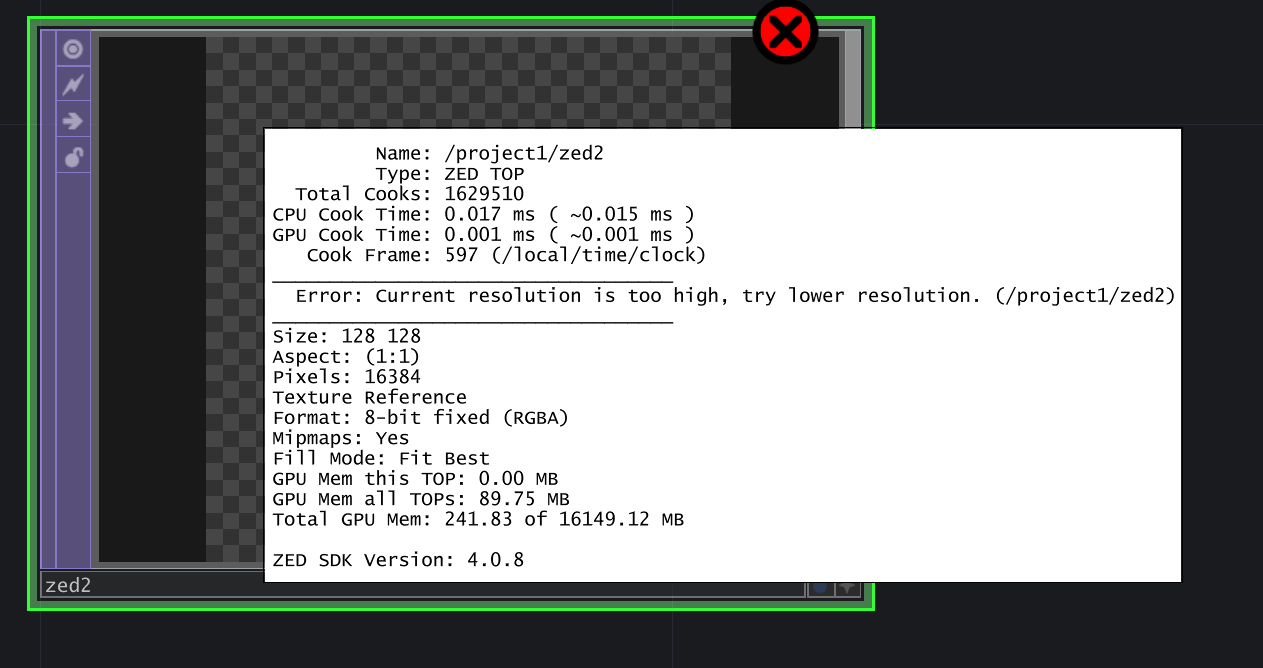
I’ve tried to change the resolution from ZED Explorer, but no matter which resolution I choose it locked to 1344x376
I also find some Issues with ZED software, such as The ZED calibration software doesn’t detect my camera and I cannot run ZED Explorer, Sensor Viewer, and Depth Viewer Simultaneously, it seems I can only run one at a time. Is there a workaround or a specific order in which I should launch these tools?
Thank you in advance for your assistance!