What’s the length of the flat cables? The cam0 and 1 ribbons (between capture card and Jetson) are 5cm. Fakra cables we’ve tested are 3 m cables, as well as 6 m cables.
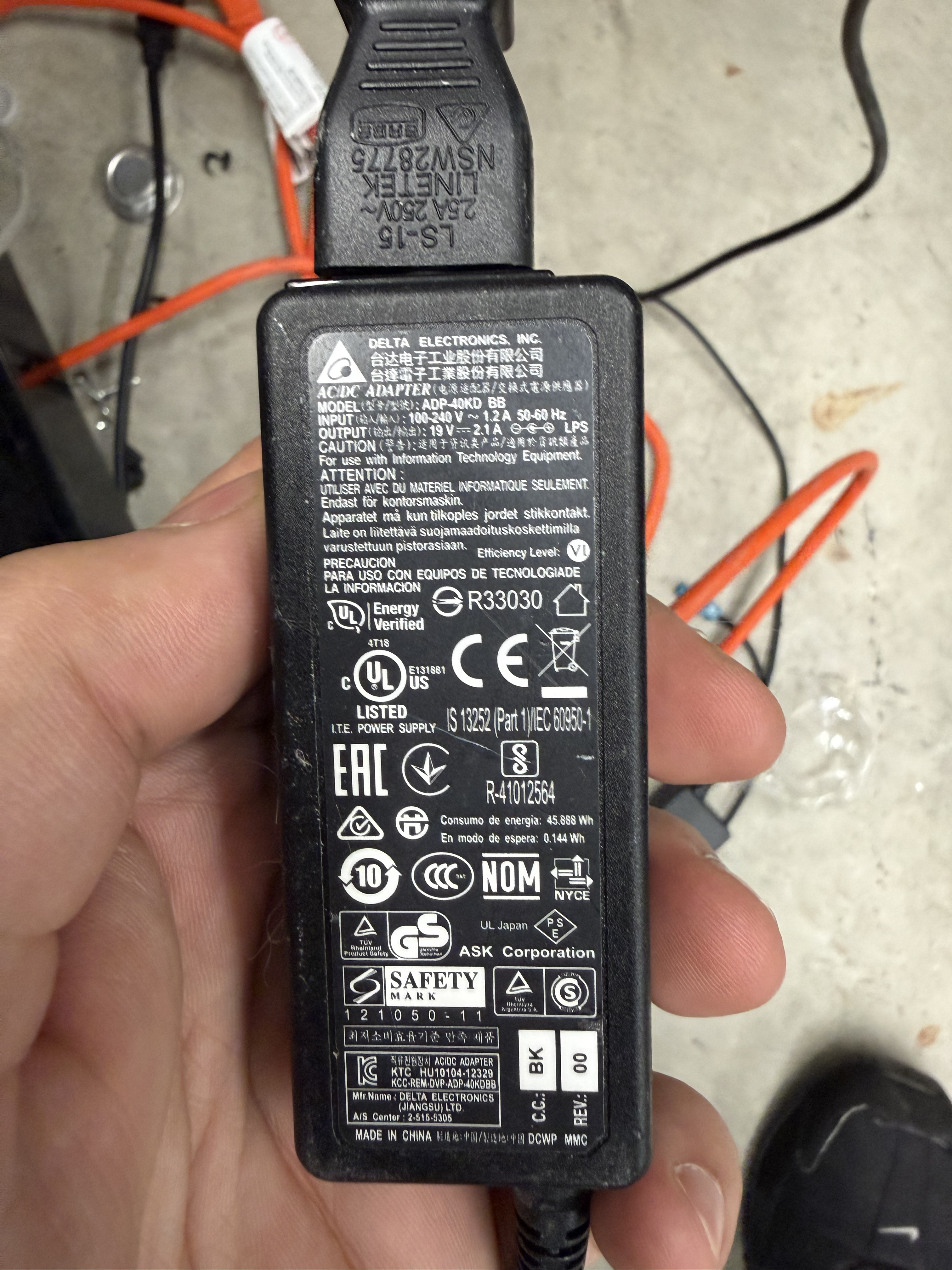
Voltage to capture card: 19V 2.1A
Is the power shared with other devices? No
We also tried new Fakra cables just now, and still see the same issue.
We have done the following:
- replace fakra cable with fresh one (3m)
- restart Jetson and daemon (and we see the green LED light flash on the capture card)
- launch camera with
ros2 launch zed_wrapper zed_camera.launch.py camera_model:=zedxm
Out of 5 experiments, only once did the camera launch. The rest of the time, we saw the following error:
[component_container_isolated-2] [2026-05-21 13:12:29 UTC][ZED][ERROR] [Init]  Corrupted frames were detected. Please verify that your camera is properly connected.
[component_container_isolated-2] [2026-05-21 13:12:33 UTC][ZED][ERROR] FAILURE in sl::ERROR_CODE sl::Camera::open(sl::InitParameters)
[component_container_isolated-2] [WARN] [1779383553.250489038] [zed.zed_node]: Error opening camera: FAILURE
[component_container_isolated-2] [INFO] [1779383553.250591504] [zed.zed_node]: Please verify the camera connection
[component_container_isolated-2] [2026-05-21 13:12:38 UTC][ZED][INFO] Logging level INFO
[component_container_isolated-2] [2026-05-21 13:12:38 UTC][ZED][ERROR] INVALID FUNCTION CALL in sl::ERROR_CODE sl::Camera::open(sl::InitParameters)
[component_container_isolated-2] [WARN] [1779383558.750892274] [zed.zed_node]: Error opening camera: INVALID FUNCTION CALL
[component_container_isolated-2] [INFO] [1779383558.750985906] [zed.zed_node]: Please verify the camera connection
[component_container_isolated-2] (Argus) Error Timeout:  (propagating from src/rpc/socket/client/ClientSocketManager.cpp, function send(), line 137)
[component_container_isolated-2] (Argus) Error Timeout:  (propagating from src/rpc/socket/client/SocketClientDispatch.cpp, function dispatch(), line 92)
[component_container_isolated-2] [2026-05-21 13:12:39 UTC][ZED][WARNING] [ZED-Argus]{produceDualV5} CAM 0 has timeout -- recovering...
[component_container_isolated-2] (Argus) Error FileOperationFailed: Failed socket read: Connection reset by peer (in src/rpc/socket/common/SocketUtils.cpp, function readSocket(), line 79)
[component_container_isolated-2] (Argus) Error FileOperationFailed: Unexpected error in reading socket (in src/rpc/socket/client/ClientSocketManager.cpp, function recvThreadCore(), line 277)
[component_container_isolated-2] (Argus) Error FileOperationFailed: Receive worker failure, notifying 2 waiting threads (in src/rpc/socket/client/ClientSocketManager.cpp, function recvThreadCore(), line 350)
[component_container_isolated-2] (Argus) Error InvalidState: Argus client is exiting with 2 outstanding client threads (in src/rpc/socket/client/ClientSocketManager.cpp, function recvThreadCore(), line 366)
[component_container_isolated-2] (Argus) Error FileOperationFailed: Receiving thread terminated with error (in src/rpc/socket/client/ClientSocketManager.cpp, function recvThreadWrapper(), line 379)
[component_container_isolated-2] (Argus) Error FileOperationFailed: Client thread received an error from socket (in src/rpc/socket/client/ClientSocketManager.cpp, function send(), line 145)
[component_container_isolated-2] (Argus) Error FileOperationFailed:  (propagating from src/rpc/socket/client/SocketClientDispatch.cpp, function dispatch(), line 92)
[component_container_isolated-2] (Argus) Error InvalidState: Receive thread is not running cannot send. (in src/rpc/socket/client/ClientSocketManager.cpp, function send(), line 96)
[component_container_isolated-2] (Argus) Error InvalidState:  (propagating from src/rpc/socket/client/SocketClientDispatch.cpp, function dispatch(), line 92)
this then keeps repeating until we CTRL-C.
I will separately email you with the detailed logs from the experiments. We are not sure why this is happening, and would love to get this resolved asap!