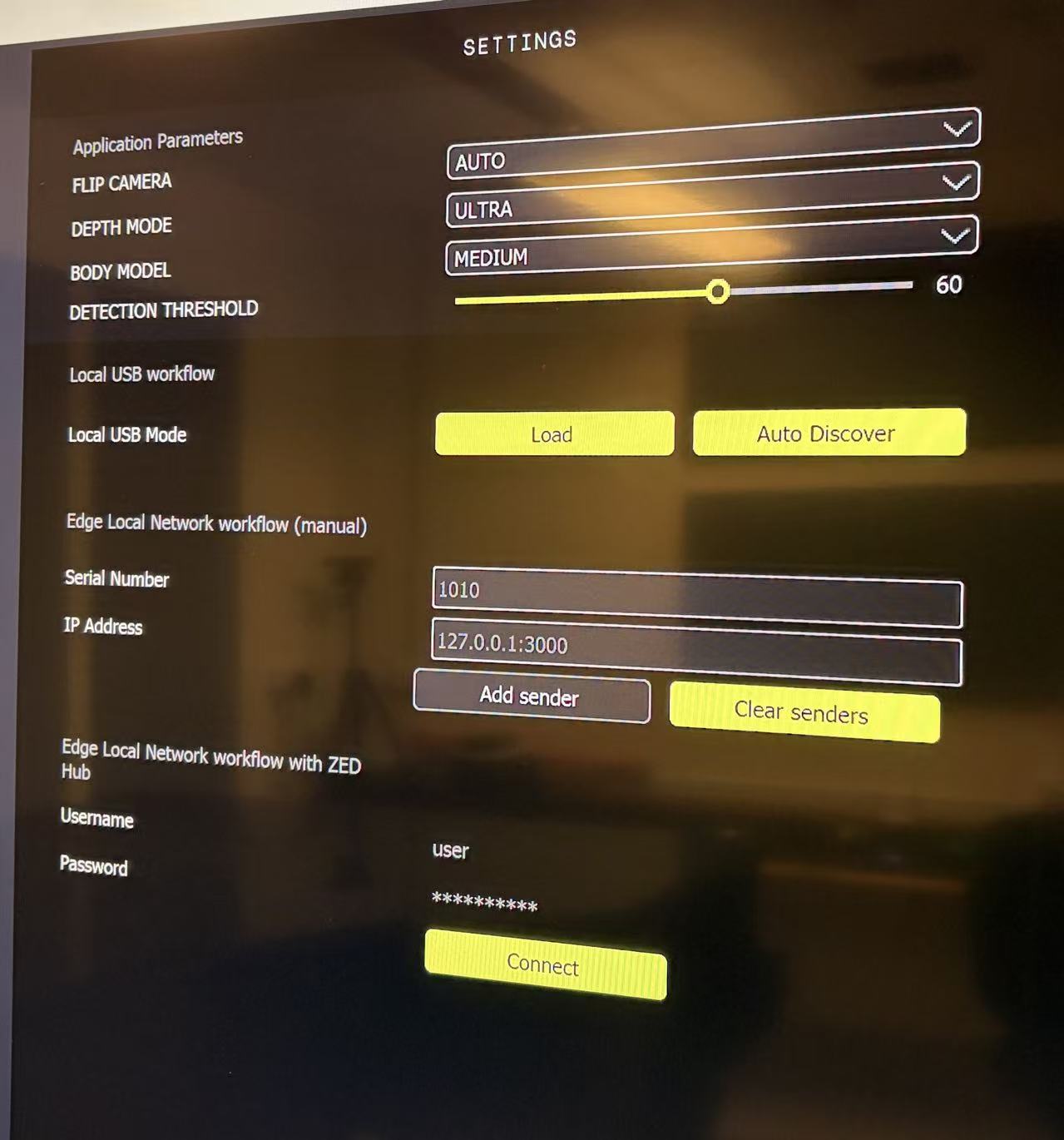
Recently I’ve been using ZED360, and I noticed that the documentation of this app (https://www.stereolabs.com/docs/fusion/zed360) seems to correspond to an older version of ZED360.
In the newer version, some options have been added to the UI, but there is no explanation of what these options actually mean.
(1) What does Flip Camera mean? I see that it has three options: Auto, On, and Off.
(2) For Depth Modes, I see Ultra and Neural in ZED360. However, according to the official depth modes documentation
(https://www.stereolabs.com/docs/depth-sensing/depth-modes), the depth modes are Neural Light, Neural, and Neural Plus.
Are the depth modes in ZED360 the same as the official depth modes?
Is Ultra equivalent to Neural Plus, is this a naming mismatch?
(3) For Detection Threshold, my intuitive understanding is that a higher value makes the algorithm more strict, and therefore less likely to produce false positives, such as detecting non-human objects as a human.
Is this understanding correct?
(4) The Body Model setting has three modes: Accurate, Medium, and Fast.
How does this setting affect the calibration result?
Does Accurate detect more human joints, while Fast simply runs the body detection faster?
It seems that the ZED360 documentation lacks explanations for these parameters.
It would be great if the documentation could be updated to cover the new version of ZED360.
Yes, all the “classic” depth processing methods based on Stereo Matching in v5 have been replaced by AI-based depth estimation methods, NEURAL_LIGHT, NEURAL, and NEURAL_PLUS.
The new methods provide denser and more accurate depth maps, with similar load requirements.