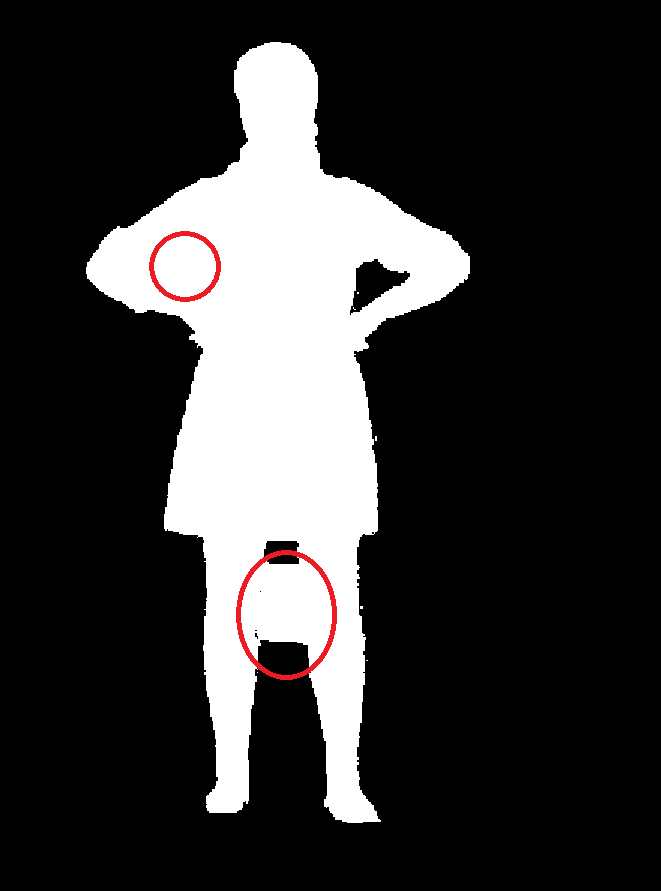
I’ve created a test app in C# where I want to filter out everything but person’s silhouette (using distance threshold). However the depth image contains artifacts as shown on the picture below - parts of the background merges with the silhouette. The ZED depth viewer shows the same results no matter the parameters (using Neural Plus model). Will this be improved anytime soon or do you know of any approach (or filtering) how to remove such artifacts? Thanks a lot!
I’ve tried different values for runtime params without success.
Then I use MEASURE.DEPTH_U16_MM to get depth image and discard all pixels that are further then specific threshold. To remove floor, ceiling and side walls, I use pointcould pixel values.
I experience the same behavior (silhouette not well separated from background) also in ZED Depth Viewer. The problem is present even if the person is wearing high contrast clothes in respect with the background. In that case the silhouette is perfectly visible in the RGB stream, but not correctly cut out using the depth values. I am trying to accomplish kind of green screen effect in normal room conditions. I’d be glad for any suggestions how to combine streams or use any filter that would result in better silhouette extraction.
thanks for the suggestion! Disabling the fill mode definitely helped, although the results are still inferior to Kinect v2 which uses active depth sensing. I got the best results when keeping the runtime_parameters.confidenceThreshold around 50. However in this case the depthStabilisation is required. This parameter is available in C#, but I didn’t find it in Unity ZED_Rig_Mono. Please could you tell me where can I adjust the depthStabilisation in Unity?
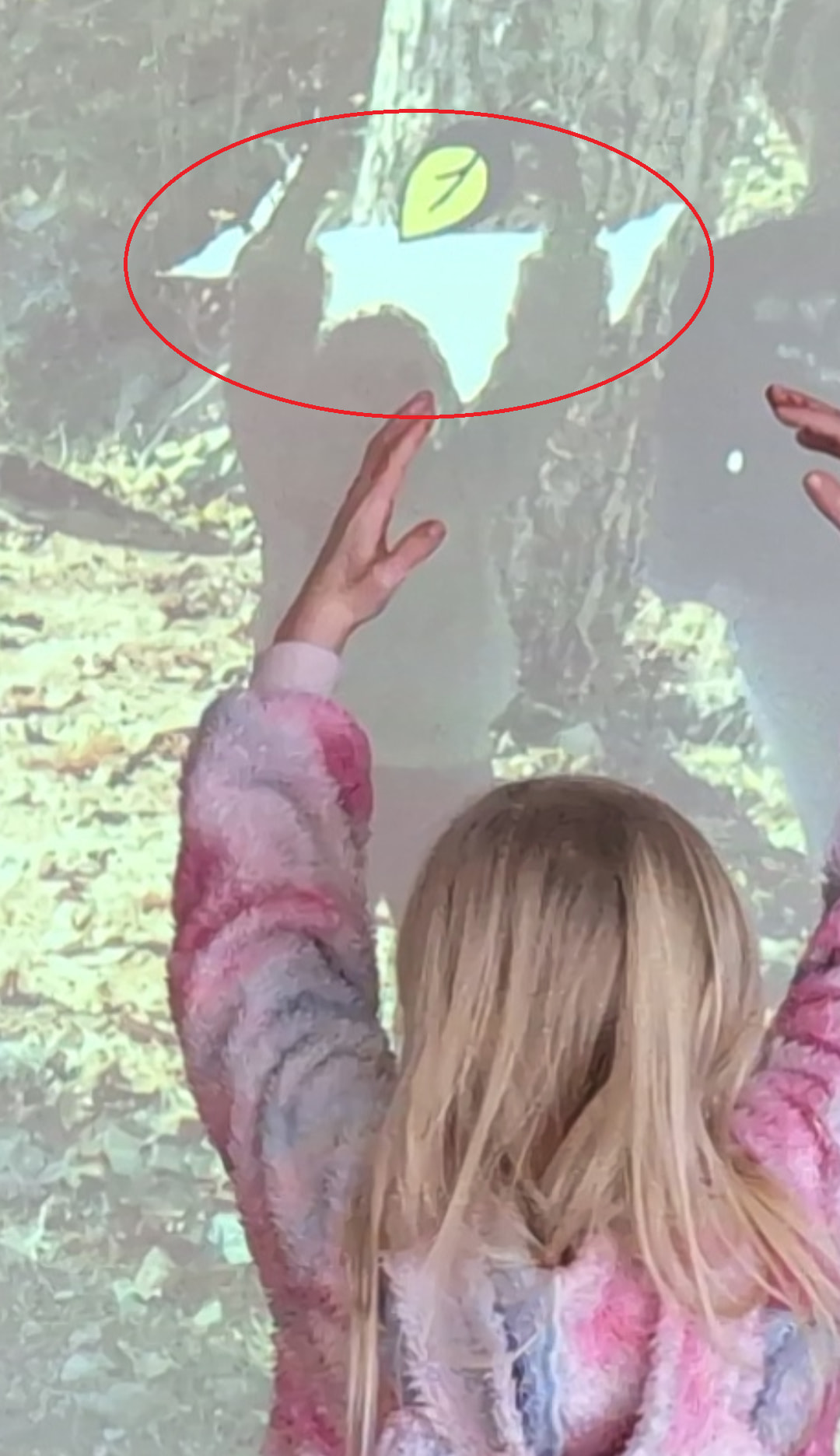
thank you for the info. Changes of confidence and stabilization improved the results to certain extend but haven’t solved the issue entirely. See the image below. The camera is in the height of cca 70cm. We are filtering out pixels past certain distance (5m), ceiling, floor and side walls using pointcloud information. Yet child’s silhouette contains the artifacts - in this case it is a portion of the ceiling. Sometimes this appears between 2 persons - portion of the background forms an artifact.