I was able to complete calibration, but can’t seem to open the virtual stereo camera in my code. It returns an error “camera stream failed to start.”
The calibration file was copied to the Zed Settings folder, and the number generated during calibration is what I used as the virtual stereo number in the code which is attached here. vstereo_test2.py (1.6 KB)
Yes. It said it detected the virtual camera and opened it!
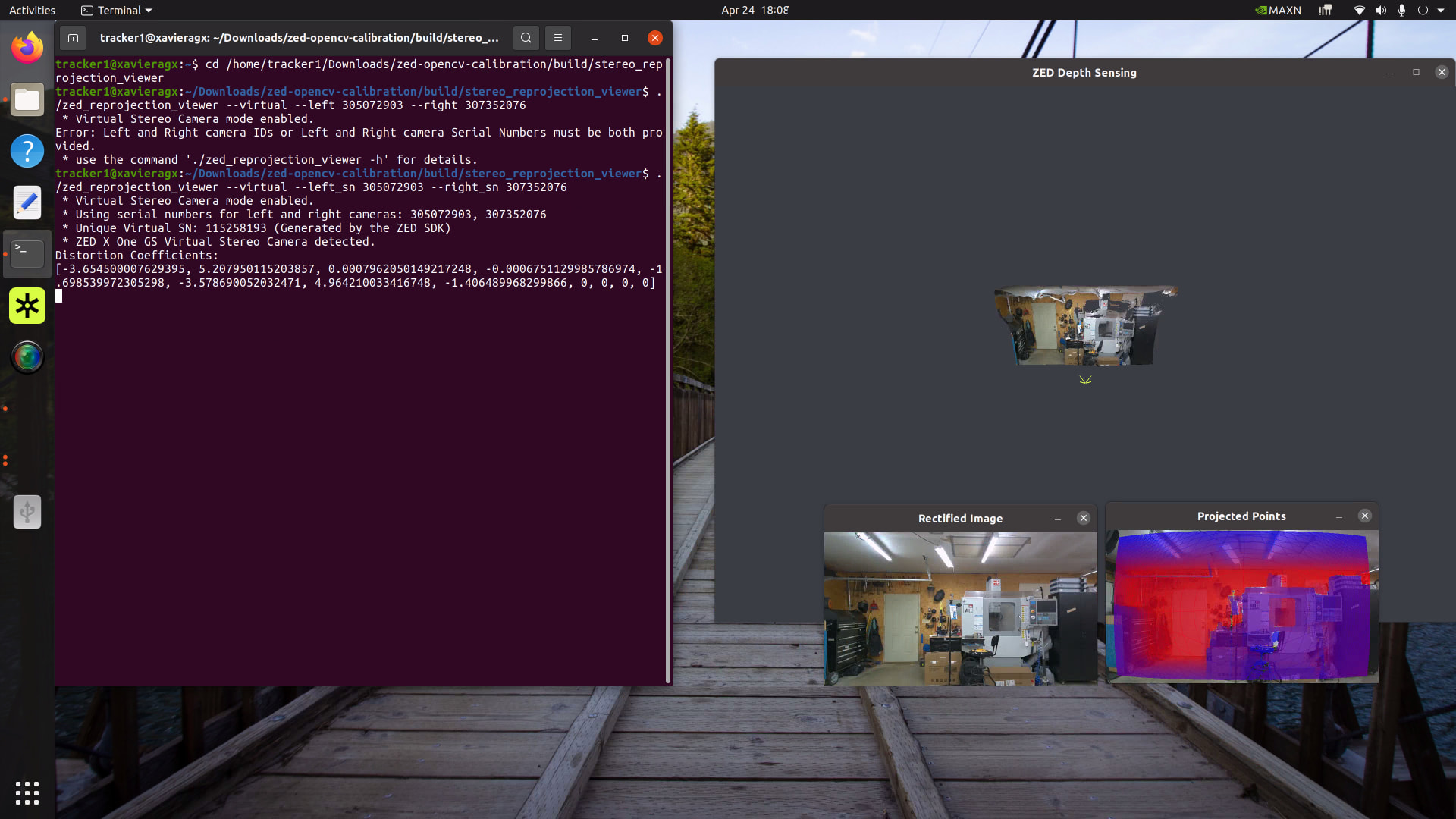
Here is the terminal printout.
tracker1@xavieragx:~/Downloads/zed-opencv-calibration/build/stereo_reprojection_viewer$ ./zed_reprojection_viewer --virtual --left_sn 305072903 --right_sn 307352076
Virtual Stereo Camera mode enabled.
Using serial numbers for left and right cameras: 305072903, 307352076
Unique Virtual SN: 115258193 (Generated by the ZED SDK)
ZED X One GS Virtual Stereo Camera detected.
Distortion Coefficients:
[-3.654500007629395, 5.207950115203857, 0.0007962050149217248, -0.0006751129985786974, -1.698539972305298, -3.578690052032471, 4.964210033416748, -1.406489968299866, 0, 0, 0, 0]
Hey! I confirm that it is a problem in the python sdk. I tried running the same in cpp, and it does not fail at activating camera, the way it does in python, giving the same error as the post, and works smoothly.
However, CameraOne works, so its a problem when they are set as stereo cameras.
Calibration works, as well as the reprojection code in the same github repo
My setup:
SDK version: 5.2.3
Device: Jetson Orin AGX, with Quad card installed
Jetpack version: 6.1.1
Zed driver version: RT for 6.1.1 for quad card
Pytho version: 3.10.12
You can also use set_virtual_stereo_from_camera_id in the same way.
What’s important is that you initialize sl.InputType() object before assigning it to init_params.input, because Python does not create a reference as C++ does, and the object is lost, causing the opening error.